AI Document Translation: How It Works, Where It Breaks, and How to Use It
Published Tue Sep 08 2026 | 15 min read
Learn how ai document translation handles OCR, layout, terminology, and review for legal, research, business, healthcare, and publishing teams.
AI document translation is the use of machine-learning systems to translate an entire file—not merely pasted text—while interpreting its structure, recovering text from scans, and reconstructing a usable output document. For legal teams, researchers, publishers, educators, and operations groups, that distinction matters: the deliverable may need to retain headings, footnotes, tables, images, page order, and visual emphasis as well as meaning.
A useful way to think about it is as a document pipeline with several separate jobs: file interpretation, text extraction, language conversion, layout reconstruction, and quality control. A PDF with selectable text follows one path. A scanned court filing follows another. A DOCX report with tables and tracked formatting creates different risks again. Treating all three as “translate this text” is how teams end up with missing clauses, broken tables, or a polished-looking file that was never properly checked.
What AI Document Translation actually includes
Traditional translation workflows often begin after someone has extracted and cleaned the source text. AI document translation starts earlier. It must determine what parts of the file are language-bearing content, what parts are structure, and what parts should remain unchanged. In a contract, for example, the system must distinguish a clause from a page number, a signature line from a paragraph, and a defined term from ordinary prose.
Four layers of the job
1. File and page analysis. The system identifies the container and its internal objects. A PDF may contain text objects, vector graphics, raster images, embedded fonts, annotations, and form fields. A DOCX file is a package of XML parts and related resources rather than a single flat text stream. Microsoft’s documentation describes the Office Open XML structure as a set of parts and relationships, which explains why preserving a DOCX involves more than copying its visible words into a new file: Microsoft’s DOCX standard documentation provides the underlying format context.
2. Text recovery. If text is embedded in the file, extraction can preserve character order more reliably. If each page is an image, the system needs optical character recognition, or OCR, to infer characters and their positions. OCR is not translation. It is a recognition step that can introduce errors before translation even begins. Google Cloud’s official OCR documentation describes text detection for documents and the extraction of words and their locations, a useful illustration of why a document workflow needs both recognized text and page geometry: Google Cloud Vision’s OCR documentation.
3. Language conversion. The translation model processes text in context, ideally with awareness of neighboring sentences, headings, tables, and repeated terminology. This is where a name, legal defined term, drug name, or product identifier may need special handling. A good system does not assume that every capitalized phrase should be translated or that every repeated phrase can be translated independently.
4. Reconstruction. The translated content is placed back into a document. This can expose problems that were invisible in plain text: German may expand a short English heading, Arabic may change reading direction, and a translated table cell may require two or three lines instead of one. PDF is a page-description format designed to reproduce visual presentation across systems, not a promise that every element is easy to edit or reflow; the Library of Congress format description gives useful background on PDF’s structure and preservation characteristics: Library of Congress: PDF file format sustainability.
- A 20-page English policy can produce longer translated paragraphs that push a signature block onto a new page.
- A scanned 45-page court exhibit may contain 12 pages of handwriting or stamps that require separate review.
- A 60-slide presentation can contain text in speaker notes, diagrams, charts, and screenshots—not only slide titles and bullet points.
- A 180-page EPUB may contain chapter navigation, footnotes, tables, and embedded images whose captions need consistent treatment.
So the output is not judged only by whether the sentences sound natural. It must also be complete, structurally faithful, and fit for its downstream use. A translated contract that omits a footnote is defective even if its main paragraphs read beautifully. A translated research paper with scrambled equations may be unusable even if its abstract is excellent.
Why the document format changes the risk
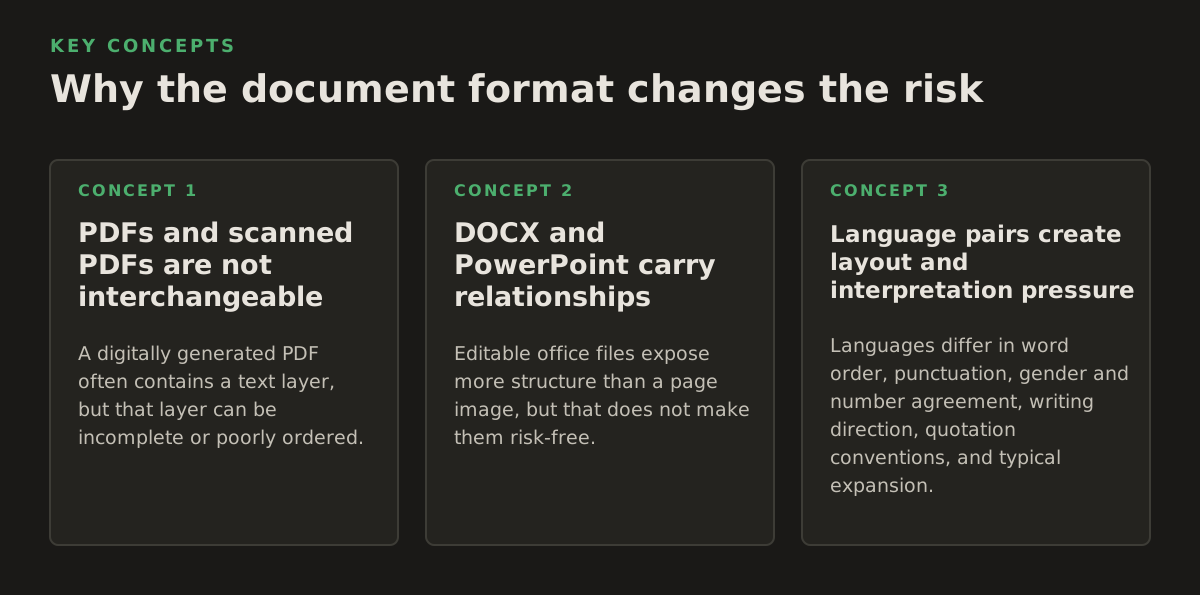
The same source sentence can create different operational problems depending on where it appears. A paragraph in a DOCX file may reflow acceptably. The same paragraph inside a narrow PDF table may collide with a border or push a numeric value onto the next line. A phrase embedded inside a scanned image may not be recognized at all.
PDFs and scanned PDFs are not interchangeable
A digitally generated PDF often contains a text layer, but that layer can be incomplete or poorly ordered. Multi-column academic papers are a familiar example: extraction may read across columns, pull a header into the middle of a paragraph, or detach a footnote from the sentence it qualifies. A scanned PDF contains page images, so visual quality, skew, contrast, stamps, handwriting, and typeface all affect OCR.
For a digitally generated report, a practical first step is to translate PDF documents. For an image-only filing, the workflow must instead include OCR and a visual check against the original; teams handling exhibits, archival records, and signed forms should translate scanned PDFs before relying on the translated text.
DOCX and PowerPoint carry relationships
Editable office files expose more structure than a page image, but that does not make them risk-free. A DOCX can contain headers, footers, comments, tables, fields, hyperlinks, and section breaks. A PowerPoint presentation can contain text boxes, chart labels, SmartArt, speaker notes, and text baked into an image. Some visible content may be outside the ordinary paragraph stream.
Preservation is a semantic problem as well as a visual problem. If a heading is translated as ordinary body text, the file may look acceptable while losing navigation and accessibility information. If a table is converted into a picture to protect its appearance, users may no longer be able to search, copy, or edit its values. If a footnote marker is separated from its footnote, the page can remain attractive while its meaning changes.
Language pairs create layout and interpretation pressure
Languages differ in word order, punctuation, gender and number agreement, writing direction, quotation conventions, and typical expansion. These differences affect both translation and formatting. In a right-to-left target language, directionality may apply to the paragraph, table, page number, or only a portion of a mixed-language string. A product code containing Latin characters and numbers may need to remain left-to-right inside an otherwise right-to-left paragraph.
Teams should identify the content that must not change before translation begins. Typical examples include:
- case numbers, docket references, patent identifiers, and contract section numbers;
- chemical formulas, gene symbols, dosage amounts, currency values, and measurement units;
- URLs, email addresses, database fields, SKU codes, and software commands;
- names that have an approved transliteration or must remain in the original script;
- defined legal terms whose translation is controlled by a governing agreement or terminology list.
The governing question is not “Can the AI translate this file?” It is which elements may change, which must remain invariant, and which require human approval. That decision should be made by the team that owns the document—not left to the rendering stage.
How an AI Document Translation workflow works
A reliable workflow separates irreversible decisions from reversible ones. OCR corrections, terminology choices, and removal of source content can be difficult to reconstruct later. By contrast, changing a font size or adjusting a page break is usually reversible. Preserve the source, retain intermediate outputs when possible, and make review proportional to the consequence of an error.
Step 1: Triage the source
Before uploading a file, classify it by format, text condition, sensitivity, and purpose. Record whether it is an editable original, a digitally generated PDF, a scan, or a mixed document. Note whether there are handwritten annotations, embedded images, signatures, formulas, or multiple languages on the same page.
A simple intake record can include:
- Source condition: selectable text, image-only, or mixed;
- Content class: contract, court record, research article, report, textbook, clinical material, or presentation;
- Target use: internal understanding, publication, filing support, teaching, patient communication, or official release;
- Review level: machine-assisted review, bilingual review, or specialist sign-off;
- Protected elements: names, numbers, tables, citations, formulas, and approved terminology.
This triage determines whether the main risk is recognition, translation, formatting, or interpretation. A low-resolution scan may need image preparation before language review can even begin. A clean DOCX may require less OCR attention but more scrutiny of comments, fields, and tables.
Step 2: Extract structure and recover text
The system identifies paragraphs, headings, cells, captions, notes, and other regions. For scanned pages, OCR returns candidate text and often positional information. Human reviewers should pay special attention to characters that are visually similar: “O” and “0,” “I” and “1,” decimal points, minus signs, quotation marks, and superscripts.
OCR confidence is not translation confidence. A perfectly recognized sentence can still be translated incorrectly. Conversely, a strong translation model cannot reliably repair an OCR error that changes a drug dose, date, party name, or negative instruction. For that reason, critical numbers and proper nouns deserve a source-to-output comparison, not just a general reading.
Step 3: Translate with terminology controls
Translation should use the document’s context wherever possible. Repeated terms should be checked for consistency, but consistency does not mean forcing one translation into every grammatical context. A legal term may be translated one way as a defined noun and another way in a verb phrase. A research term may have a field-specific meaning that differs from its everyday meaning.
Create a short terminology instruction before processing important work. It can state:
- terms that must remain in the source language;
- approved target-language equivalents;
- terms that must be translated consistently throughout the file;
- names, abbreviations, and units that require preservation;
- phrases that need a subject-matter reviewer rather than automatic resolution.
For recurring business reports, this list can become a maintained glossary. For a one-time litigation document, it may be a two-page instruction sheet. Either approach is better than discovering after delivery that “claim,” “application,” or “service” was translated inconsistently across key sections.
Step 4: Rebuild and inspect the document
Reconstruction should preserve the source’s hierarchy without treating visual similarity as the only goal. Check headings, numbering, tables, links, captions, page headers, footers, and references. Compare the translated page count carefully, but do not assume that an identical count proves quality. Different languages naturally produce different line lengths.
Use two review passes with different objectives:
- Content pass: check omissions, mistranslations, OCR errors, names, numbers, negations, references, and terminology.
- Presentation pass: check clipping, overlaps, blank pages, broken tables, unreadable fonts, misplaced images, directionality, and page breaks.
A third pass may be necessary for high-consequence content: a legal specialist for an agreement, a clinician or pharmacist for medical material, or a subject expert for a technical paper. The reviewer should compare against the source, not merely approve the target document because it reads fluently.
Where automated document translation breaks
AI systems are useful because they handle large amounts of content quickly and can preserve much of a document’s organization. They are not a substitute for identifying ambiguity or assigning accountability. The hardest failures are often plausible: a sentence sounds professional, the page looks clean, and a small change in meaning goes unnoticed.
Recognition failures
OCR can struggle with skewed pages, low contrast, unusual fonts, bleed-through, seals, marginal notes, handwriting, curved book pages, and text over photographs. A scan may also contain a blank-looking page with a faint stamp or an attachment that matters legally. Do not use the absence of extracted text as proof that the page contains no relevant content.
Warning signs include:
- unexpectedly short extracted text from a dense page;
- many one-character words or strings of random symbols;
- dates and monetary amounts that differ from the image;
- missing superscripts, footnote markers, or table headings;
- paragraphs that appear in an implausible reading order.
Context failures
Short labels are especially ambiguous. “Charge,” “motion,” “appeal,” “issue,” and “draft” can have different meanings by field and sentence position. A model may choose a fluent general translation when a court, engineering, or clinical meaning is required. Negation, conditional language, exceptions, and scope are also high-risk because a small word can change the obligation.
Researchers should inspect methods, limitations, variable names, and statistical qualifiers. Legal teams should inspect defined terms, “shall” and “may,” exceptions, dates, governing-law language, and cross-references. Healthcare teams should inspect units, routes of administration, contraindications, and patient instructions. The reviewer’s expertise should follow the consequence of an error, not the apparent simplicity of the prose.
Layout failures
Reconstruction can fail when translated text is longer, when a table cell has no room to expand, or when the source relies on exact positioning. Charts are a special case: translating a chart title does not necessarily translate labels inside the chart image. Likewise, a screenshot of an application may contain interface text that is invisible to ordinary document extraction.
A visually complete file may still be functionally incomplete. Search the output for source-language fragments, inspect every page thumbnail, and sample dense areas rather than reviewing only the first and last pages. For presentations, run through slides in slideshow mode because overflow may not be obvious in editing view. For EPUB files, test chapter navigation, footnotes, and reading order on the intended reading environment.
Confidentiality and governance failures
Document translation often involves contracts, personnel records, research subjects, patient material, or government information. The translation workflow therefore needs an organizational policy for approved tools, access, retention, reviewer permissions, and handling of intermediate files. Do not paste sensitive passages into an unapproved public service merely because the document is difficult to process locally.
Also establish who can approve the final translation. A project manager may verify that every file was delivered, but may not be qualified to approve a court filing or medical instruction. Accountability must be assigned before processing, especially when a translated document will be published, filed, signed, or used to guide care.
How practitioners should apply it by document type
The right workflow depends on what the translated document is for. Internal comprehension can tolerate a different review model from a public publication or a legal filing. The following applications illustrate where to spend attention.
Legal teams
Use AI document translation to accelerate first-pass understanding, organize multilingual evidence, and prepare working drafts—but preserve the original file and maintain a review trail. Start with a terminology sheet for parties, defined terms, remedies, procedural labels, and recurring clauses. Compare every number, date, exhibit reference, and negation against the source.
For a contract, review the definitions section before the operative clauses. A mistaken definition can propagate through the entire agreement. For a court bundle, check exhibit labels, page references, handwritten annotations, seals, and stamps. If the target document will be filed or relied upon as an authoritative version, require an appropriately qualified bilingual or legal review rather than treating fluent machine output as final.
Researchers and universities
Academic translation benefits from structure preservation because headings, citations, tables, formulas, and figure captions carry meaning beyond ordinary prose. Create a glossary for technical terms, variables, institution names, and measurement units. Review the abstract and conclusion independently: they are often reused in indexes, grant materials, or repository records and should not inherit an unnoticed terminology error from the body.
Pay particular attention to:
- superscripts, subscripts, equations, and Greek letters;
- statistical symbols, decimal separators, confidence intervals, and p-values;
- citations and bibliographies, which may need preservation rather than translation;
- figure legends, axis labels, and text embedded in diagrams;
- ethics statements, consent language, and descriptions of study populations.
For literature review, machine translation can help researchers triage papers and identify relevant passages. For publication, peer review, or formal dissemination, use a specialist review layer appropriate to the discipline.
Businesses and internal operations
Business teams usually gain the most from repeatable intake rules. Classify recurring reports, sales materials, policies, and operating procedures by audience and consequence. A regional team may need a readable internal version, while a customer-facing manual needs terminology and formatting approval.
Keep product names, system labels, SKU codes, and regulatory references in a controlled list. Check that translated charts still communicate units and legends correctly. If the source contains sensitive financial or personnel information, apply the organization’s approved data-handling policy before uploading it. The best workflow is often not “translate everything automatically,” but “automatically process low-risk sections and route exceptions to a reviewer.”
Publishers and educators
Books and course materials require attention to continuity across chapters. A character name, concept, heading, or recurring exercise instruction should not drift between files. EPUB translation adds navigation and reading-order concerns; DOCX and PDF outputs add page and style concerns. Review front matter, tables of contents, captions, sidebars, exercises, answer keys, and index entries separately.
For educational material, preserve the distinction between an explanation, an instruction, and an assessment question. A translation that makes a question easier or harder can alter the learning objective. Also check whether examples, idioms, currencies, dates, and legal references are appropriate for the target audience rather than mechanically retained.
Government and healthcare teams
These teams should separate translation assistance from authorization to publish or act. A translated public notice, benefits form, discharge instruction, or consent document may require an established approval process. Use OCR and AI translation to reduce manual preparation, then have the responsible language and subject-matter reviewers check completeness, plain language, and critical instructions.
For healthcare documents, numbers and qualifiers deserve priority: dosage, frequency, duration, allergies, warnings, and follow-up instructions. For government forms, inspect field labels, checkboxes, signature areas, eligibility conditions, and references to statutes or agencies. A layout-preserving output is valuable only if users can still understand where to write, what to select, and which instructions apply.
In 2026, the most defensible starting policy is to use AI document translation for structured acceleration with explicit human ownership. Classify the file, preserve the source, identify protected terms, inspect OCR where necessary, review content and presentation separately, and escalate high-consequence material to a qualified specialist. InOtherWord.AI is designed for translating PDFs, scanned PDFs, DOCX files, PowerPoint presentations, and EPUB books while preserving formatting, layouts, tables, and images; it can be a practical option when your workflow needs the document—not just its extracted text—returned in usable form. InOtherWord.AI
Authored with NotFair SEO
Related guides
Keep researching the right workflow
These pages help move from general document-translation research into the specific file format or workflow you need.
A practical workflow for translating scanned PDFs with OCR while preserving enough structure for real review, sharing, and downstream editing.
Explore pageHow to translate PPT and PPTX decks without breaking slide layouts, charts, and speaker-ready formatting.
Explore pageThe best AI PDF translator is not just about language quality. It also needs OCR, layout preservation, and reviewable output for real files.
Explore pageCommercial pages
Ready to translate the actual file?
Jump from the guide into the product page that fits your document type, then continue into pricing when you are ready.
Format page
Translate PDF Documents
Translate PDF files while preserving layout, tables, and page structure.
Explore pageFormat page
Translate Scanned PDFs
OCR and translate scanned PDFs without rebuilding the layout by hand.
Explore pageFormat page
Translate PowerPoint Presentations
Translate PPT and PPTX decks while preserving slide layouts, tables, and speaker-ready formatting.
Explore pageTranslate layout-heavy PDF reports, manuals, forms, and client-ready files while keeping tables, headings, and images readable.
Explore page