Docx Translation Examples For Healthcare Reports: A Practical Guide
Published Mon Nov 16 2026 | 9 min read
docx translation examples for healthcare reports, with sample wording, table checks, and a review framework to protect meaning and document structure.
DOCX translation examples for healthcare reports are most useful when they show how wording, tables, and review decisions change for a specific audience. Use the examples below to decide what needs translation, what must stay consistent, and where a qualified reviewer should check the result before anyone relies on it. The sample Spanish wording is illustrative, not a certified translation or a substitute for clinical, legal, or language review.
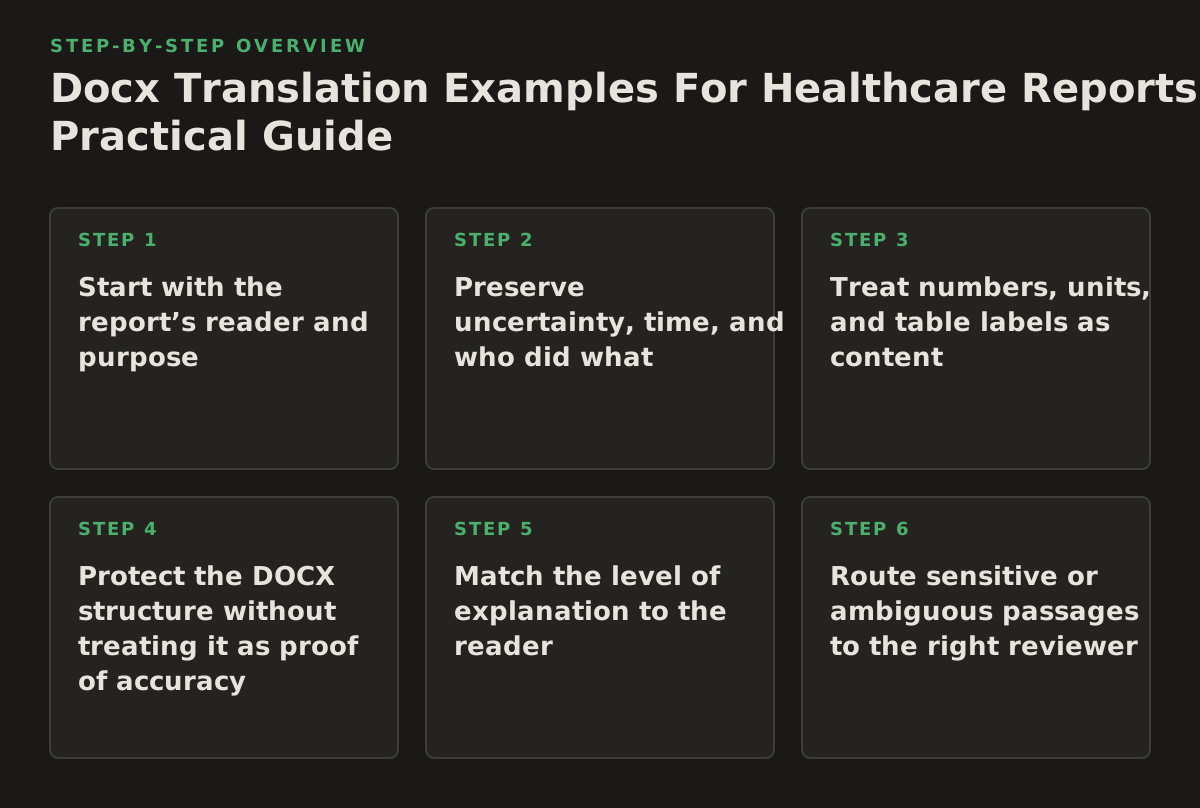
1. Start with the report’s reader and purpose
Audience determines the translation choices. A report written for clinicians can use established clinical terms and concise findings; a patient-facing summary needs direct wording and clear explanations. A research report may need formal terminology, defined measures, and careful preservation of uncertainty. Before translating, label the intended reader and the decision the document is meant to support.
This distinction matters because the same source sentence can serve different jobs. “Treatment was well tolerated” may be an appropriate summary for a professional audience, but it does not tell a patient what was observed or how the phrase was measured. Do not make the translation more reassuring or more conclusive than the source.
Example: one finding, two audiences
- Clinical report source: “No adverse events were reported during follow-up.”
- Illustrative Spanish version: “No se notificaron acontecimientos adversos durante el seguimiento.”
- What it demonstrates: The sentence reports what was documented; it does not claim that no symptoms occurred.
- What to adapt: Confirm the preferred local term for “adverse events” and whether the report distinguishes events from reactions. Keep the same distinction throughout.
For patient-facing materials, assess whether technical language needs explanation rather than silently replacing it. The AHRQ Health Literacy Universal Precautions Toolkit describes an approach of making health information easier to understand for people with varying health-literacy needs. Apply that principle to the document’s intended audience, but do not use simplification to alter a clinical finding.
Failure mode: Translating every report as though it were either a journal article or a patient leaflet. Implementation: Put “clinical team,” “patient,” “research,” or another defined reader in the translation brief, then flag any section whose reader differs.
2. Preserve uncertainty, time, and who did what
Healthcare reports often depend on qualifiers: “reported,” “suspected,” “may,” “not observed,” or “not assessed.” Keep the strength of the claim unchanged. A translation that turns a possibility into a certainty—or an absence of recorded evidence into proof of absence—can change how a reader interprets the result.
Example: distinguish observation from conclusion
- Source: “The patient reported dizziness after the first dose.”
- Illustrative Spanish version: “El paciente refirió mareos después de la primera dosis.”
- What it demonstrates: “Reported” attributes the symptom to the patient’s account; the sentence does not state that the dose caused it.
- What to adapt: Check whether the surrounding report uses “patient,” “participant,” or a role-specific term, and maintain that choice consistently.
Failure mode: Changing a time relationship into a causal statement, such as rendering “after” as “because of.” Another risk is dropping the source of information and presenting a patient report as a clinician-confirmed finding.
Use a short list of terms that must retain their distinctions. Include “reported,” “observed,” “confirmed,” “suspected,” and “not assessed” where they occur in the source. For each, record the approved target-language choice and an example sentence. A reviewer can then compare meaning across sections rather than judging each sentence in isolation.
For documents about cancer, a terminology check can start with the National Cancer Institute’s Dictionary of Cancer Terms. It is a reference, not a substitute for choosing terminology appropriate to the target language, report type, and local clinical context.
3. Treat numbers, units, and table labels as content
Tables carry clinical meaning, not just layout. A correct paragraph translation can still mislead if a column heading, footnote, decimal, unit, or group label is wrong or detached from its value. Review the table as a connected structure: headings identify what values mean, and notes qualify how to interpret them.
Example: a lab-results table
Suppose a source DOCX table has columns for “Test,” “Result,” and “Unit,” plus a footnote explaining that a reference range varies by age. The translated table should keep the result associated with the same test and unit, preserve the footnote marker, and make the age qualification visible. Do not convert or normalize a value unless the project specifically calls for it and an appropriate reviewer verifies the conversion.
Use this selection framework before translation:
| Document element | Risk to check | Practical action | Reviewer focus |
|---|---|---|---|
| Measurements | Changed value, decimal, or unit | Compare every number and unit with the source | Clinical or data owner |
| Column headings | Value attached to the wrong measure or group | Check each heading against its cells | Translator and subject reviewer |
| Footnotes | Qualifier omitted or marker misplaced | Verify every marker has its matching note | Report owner |
| Figures and captions | Caption describes the wrong figure or population | Match captions, labels, and callouts to source | Research or clinical reviewer |
Failure mode: Reviewing only the translated text while overlooking a shifted row or a missing footnote. Implementation: Select one table at a time, compare it side by side with the source, and tick off its headings, values, units, and notes before moving on. For accessible tables, the W3C’s Tables tutorial explains the role of headers in helping readers understand data relationships.
4. Protect the DOCX structure without treating it as proof of accuracy
A DOCX report may contain heading levels, captions, page breaks, headers, footers, tracked changes, and tables. Structure helps readers navigate, but it does not validate translated meaning. Check the document in both its editable form and a rendered view; text can appear complete while a caption, heading, or note is displaced or hidden.
Example: a numbered findings section
Imagine a report with “2. Results,” three subsections, and a table referenced as “Table 2.” The translated file should preserve the heading hierarchy and ensure that the in-text reference still points to the correct table. If the target-language text expands and causes a page break, check that the heading has not been stranded at the bottom of a page and that the table remains readable.
Apply a practical structure check:
- Compare the heading sequence and numbering with the source.
- Check headers, footers, page numbers, captions, and cross-references.
- Inspect tables at page breaks and confirm that repeated headings remain clear.
- Review tracked changes and comments separately; establish whether they should be translated, resolved, or removed.
Failure mode: Assuming that a visually similar document is a faithful one. Formatting can make errors easier to miss, especially when small labels or footnotes are separated from the content they qualify. If a report includes source material as a PDF attachment, translate PDF documents may be relevant to that separate file; keep its review distinct from the DOCX review.
5. Match the level of explanation to the reader
Patient-facing reports may need a short explanation for an abbreviation or technical term, while a clinician-facing report may require the original abbreviation and a defined term. Explain only what the audience needs, and preserve the source’s clinical boundary. Do not add advice, reassurance, or interpretation that the source author did not provide.
Example: informed participation
- Source: “Participation is voluntary. You may stop at any time without affecting your care.”
- Illustrative Spanish version: “La participación es voluntaria. Puede dejar de participar en cualquier momento sin que esto afecte a su atención médica.”
- What it demonstrates: The second sentence preserves the stated right and its stated consequence.
- What to adapt: Confirm the formality and regional wording with the intended audience and review whether the surrounding document uses consistent terms for “participation” and “care.”
Failure mode: Expanding the sentence to promise confidentiality, eligibility, or a particular clinical outcome when the source says nothing about those points. Add an explanation only when the document owner approves it and it is clearly distinguishable from translated source content.
For public-facing materials, the CDC Clear Communication Index provides criteria for assessing communication materials. It can inform a separate clarity review; it does not certify a translation or replace a language reviewer.
6. Route sensitive or ambiguous passages to the right reviewer
Not every sentence needs the same review. A qualified language reviewer can assess target-language meaning; a clinical or research reviewer can check whether terminology and interpretation fit the source context. Send questions to the person able to resolve them. A translator should not have to guess whether an abbreviation refers to a measure, a department, or a treatment.
Maintain a query log for uncertainties rather than making silent edits. Useful entries include the source wording, the location, the issue, the proposed options, and the decision owner. This creates a record of decisions that can be reused when the same term appears later in the report.
- Flag ambiguous abbreviations and undefined terms.
- Ask the report owner to resolve source errors or conflicting values.
- Ask a language reviewer to assess naturalness and regional terminology.
- Ask a clinical or research reviewer to confirm that the translation does not change the finding.
Failure mode: Treating a fluent sentence as evidence that it is clinically correct. Fluency is one check, not a substitute for meaning review. If source pages are scans rather than editable DOCX content, text recognition can also introduce errors; inspect recognized text against the image before using it. For a scan-based source, translate scanned PDFs is relevant to that document type, but the extracted content still needs verification.
7. Use this sequenced implementation plan
For a healthcare team preparing a translated report, work through the decisions in order. This prevents late-stage formatting work from hiding unresolved meaning questions.
- Define the use. Record the target reader, purpose, language variant, and whether the document is for internal review, publication, or communication with patients.
- Prepare the source. Resolve conflicting values, expand ambiguous abbreviations, and identify content that is not part of the translation scope, such as comments or tracked changes.
- Set terminology rules. List high-risk terms, abbreviations, units, and phrases that express uncertainty. Assign a decision owner for questions.
- Translate by document structure. Work through headings, paragraphs, tables, captions, footnotes, and headers in a controlled sequence. Keep each value connected to its label.
- Review meaning and language. Have the appropriate reviewers check claim strength, timing, attribution, terminology, and audience-appropriate wording.
- Inspect the rendered file. Compare pages with the source and check numbering, references, table breaks, and legibility. Recheck any content changed during layout correction.
- Release the right version. Confirm the approved file, language, and review status; keep the query log and terminology decisions with the project record.
InOtherWord.AI supports translation of DOCX files as well as PDFs and scanned PDFs, with the business description stating that document layout and elements such as tables and images are preserved. If that workflow fits your source documents, InOtherWord.AI can be one part of the process; assign the clinical, language, and release checks appropriate to your report.
Authored with NotFair SEO
Related guides
Keep researching the right workflow
These pages help move from general document-translation research into the specific file format or workflow you need.
A practical workflow for translating scanned PDFs with OCR while preserving enough structure for real review, sharing, and downstream editing.
Explore pageHow to translate PPT and PPTX decks without breaking slide layouts, charts, and speaker-ready formatting.
Explore pageThe best AI PDF translator is not just about language quality. It also needs OCR, layout preservation, and reviewable output for real files.
Explore pageCommercial pages
Ready to translate the actual file?
Jump from the guide into the product page that fits your document type, then continue into pricing when you are ready.
Format page
Translate PDF Documents
Translate PDF files while preserving layout, tables, and page structure.
Explore pageFormat page
Translate Scanned PDFs
OCR and translate scanned PDFs without rebuilding the layout by hand.
Explore pageFormat page
Translate PowerPoint Presentations
Translate PPT and PPTX decks while preserving slide layouts, tables, and speaker-ready formatting.
Explore pageTranslate layout-heavy PDF reports, manuals, forms, and client-ready files while keeping tables, headings, and images readable.
Explore page