Scanned Pdf Translation Quality Checklist: From OCR to Release
Published Thu Sep 24 2026 | 10 min read
Use this scanned pdf translation quality checklist to verify OCR, terminology, layout, numbers, and review risk before releasing translated documents.
Use this scanned pdf translation quality checklist to decide whether a translated file is accurate and usable enough to release: verify the source scan, inspect OCR text, review terminology and high-risk details, then compare the translated pages with the original. For a contract, journal article, patient record, or government form, a polished layout is not proof of correct text. The checks below help you catch errors at the stage where they are cheapest to fix and set a clear standard for human review.
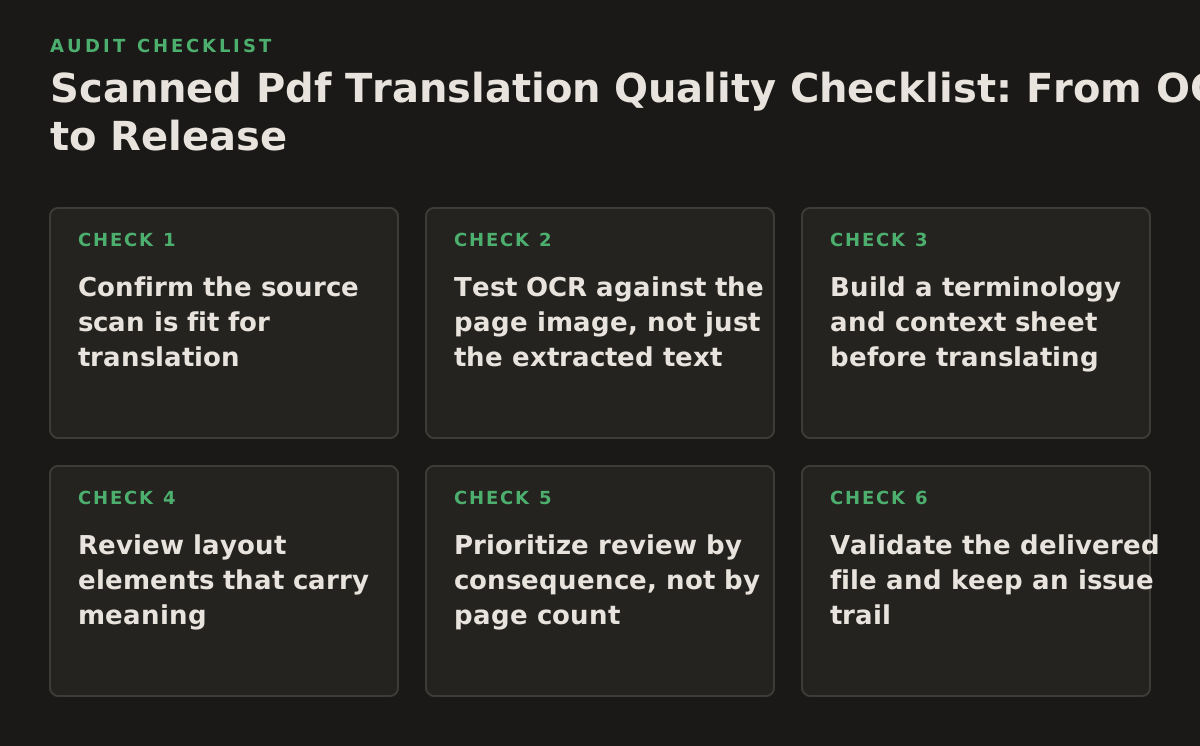
1. Confirm the source scan is fit for translation
When this applies: before translating any PDF that came from a scanner, camera, fax, or photocopy. A translation process can only work with the information present in its source. If a faint minus sign, handwritten note, or page edge is missing, later review may not be able to recover it.
Why it works: visual inspection separates source defects from OCR or translation defects. Check whether every page is present, upright, legible, and framed so that no text, stamps, or marginal notes are clipped. Adobe’s guidance on creating searchable PDFs describes recognizing text in scanned documents as an OCR step; a searchable output still needs review against the page image. Adobe’s scanned-document guidance is useful background on this distinction.
Run a source-file gate
- Open the PDF as images, not only as selectable text, and inspect the first, middle, and final pages.
- Check for mixed orientations, skew, shadows, bleed-through, low contrast, and pages photographed at an angle.
- Confirm that seals, signatures, footnotes, handwritten additions, and attachments are intentionally included or excluded.
- Record uncertain source content instead of silently guessing what it says.
Failure mode: treating a selectable text layer as evidence that the scan is complete. It may contain text while omitting marginalia or misreading a faint character. Implementation example: for a scanned court filing, flag a page where a handwritten date overlaps the printed text; request a clearer scan or route that page for manual transcription before translating the date.
If the file needs OCR before translation, start with a workflow designed for translate scanned PDFs; for a born-digital PDF, the broader translate PDF documents workflow may be more appropriate.
2. Test OCR against the page image, not just the extracted text
When this applies: whenever the PDF has no reliable text layer or its text layer has not been validated. OCR converts visible characters into machine-readable text, but recognition can fail on poor scans, unusual typefaces, columns, tables, or language-specific characters. Google Cloud’s OCR documentation describes text recognition as extracting text and structure from images; that capability does not establish that every character in a particular file is correct. Google Cloud’s OCR documentation can help teams understand the kind of output OCR systems produce.
Use a risk-based OCR spot check
Compare the extracted text with the image in passages where one character can change meaning. Include proper names, dates, decimals, negative values, section references, and language-specific marks. For a long report, also sample ordinary paragraphs and headings to catch broad recognition problems that risk-based checks may miss.
- Check whether reading order follows the page, especially in multi-column research papers.
- Compare table rows and column labels rather than checking only the values.
- Inspect ligatures, diacritics, superscripts, subscripts, and punctuation used in legal citations.
- Mark uncertain passages as unresolved; do not let the translation stage turn a guess into an apparently authoritative statement.
Failure mode: reviewing OCR by reading the extracted text alone. A plausible sentence can conceal a wrong number or dropped line. Implementation example: a research team checks each table heading and a sample of numerical cells against the scan, then sends any ambiguous cell to the author or a subject-matter reviewer rather than inferring its value.
For a repeatable review, keep the image and recognized text visible side by side. The Library of Congress’s technical guidance for digitization provides a useful reference for treating capture quality as a quality-control concern, not merely a file-generation task. Library of Congress digitization guidance.
3. Build a terminology and context sheet before translating
When this applies: when a document contains specialized vocabulary, names, abbreviations, repeated labels, or terms with more than one valid translation. Legal teams may need consistent defined terms; a healthcare team may need to distinguish a symptom from a diagnosis; researchers may need a field-specific rendering of a method or construct.
Why it works: a brief reference sheet gives translators and reviewers a shared basis for resolving ambiguity. Include the source term, approved target equivalent, context, and any instruction such as “retain in the original language” or “translate only in headings.” The sheet should reflect the document’s intended use, not just a general dictionary meaning.
Set terminology rules that can be checked
- List names, defined terms, acronyms, product names, and recurring form labels.
- State whether dates, units, currencies, and decimal separators should be localized or preserved.
- Identify terms that must remain consistent across appendices, exhibits, captions, and footnotes.
- Record unresolved terms for a named reviewer instead of allowing different translators to make separate assumptions.
Failure mode: approving a glossary without its surrounding context. A term can be correct in isolation but wrong in a clause, figure, or discipline. Implementation example: before translating an employment agreement, the legal team supplies its preferred translations for the defined parties and instructs reviewers to check that those terms remain consistent in the body, signature pages, and attached schedule.
For large projects, treat the terminology sheet as a controlled working file: assign an owner, track decisions, and update affected pages if an approved term changes. This makes terminology review auditable without pretending that a glossary can settle every contextual question.
4. Review layout elements that carry meaning
When this applies: to documents where meaning depends on placement or visual relationships, including tables, forms, charts, footnotes, multi-column papers, and presentation-like pages. Preserving a page’s appearance is useful only when the text remains connected to the right labels, values, and notes.
Why it works: comparing page structure catches errors that a text-only proofread misses. A value moved into the wrong column, a translated heading detached from its table, or a footnote attached to the wrong paragraph can change how a reader interprets the content.
Check structure by document type
- Tables: verify row and column alignment, merged cells, units, and notes.
- Forms: check that prompts remain next to the right fields and that translated labels fit without covering instructions.
- Academic pages: inspect figures, captions, equations, citations, and footnote markers together.
- Books and manuals: compare headings, running titles, page breaks, lists, and references.
PDF accessibility techniques also highlight the importance of meaningful text and structure for documents, beyond what a visual page image shows. The W3C’s PDF techniques are a useful reference when a translated file must remain usable with assistive technology. W3C PDF accessibility techniques.
Failure mode: approving a page because it looks close to the source while its reading order or table relationships are wrong. Implementation example: for a translated laboratory report, compare each table’s title, units, values, and notes as one block; if the translated labels force a layout change, verify that each value still aligns with its intended sample.
5. Prioritize review by consequence, not by page count
When this applies: when the file is long, contains sensitive material, or will inform a legal, clinical, financial, research, or government decision. A uniform page-by-page review may spend the same effort on a decorative heading as on a dosage, deadline, or contractual obligation.
Why it works: a review plan tied to consequences makes limited subject-matter attention more useful. It does not replace complete checks where they are required; it identifies which elements need qualified review first and which uncertainties must block release.
| Priority | Examples | Minimum action before release |
|---|---|---|
| Critical | Dosages, amounts, deadlines, negations, obligations, names, safety instructions | Compare against the source and obtain qualified human review; resolve every material ambiguity. |
| High | Tables, citations, defined terms, study results, form instructions | Check text and its visual relationship to headings, labels, and notes. |
| Routine | Explanatory paragraphs, repeated boilerplate, nonessential headings | Proofread for meaning, omissions, consistency, and readability. |
Use the table as a starting policy, then adapt it to the organization’s obligations and intended use. For example, a healthcare team should define which clinical fields require clinician review; a university may assign a researcher to verify equations and results. Failure mode: treating this prioritization as permission to skip routine review. Implementation example: a contract team checks all dates, amounts, negations, defined terms, and cross-references first, then completes a full language and layout review before release.
For records that must remain accessible, keep text and structure in scope alongside visual fidelity. NARA’s records-management resources provide context for managing electronic records as records, not simply as rendered pages. National Archives records-management guidance.
6. Validate the delivered file and keep an issue trail
When this applies: at final acceptance, after OCR, translation, and layout work are complete. The reviewer should inspect the actual file recipients will receive, not only a draft export or a separate text document.
Why it works: export and pagination can introduce problems after language review. A final check can catch missing pages, clipped text, broken fonts, blank pages, damaged links, or a file that no longer allows the intended text to be selected or searched. The appropriate test depends on how the recipient will use the document.
Use a release checklist
- Confirm page count and sequence against the approved source.
- Open the exported PDF on a second device or viewer where practical and inspect pages with dense layouts.
- Search for key terms, names, and numbers to check that the delivered text layer is usable.
- Record each issue, its location, severity, owner, resolution, and reviewer sign-off.
Failure mode: signing off on a file based on a single visual glance or a translator’s assurance. Implementation example: a publisher records a final issue against the page and paragraph, routes it to the responsible reviewer, then reopens the corrected export and verifies the affected page and nearby page breaks.
Define acceptance before work begins. As an illustrative starting policy, a team might require resolution of every critical issue and documented review of all high-priority elements; it should adjust that policy to the document’s purpose, regulatory obligations, and available subject expertise.
7. Implement the checklist in a controlled sequence
Use this sequence to prevent downstream polish from hiding upstream uncertainty. Assign an owner to each handoff, and retain the source, review notes, and approved final file according to your organization’s document-handling rules.
- Classify the document. Record its purpose, audience, source and target languages, sensitivity, deadline, and consequences of an error.
- Clear the source gate. Confirm page completeness and legibility; request a better scan or flag uncertain content before translation.
- Validate OCR. Compare extracted text with images, focusing on reading order, names, numbers, tables, and other high-impact passages.
- Set review rules. Provide terminology, localization, and formatting instructions; assign subject-matter reviewers to high-risk content.
- Inspect translation and layout together. Check meaning, consistency, tables, notes, figures, and page-level relationships.
- Release only the checked export. Resolve blocking issues, record sign-off, and confirm the actual delivered file is complete and usable.
Failure mode: running these activities as disconnected handoffs, so OCR questions reach reviewers only after translation or layout decisions depend on them. Implementation example: a university research office assigns one coordinator to collect scan defects, terminology decisions, and reviewer comments in a single issue log, with each item tied to a page and an owner.
InOtherWord.AI translates PDFs, scanned PDFs, DOCX files, PowerPoint presentations, and EPUB books while preserving formatting, layout, tables, and images. If that fits your document workflow, explore InOtherWord.AI.
Authored with NotFair SEO
Related guides
Keep researching the right workflow
These pages help move from general document-translation research into the specific file format or workflow you need.
A practical workflow for translating scanned PDFs with OCR while preserving enough structure for real review, sharing, and downstream editing.
Explore pageHow to translate PPT and PPTX decks without breaking slide layouts, charts, and speaker-ready formatting.
Explore pageThe best AI PDF translator is not just about language quality. It also needs OCR, layout preservation, and reviewable output for real files.
Explore pageCommercial pages
Ready to translate the actual file?
Jump from the guide into the product page that fits your document type, then continue into pricing when you are ready.
Format page
Translate PDF Documents
Translate PDF files while preserving layout, tables, and page structure.
Explore pageFormat page
Translate Scanned PDFs
OCR and translate scanned PDFs without rebuilding the layout by hand.
Explore pageFormat page
Translate PowerPoint Presentations
Translate PPT and PPTX decks while preserving slide layouts, tables, and speaker-ready formatting.
Explore pageTranslate layout-heavy PDF reports, manuals, forms, and client-ready files while keeping tables, headings, and images readable.
Explore page