Docx Translation Template For Contracts: A Legal Team’s Review Worksheet
Published Wed Nov 25 2026 | 10 min read
Use this docx translation template for contracts to brief translators, protect defined terms, flag risky clauses, and review the final Word file.
A docx translation template for contracts is most useful as a controlled project brief and review worksheet—not as a substitute for the contract itself or legal advice. Use the copyable worksheet below to record scope, terminology, risk priorities, and approval responsibilities before translation begins; then review the translated Word file against those decisions before anyone treats it as execution-ready.
This guide is for legal and business teams deciding what to provide, what to check, and who must approve it. The key decision is whether your team needs a language-only translation, a legally reviewed version for a particular jurisdiction, or both. Those are different work products, and the template should make the distinction explicit.
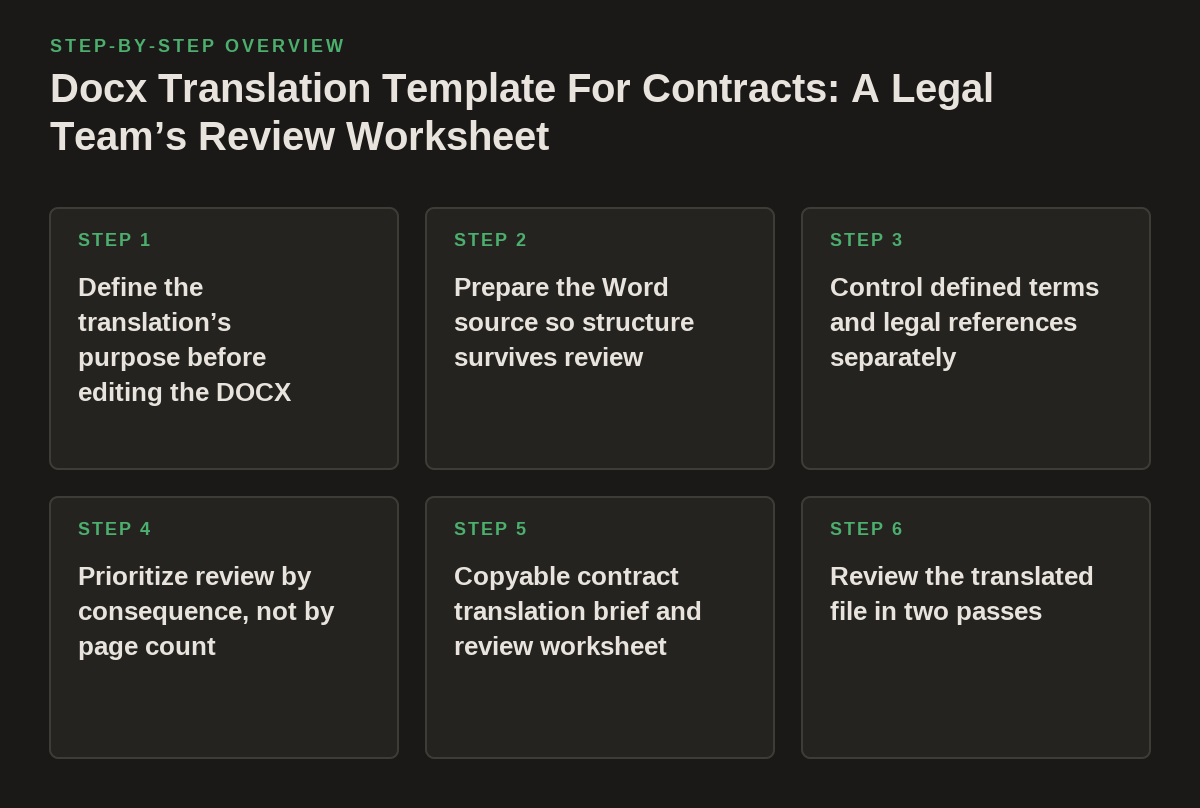
1. Define the translation’s purpose before editing the DOCX
Use this principle when a contract will be negotiated, signed, filed, or used as a reference by a team working in another language. The intended use determines the review standard: a draft for internal understanding may tolerate clearly marked provisional terms, while a document prepared for signature needs deliberate legal and language review.
Why it works: purpose guides choices that otherwise remain hidden, including whether to retain the source-language text, how to handle governing-law terminology, and who can approve departures from the original. A translation team cannot infer whether a document is for discussion or execution just from its clauses.
Separate the deliverable types
- Informational translation: helps readers understand the source but is not designated as the controlling text.
- Negotiation draft: supports comments and revisions; unresolved language should remain visible.
- Execution or filing version: requires the responsible legal team to confirm any jurisdiction-specific, certification, or filing requirements.
Failure mode: calling every output a “final translation” even when the team has not decided which language controls. That can create uncertainty about whether translated wording is meant to amend the agreement. Implementation example: put “For internal review only; English source controls” in the project brief when that reflects the team’s actual decision. Do not insert that wording into the contract unless an authorized reviewer approves it.
2. Prepare the Word source so structure survives review
Use this principle when the source DOCX contains tables, schedules, headers, footnotes, defined-term styling, or tracked revisions. A Word file is more than a run of paragraphs: Microsoft’s Open XML documentation describes a document structure that can include distinct elements such as paragraphs, tables, and other parts of the file. That is why a visual skim of the first page is not enough to establish that every section is present (Microsoft Learn: WordprocessingML document structure).
Why it works: a clean, consistently structured source makes omissions and layout changes easier to spot. Before handoff, decide which content is in scope and resolve avoidable ambiguity in the original. Do not silently “clean up” legal wording while preparing the translation copy.
Run a source-file handoff check
- Confirm the filename, language, version date, and whether comments or tracked changes are part of the approved source.
- Check that clause numbering, cross-references, tables, annexes, footnotes, and page headers are present.
- Mark text that should remain unchanged, such as registered names, product identifiers, or approved placeholders.
- Provide a reference copy of any related definitions or schedules needed to interpret the agreement.
Failure mode: translating an obsolete draft because it has a familiar filename. Implementation example: give the source a versioned name such as Supply_Agreement_EN_2026-04-15_ApprovedSource.docx and ask the project owner to confirm that exact file before work begins.
If the source is actually a PDF, choose the workflow for its source type rather than pretending it is a DOCX: the site’s pages are labeled translate PDF documents and translate scanned PDFs. A scanned file may need text recognition before its contents can be reviewed as editable text.
3. Control defined terms and legal references separately
Use this principle when a contract defines terms, uses recurring legal concepts, or refers to statutes, institutions, or standards. Define a preferred translation for each important term and record exceptions. For terminology research, the European Commission’s IATE database is an official multilingual terminology resource; it can inform research, but a database entry alone does not decide which wording fits a particular contract or jurisdiction (IATE).
Why it works: consistency lets reviewers focus on meaning instead of repeatedly debating the same word. Keep defined terms distinct from ordinary usage: if “Effective Date” has a contract-specific definition, its translation should not drift between clauses simply because a translator varies the phrasing.
Record the decision, not just the preferred word
- List the source term and approved target-language equivalent.
- Note capitalization, inflection, and whether the term is a defined term.
- Record a short explanation or source reference for terms with legal significance.
- Flag terms that require counsel’s decision rather than translator discretion.
Failure mode: treating an equivalent from another legal system as interchangeable just because it looks familiar. Implementation example: for a term that has no direct counterpart in the target jurisdiction, record “retain source term; add approved explanatory wording” as a decision for counsel—not as an instruction for the translator to invent a local-law substitute.
For contracts involving international sale of goods, the UNCITRAL page for the CISG provides the Convention text and related materials; consult the relevant official text as a reference only where it applies to the transaction. Do not assume that a treaty term governs every agreement or resolves a party’s chosen-law questions (UNCITRAL: United Nations Convention on Contracts for the International Sale of Goods).
4. Prioritize review by consequence, not by page count
Use this principle when legal reviewers have limited time or the agreement contains a mix of routine and high-impact clauses. Review effort should follow the consequence of a translation error, not the number of words in a clause. A short change to a deadline, exception, or liability limit can matter more than a long recital.
Why it works: a shared priority method makes review assignments and escalation decisions visible. The following matrix is a starting policy, not a universal benchmark; adapt its categories to the transaction and your organization’s approval rules.
| Review priority | Typical content | Review action | Example |
|---|---|---|---|
| High | Obligations, conditions, exceptions, remedies, liability, governing law | Compare meaning against the source; send uncertainty to authorized counsel | Check that an exception applies to the same obligation in both texts |
| Medium | Definitions, dates, cross-references, notice details, payment mechanics | Verify consistency, references, and values across the document | Confirm a defined term is translated consistently wherever it appears |
| Routine | Non-operative descriptions and administrative text | Check completeness, readability, and formatting | Confirm a party description has not been omitted from a recital |
Failure mode: treating every clause as equally urgent, so important terms get no more scrutiny than boilerplate. Implementation example: assign one reviewer to check high-priority clauses against the source and another to check document-wide consistency, then route unresolved legal interpretations to the person authorized to decide them.
5. Copyable contract translation brief and review worksheet
Use this worksheet before translation or when commissioning a revision. Copy the table into the project record and complete every field that affects scope or approval. If a decision is not yet known, write “unconfirmed” and name who will resolve it; a blank field can be mistaken for an instruction that does not exist.
| Field | Your answer / input |
|---|---|
| Contract and source-file identity | [Document name, source language, filename, version/date] |
| Target language and intended audience | [Language/locale; who will read or use the translation] |
| Purpose and status of translated text | [Internal reference, negotiation, execution, filing, or other; identify controlling text if decided] |
| Scope and exclusions | [Main agreement, schedules, comments, stamps, tables; list anything excluded] |
| Terminology and text to preserve | [Defined terms, approved equivalents, names, identifiers, unresolved terms] |
| Priority clauses and open questions | [Clauses needing close comparison; question and decision owner for each] |
| Review and approval owners | [Translator/reviewer roles; person authorized to approve legal wording] |
| Delivery and version control | [Required file format, naming convention, comment handling, approval record] |
Filled illustrative example
Illustrative only: a company is preparing a Spanish-language negotiation draft of an English supply agreement. The parties and legal context below are invented to show how to complete the worksheet.
- Identity: Supply Agreement; English source; Supply_Agreement_EN_2026-04-15_ApprovedSource.docx.
- Audience and purpose: Spanish-speaking counterparty; negotiation draft; English remains the controlling text for this review stage, subject to counsel confirmation.
- Scope: main agreement and schedules A–C; exclude earlier comments and an obsolete schedule.
- Terminology: preserve registered party names; use the approved term list for “Effective Date”; flag “best efforts” for counsel’s decision.
- Priority and owners: compare payment, termination, and liability clauses closely; route legal interpretation to transaction counsel.
- Delivery: return a versioned DOCX with unresolved questions clearly listed in the review record.
How to adapt it: replace the illustrative language with the actual contract’s status and approval chain. Add a row if a transaction has a material requirement that is otherwise easy to lose, such as a required parallel-text format. Do not use the worksheet to approve legal equivalence; it records who must make that decision.
6. Review the translated file in two passes
Use this principle when the translation is complete and before it is circulated as an approved version. Split review into a meaning pass and a document pass. Mixing them can lead reviewers to fix formatting while overlooking a changed obligation, or to approve wording without noticing a missing schedule.
Pass one: compare legal meaning
- Check high-priority clauses against the source, including conditions, negation, exceptions, dates, amounts, and party responsibilities.
- Verify defined terms and cross-references against the worksheet and the full document.
- Log each unresolved issue with the clause, source wording, proposed wording, and decision owner.
Pass two: inspect structure and release status
- Confirm that headings, tables, footnotes, schedules, numbering, and signature blocks are present and readable.
- Check that comments, tracked revisions, and draft labels match the team’s agreed handoff.
- Confirm the final filename and approval record identify the exact version reviewed.
Failure mode: approving a clean-looking file without checking whether a table row or annex was lost. Implementation example: ask the reviewer to compare the source’s section list and schedule list against the translated file, then separately initial the high-priority clause review. A DOCX that has been translated is not automatically a legally approved contract.
7. Implement the workflow in sequence
Use this order for a new contract translation. It keeps scope decisions upstream, where they are cheapest to resolve, and prevents a polished file from being mistaken for an approved one.
- Confirm the purpose. Decide whether the translation is for understanding, negotiation, execution, or filing; identify who can approve legal wording.
- Freeze the source. Record the approved filename and version, confirm included schedules, and settle how comments or revisions are handled.
- Complete the worksheet. Record audience, scope, terminology, priority clauses, owners, and delivery requirements. Mark unknowns and assign decision owners.
- Translate and escalate. Apply approved terminology consistently; send legal interpretation questions to the designated decision-maker rather than resolving them by guesswork.
- Run both review passes. Compare meaning first, then check structure, completeness, and version status.
- Approve the exact deliverable. Record the reviewed filename and status, and state whether the translation is informational, for negotiation, or approved for its intended formal use.
InOtherWord.AI is an AI-powered document translation platform for formats including DOCX, PDFs, PowerPoint, and EPUB. If you are evaluating a document workflow, review InOtherWord.AI and confirm that the current process fits your contract’s review and approval requirements.
Authored with NotFair SEO
Related guides
Keep researching the right workflow
These pages help move from general document-translation research into the specific file format or workflow you need.
A practical workflow for translating scanned PDFs with OCR while preserving enough structure for real review, sharing, and downstream editing.
Explore pageHow to translate PPT and PPTX decks without breaking slide layouts, charts, and speaker-ready formatting.
Explore pageThe best AI PDF translator is not just about language quality. It also needs OCR, layout preservation, and reviewable output for real files.
Explore pageCommercial pages
Ready to translate the actual file?
Jump from the guide into the product page that fits your document type, then continue into pricing when you are ready.
Format page
Translate PDF Documents
Translate PDF files while preserving layout, tables, and page structure.
Explore pageFormat page
Translate Scanned PDFs
OCR and translate scanned PDFs without rebuilding the layout by hand.
Explore pageFormat page
Translate PowerPoint Presentations
Translate PPT and PPTX decks while preserving slide layouts, tables, and speaker-ready formatting.
Explore pageTranslate layout-heavy PDF reports, manuals, forms, and client-ready files while keeping tables, headings, and images readable.
Explore page