Pdf Translation Template For Research Reports: A Reusable QA Worksheet
Published Wed Nov 04 2026 | 11 min read
Use this pdf translation template for research reports to map terminology, layout risks, reviewer checks, and release criteria before translation starts.
A pdf translation template for research reports should capture the report’s purpose, target readers, language requirements, terminology, layout risks, and review steps in one place. Use the worksheet below before translation to decide what must stay consistent, who will check the translated content, and what conditions the PDF must meet before release.
This is a planning and quality-control template, not a substitute for your institution’s research-report requirements or a qualified review of specialist content. It is designed for research and university teams managing papers, reports, or study materials, and can also be adapted by legal, healthcare, government, and business teams with additional confidentiality and approval requirements.
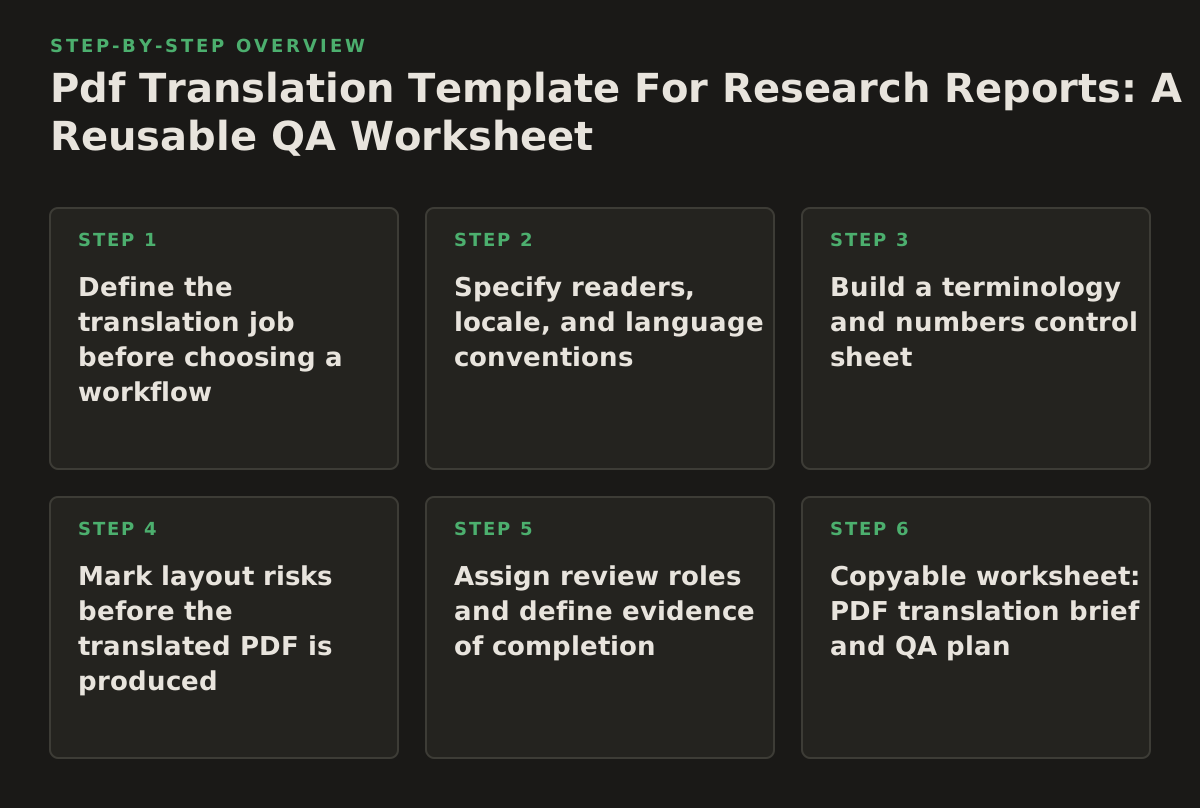
1. Define the translation job before choosing a workflow
Start by identifying what the translated report must help someone do. A report prepared for internal discussion may tolerate a different reading experience than one submitted to a journal, shared with participants, or used to support a policy decision. The intended use determines what deserves the closest attention: terminology, tables, citations, accessibility, or page-by-page comparison.
Separate required content from presentation preferences
Record elements that cannot change, then note elements that may need adaptation. For example, a study’s finding and its units of measurement are content constraints; a preference for matching the source page breaks is a presentation preference unless a submission rule makes it mandatory. Keeping these categories separate helps reviewers flag genuine errors without treating every visual difference as a content failure.
- Content constraints: study identifiers, findings, numbers, units, citations, names, and approved terminology.
- Presentation constraints: page size, heading hierarchy, table placement, figure captions, and whether the translated version should resemble the source.
- Release constraints: required approvers, permitted file format, and any handling rules set by the institution.
For reports based on a particular study design, check whether a relevant reporting guideline applies before translation begins. The EQUATOR Network indexes reporting guidelines by research type; using the appropriate checklist can help the team notice report components that must remain present, rather than relying on a generic translation brief.
When this applies: a report has a formal submission, regulatory, ethics, or publication purpose. Why it works: it ties translation decisions to the document’s use. Failure mode: translating an old draft that does not match the approved source. Implementation: record the source filename, version date, and approving owner in the brief, then confirm that the file sent for translation is that version.
2. Specify readers, locale, and language conventions
“Translate into Spanish” or “prepare a French version” is not always enough direction for a research team. The brief should identify the intended readers and, where relevant, the language variety or regional conventions requested by the receiving institution. Readers may be researchers comparing methods, participants trying to understand study information, or administrators checking a report against a submission checklist; each group brings different expectations.
Make the audience decision actionable
Describe the reader’s task, not just their job title. “Researchers” is broad; “researchers checking the methods and outcome tables against the source” gives reviewers a more useful test. If the report includes technical terms for a public audience, identify which terms require explanation and who is authorized to approve that wording.
Use a precise language label in the project record where the receiving system or organization requires one. W3C’s overview of language tags explains how language identifiers can include subtags for distinctions such as region; follow the convention required by the recipient rather than guessing from a broad language name.
- Name the target readers and their task.
- Record the requested language variety or recipient’s specified language label.
- Decide whether acronyms, names, units, and quoted material stay as in the source or follow a documented rule.
- Identify any audience-specific explanation that needs author approval.
When this applies: the report crosses institutions or is intended for readers with different levels of technical familiarity. Why it works: it gives translators and reviewers a shared target. Failure mode: reviewers disagree about whether a phrase should be technically exact or easier to read. Implementation: add one sentence to the brief such as, “The primary reader is a university research office checking methods and tables; retain technical terms and explain only the approved abbreviations.”
3. Build a terminology and numbers control sheet
Research reports often repeat the same construct, intervention, instrument, or outcome across the abstract, methods, tables, and appendices. A terminology sheet reduces avoidable variation by recording preferred equivalents and terms that should remain unchanged. It is especially useful when more than one reviewer will check the report or when a term has a defined meaning in the study protocol.
Include terms that can change the interpretation
- Study name, intervention names, instrument titles, and registered identifiers.
- Outcome measures, population labels, and technical concepts with a project-approved equivalent.
- Abbreviations and their first-use treatment.
- Numbers, decimal conventions, units, dates, and references to table or figure numbers.
- Terms that are deliberately retained in the source language, with a short reason.
Do not assume every repeated word needs a glossary entry. Prioritize terms where a different wording could alter the study meaning, make cross-section comparison difficult, or conflict with a protocol or previously approved document. Keep the sheet compact enough that a reviewer can consult it while reading.
When this applies: a report uses specialized measures or repeats key terms in multiple sections. Why it works: reviewers can check consistency against explicit decisions rather than memory. Failure mode: the glossary contains preferred words but no context, so a term is applied where it does not fit. Implementation: record the source term, approved target term, context, and decision owner; flag unresolved terms for review instead of inventing a final choice.
4. Mark layout risks before the translated PDF is produced
Formatting is not merely cosmetic in a research report. A displaced table heading can make a value hard to interpret; a broken footnote marker can separate a qualification from the result it explains. Identify the components that carry meaning, then decide which need a visual check in the final document.
Prioritize elements by consequence
A useful starting order is: data tables and notes, figures and captions, equations and symbols, headings and cross-references, then general paragraph flow. Adjust it to the report. For example, a report whose central result is a multi-panel figure should put figure labels near the top of the review list.
PDF accessibility is another reason to distinguish appearance from structure. Adobe’s guidance on creating and verifying accessible PDFs discusses checks involving document structure and reading order. A page that looks orderly may still need a separate accessibility check; do not treat visual similarity alone as proof that the document is usable with assistive technology.
- List tables, figures, equations, sidebars, and appendices that need direct inspection.
- Check that each table’s title, headers, values, notes, and units remain associated.
- Check figure labels and captions against the source, including references in the body text.
- Review page breaks, footnotes, and cross-references where a layout change could obscure meaning.
- Record accessibility requirements separately from visual-fidelity requirements.
When this applies: the source contains dense tables, charts, equations, or a strict submission format. Why it works: it directs scarce reviewer attention to areas where a layout shift can change interpretation. Failure mode: a reviewer checks only the first pages and misses an altered appendix table. Implementation: assign each high-risk element a location, a checker, and a pass/fix status in the review log.
5. Assign review roles and define evidence of completion
“Review the translation” is too vague to be a reliable instruction. Divide the work by the kind of judgment required. A subject-matter reviewer can check whether the methods and results still mean what the source says; a language reviewer can check clarity and consistency; a document reviewer can inspect tables, references, and page structure. One person may fill more than one role, but the brief should still distinguish the checks.
When plain-language communication is an explicit goal, define it for the intended audience rather than asking reviewers to “make it simpler.” The U.S. government’s plain-language guidelines provide practical guidance on organizing and writing information for readers. For a technical research report, use such guidance selectively: clarity should not remove necessary qualifications or change the meaning of a measure.
Use a review log that records decisions
- List each reviewer’s role and the sections or checks assigned.
- Record issues by location, with the source wording or element and the proposed correction.
- Track unresolved questions and the person authorized to decide them.
- Record the final source version and the translated file version reviewed.
When this applies: several people must approve a report, or the document may be reused later. Why it works: it makes review responsibilities visible and preserves the reasoning behind changes. Failure mode: reviewers edit the same file independently, leaving competing corrections. Implementation: nominate one decision owner to resolve conflicting comments and maintain a single approved version; follow your organization’s rules for access and handling.
6. Copyable worksheet: PDF translation brief and QA plan
Copy this table into a project brief or spreadsheet. Fill every row before work starts; use “not applicable” with a reason when a field genuinely does not apply. The prompts are deliberately specific so a coordinator can turn the answers into instructions and review tasks.
| Field | Question to answer | Your answer |
|---|---|---|
| Purpose and release use | What decision, submission, or reader task will the translated report support? | [Describe purpose and use] |
| Source control | What is the approved source filename, version, and owner? | [Filename; version/date; owner] |
| Readers and language | Who will read it, what will they do, and what language variety or label is required? | [Readers; task; language convention] |
| Terminology decisions | Which study terms, names, acronyms, units, or numbers need a specified treatment? | [List terms and rules, or link to glossary] |
| Layout and accessibility risks | Which tables, figures, equations, page elements, or accessibility checks need attention? | [List items and required checks] |
| Review assignments | Who checks meaning, language, layout, and unresolved questions? | [Names or roles; assigned checks] |
| Release criteria | What must be checked and approved before the translated PDF is released? | [Checks; approver; final file format] |
Filled illustrative example
The following is an illustrative example, not a claim about a real study or a universal standard.
| Field | Example answer |
|---|---|
| Purpose and release use | Share the translated report with a partner university for methods and results review. |
| Source control | Approved report file; version 3; research coordinator owns source confirmation. |
| Readers and language | Research staff comparing sections and outcome tables; recipient specifies the target language convention. |
| Terminology decisions | Use the protocol’s approved intervention name; retain instrument title; preserve reported units and values. |
| Layout and accessibility risks | Check outcome table headers and notes, figure captions, references, and the required accessibility review. |
| Review assignments | Subject-matter reviewer checks methods and results; document reviewer checks tables and references; coordinator resolves open questions. |
| Release criteria | All assigned checks logged, unresolved decisions cleared, and final file approved by the named coordinator. |
Adapt the fields to your organization’s approval process. Replace role labels with actual owners, add a confidentiality or retention field if your policy requires it, and remove a check only when it is genuinely irrelevant. If the source is a DOCX, finalize and approve that document before conversion; OMNIVERT can help convert a completed DOCX research-report template into PDF before preparing it for translation. Check the resulting PDF against your layout-risk list rather than assuming conversion preserved every element.
If the source is already a PDF, translate PDF documents is the relevant InOtherWord.AI page for translating PDF documents. For an image-based or scanned source, translate scanned PDFs points to the scanned-PDF translation page; first confirm that the text and tables can be checked in the resulting document.
7. Run the workflow in sequence, with stop points
Use the worksheet as a gate, not a formality. Each stage should produce something the next person can inspect. If a decision is unresolved, pause the affected content instead of allowing a guess to become part of the final report.
- Approve the source. Confirm the correct version and lock down who may authorize changes.
- Complete the brief. Specify purpose, readers, language convention, terminology decisions, risks, and review owners.
- Prepare the file. Resolve source issues that would complicate checking, such as missing captions or unclear table notes. Keep the approved source available for comparison.
- Translate and track questions. Maintain a list of ambiguous terms and source problems; route decisions to the named owner.
- Review by risk. Check meaning and terminology, then inspect the high-risk tables, figures, references, and required accessibility elements.
- Resolve and release. Close review comments, record approval, and label the final file so it cannot be confused with a draft.
Recommended starting policy: for a small report, a coordinator might use a single review log and reserve a final comparison for every table and figure; for a more complex report, assign those checks by section. These are examples to adapt, not universal thresholds. The important rule is that each required check has an owner and a recorded outcome.
For teams translating recurring research materials, keep the worksheet and terminology decisions with the project record so the next report starts from approved instructions rather than memory. InOtherWord.AI describes its platform as translating PDFs, scanned PDFs, DOCX files, PowerPoint presentations, and EPUB books while preserving formatting, layout, tables, and images; review the appropriate file workflow and confirm your own report’s requirements before choosing a process. InOtherWord.AI
Authored with NotFair SEO
Related guides
Keep researching the right workflow
These pages help move from general document-translation research into the specific file format or workflow you need.
A practical workflow for translating scanned PDFs with OCR while preserving enough structure for real review, sharing, and downstream editing.
Explore pageHow to translate PPT and PPTX decks without breaking slide layouts, charts, and speaker-ready formatting.
Explore pageThe best AI PDF translator is not just about language quality. It also needs OCR, layout preservation, and reviewable output for real files.
Explore pageCommercial pages
Ready to translate the actual file?
Jump from the guide into the product page that fits your document type, then continue into pricing when you are ready.
Format page
Translate PDF Documents
Translate PDF files while preserving layout, tables, and page structure.
Explore pageFormat page
Translate Scanned PDFs
OCR and translate scanned PDFs without rebuilding the layout by hand.
Explore pageFormat page
Translate PowerPoint Presentations
Translate PPT and PPTX decks while preserving slide layouts, tables, and speaker-ready formatting.
Explore pageTranslate layout-heavy PDF reports, manuals, forms, and client-ready files while keeping tables, headings, and images readable.
Explore page