Ocr Translate: How to Translate Scanned Documents Without Losing Meaning or Layout
Published Mon Aug 17 2026 | 18 min read
Learn how ocr translate workflows extract text, handle layout risks, and produce reliable translated PDFs for legal, academic, business, and public teams.
When a contract, journal article, medical form, or government record exists only as an image, ocr translate means extracting readable text from that image, translating the extracted content, and—when required—rebuilding a usable document in the target language. It is not simply “run translation on a PDF”: the workflow must deal with recognition errors, reading order, tables, stamps, handwriting, and the relationship between visible page design and underlying text.
What Ocr Translate actually means
OCR stands for optical character recognition. It is the process of identifying characters in a raster image and converting them into machine-readable text. Translation is a separate language operation performed after, or sometimes alongside, that extraction. A practical OCR translation workflow therefore has at least three representations of the same source:
- The page image: what a person sees, including photographs, seals, signatures, diagrams, and visual formatting.
- The recognized text: characters, words, lines, paragraphs, coordinates, and sometimes confidence scores.
- The translated document: target-language text placed into a PDF, DOCX, PowerPoint, or EPUB while attempting to preserve structure.
A useful mental model is:
source image → OCR structure → translation → layout reconstruction → human review
The important word is structure. A high-quality system does not merely produce one long text string. It tries to determine whether a block is a heading, footnote, table cell, caption, page number, form field, or body paragraph. That distinction matters because a legal footnote should not be inserted into the middle of a clause, and a table row should not be translated as if its cells were one sentence.
Official OCR services illustrate this separation. Google Cloud’s Vision documentation describes text detection for images, while its Document AI documentation describes processors that analyze documents and return structured information; those are related capabilities, not proof that every OCR engine understands every document equally well. See the Google Cloud Vision OCR documentation and the Google Cloud Document AI overview for the distinction.
OCR is not the same as translating a born-digital PDF
A born-digital PDF usually contains a text layer. The letters may be visually positioned in a complex layout, but they can often be selected, searched, copied, and parsed. A scanned PDF is normally a collection of page images. Even when it looks identical to a digital PDF, a translation tool must first infer the text from pixels.
This distinction changes the work required:
- Digital text problem: preserve or interpret existing text objects, fonts, paragraphs, and page geometry.
- Scanned text problem: recognize characters, infer reading order, identify regions, and then translate.
- Mixed PDF problem: decide which pages or regions already contain usable text and which require OCR.
- Image-heavy problem: separate text embedded in figures, charts, stamps, or screenshots from text that should remain untranslated.
For example, a 40-page acquisition agreement may contain 35 digitally generated pages, three scanned exhibits, one signature page, and one photograph of an identification document. Treating every page as plain text can damage the source. Treating every page as a scan can introduce unnecessary recognition risk. The correct workflow classifies the pages first.
What “accurate” should mean
OCR accuracy and translation accuracy are different quality questions. If OCR reads “1,000,000” as “100,000,” a fluent translation can still be legally wrong. If OCR reads a party name incorrectly, terminology review may not catch the error because the translated sentence remains grammatically natural.
For professional work, define accuracy across at least four layers:
- Character accuracy: letters, digits, punctuation, accents, and symbols are recognized correctly.
- Structural accuracy: headings, columns, table cells, footnotes, and page sequence are assigned correctly.
- Translation accuracy: meaning, terminology, modality, dates, and legal or technical nuance survive the language change.
- Document accuracy: the final file is readable, complete, visually coherent, and traceable to the source.
That framework prevents a common mistake: approving an OCR translation because the target-language prose sounds polished. The real acceptance question is whether a qualified reviewer can rely on the translated document for its intended purpose.
Why OCR translation matters for professional documents
Scanned documents often carry the highest operational risk because they are difficult to search and difficult to validate automatically. A legal team may need to locate every indemnity clause across scanned exhibits. A researcher may need to compare a translated article with page-level citations. A healthcare team may need to confirm a dosage, date, or patient identifier. In each case, searchability is useful but not sufficient: the extracted text must remain connected to the original page and visual evidence.
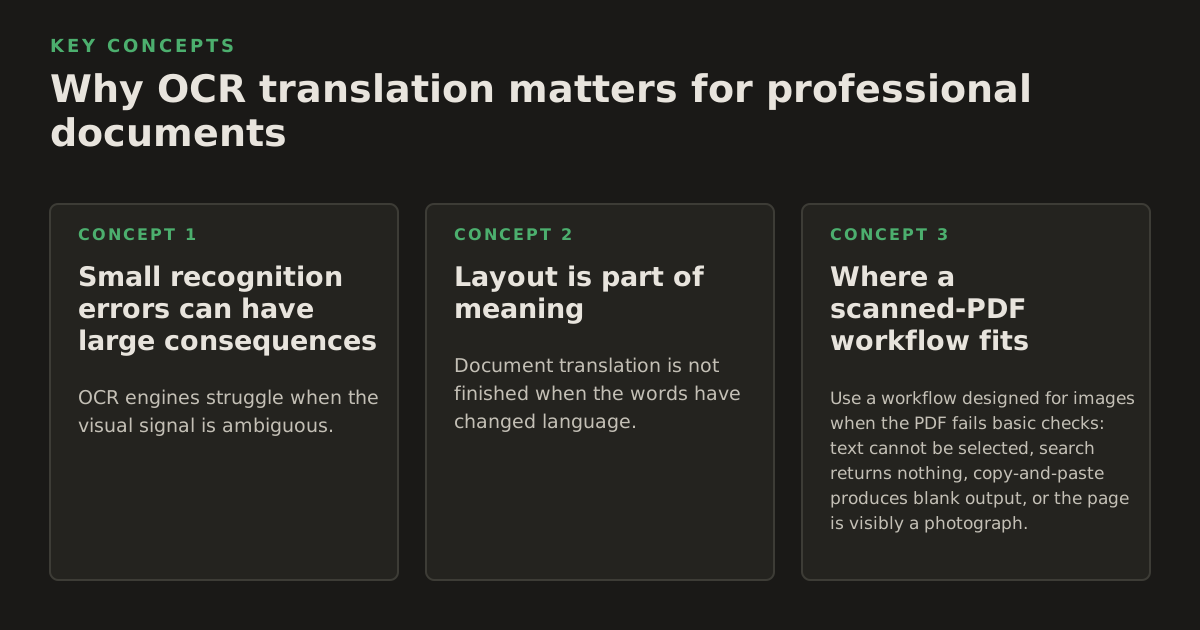
Small recognition errors can have large consequences
OCR engines struggle when the visual signal is ambiguous. Common confusions include:
- “O” and “0” in serial numbers, names, and account identifiers.
- “I,” “l,” and “1” in forms, references, and legal numbering.
- Decimal points and commas in financial or scientific values.
- Hyphens, en dashes, minus signs, and em dashes in technical text.
- Accented characters in French, Spanish, German, Vietnamese, and other languages.
- Superscripts and subscripts in formulas, citations, and chemical notation.
Language and typography compound the problem. A low-resolution scan of a German contract may lose umlauts; a two-column Japanese article may require different segmentation logic; an Arabic document may combine right-to-left text with left-to-right numbers. The translation engine cannot reliably repair every upstream error, especially when a misspelled term is still a plausible word.
For that reason, risk-based review beats uniform review. The reviewer should spend more time on names, amounts, dates, clause numbers, dosage instructions, defined terms, and passages where OCR confidence is low. A routine narrative paragraph may need only sampling; a table of prices may require cell-by-cell comparison.
Layout is part of meaning
Document translation is not finished when the words have changed language. Layout can encode relationships:
- A superscript may identify a source note or alter a mathematical expression.
- A shaded table row may indicate a subtotal, exception, or warning.
- A signature block may show who approved what and where.
- A two-column page may place a translation, commentary, or parallel text beside the source.
- A checkbox, arrow, or callout may connect an instruction to a specific field.
Translated text also changes size. German may expand relative to English in some contexts; Chinese may occupy fewer horizontal characters but require different line-breaking behavior; legal language often produces long paragraphs in any language. A page that fits in the source can overflow in the target language, causing clipped text, displaced footnotes, or a table that no longer aligns.
Visual fidelity has a functional purpose. A translated form that looks attractive but moves labels away from fields can cause users to enter information incorrectly. A court exhibit with altered pagination can make a citation difficult to verify. A translated safety procedure with a separated warning can create a real operational hazard.
Where a scanned-PDF workflow fits
Use a workflow designed for images when the PDF fails basic checks: text cannot be selected, search returns nothing, copy-and-paste produces blank output, or the page is visibly a photograph. For a practical starting point, teams can use a dedicated workflow to translate scanned PDFs, then inspect the resulting text layer and pages before accepting the translation.
Keep the source file unchanged. Create a translated working copy and retain a record of:
- the source filename and page count;
- the languages selected for OCR and translation;
- pages or regions excluded from translation;
- terms that require a glossary or approved translation;
- review comments and corrections.
This chain of evidence matters particularly for legal, regulated, academic, and archival work. It lets a reviewer answer not only “What does the translation say?” but also “Which source page supports it, and was the text read correctly before translation?”
How an Ocr Translate workflow works
A reliable workflow is a sequence of decisions rather than one button. The exact implementation varies by platform, but the mechanisms are broadly consistent.
1. Inspect and prepare the source
Start with file triage. Determine whether the document is born-digital, scanned, mixed, rotated, skewed, password-protected, or assembled from pages with different qualities. Check whether pages are cropped, whether margins contain handwritten notes, and whether the scan includes bleed-through from the reverse side.
Useful preparation steps include:
- deskewing pages that are tilted;
- rotating pages into the correct orientation;
- removing blank pages when they are truly blank;
- improving contrast without erasing faint characters;
- separating unusually large maps, foldouts, and photographs for special handling;
- preserving the original page images for later comparison.
Do not “clean” a historical or evidentiary document so aggressively that stamps, marginalia, or faint annotations disappear. Enhancement should improve recognition while preserving the source as an auditable reference.
2. Detect text regions and reading order
The OCR stage identifies regions containing text and converts them into tokens, lines, paragraphs, and sometimes tables. It may also return coordinates so the application knows where each item appeared on the page. Reading order is a separate inference: a page with two columns, a sidebar, and a footnote cannot be represented accurately by simply reading pixels from left to right.
For forms and tables, coordinates are especially important. A value such as “03/04/2026” has different implications depending on whether it appears beside “issue date,” “expiry date,” or “patient date of birth.” The text alone does not preserve that relationship.
Microsoft’s official overview of optical character recognition describes OCR as extracting printed or handwritten text from images and documents, while its document intelligence materials distinguish text extraction from broader document analysis. That distinction supports a practical rule: text extraction does not automatically equal field understanding. See the Microsoft Azure OCR overview.
3. Normalize without destroying evidence
OCR output often needs normalization. Line-break hyphenation may need to be joined; repeated whitespace may need to be removed; page headers may need to be recognized as repeating elements; and ligatures may need to be represented consistently. But normalization must be conservative.
For example, a process may safely join:
inter-
national
into “international” when the break is clearly typographic. It should not silently change a hyphen that is part of a product code, case number, or defined term. Likewise, removing page headers may improve translation flow but can make page-level review harder if those headers are meaningful.
4. Translate with document context
Translation quality depends on more than sentence-level language conversion. Professional documents need consistent treatment of:
- defined terms and party names;
- units, currencies, dates, and number formats;
- legal modal verbs such as “shall,” “may,” and “must”;
- technical abbreviations and nomenclature;
- headings, captions, references, and repeated labels;
- proper nouns that should be transliterated, retained, or translated.
A glossary can protect recurring terms, but it cannot compensate for bad OCR. Before applying terminology rules, verify that the source term itself was recognized correctly. If the source says “Article 12.3” and OCR produces “Article 123,” a glossary will not restore the missing punctuation.
For sensitive documents, separate translation from interpretation. An AI system may produce a useful working translation, but a qualified bilingual reviewer remains responsible for deciding whether a phrase is legally, medically, or technically fit for its intended use.
5. Rebuild and validate the output
The final stage places translated text back into the document. This may involve fitting text into existing boxes, expanding a table, changing page breaks, or preserving the source image as a background while adding translated overlays. Each method has trade-offs:
| Output approach | Strength | Main risk |
|---|---|---|
| Editable reconstructed document | Supports revision, search, and reuse | Text expansion can change pagination and table geometry |
| Translated text over the source page | Preserves visual coordinates and familiar page appearance | Underlying source text or visual elements may remain confusing |
| Side-by-side source and translation | Makes comparison and scholarly citation easier | Requires more page space and careful alignment |
| Plain translated text export | Fastest for analysis or drafting | Loses page context, tables, images, and form relationships |
Validation should include both machine-assisted checks and human inspection. Compare page counts, headings, tables, numbers, names, and warnings. Search for untranslated source-language fragments. Render the final file and inspect every page type, not just the first few pages.
Where OCR translation breaks down
No OCR translation workflow should promise that every scan is equally recoverable. The decisive question is whether the source contains enough visual information to support a defensible interpretation.
Low-quality scans and unusual typography
Recognition degrades when characters are blurred, cropped, faint, overlapped, or printed against textured backgrounds. Old books may use typefaces and spelling conventions that modern recognition models handle poorly. Carbon copies, faxed pages, photocopies of photocopies, and screenshots of documents can add noise at every generation.
Warning signs include:
- many isolated one-letter words that make no linguistic sense;
- inconsistent recognition of the same name on nearby pages;
- missing punctuation in numbered clauses;
- columns merged into one paragraph;
- tables converted into a sequence of values with no row or column relationship;
- blank output from pages that visibly contain text.
Do not correct these problems solely by reading the target-language output. Return to the page image. If the source is ambiguous, record the ambiguity rather than presenting an invented certainty.
Handwriting, signatures, and annotations
Handwritten text is a separate recognition problem from printed text. A signature may not be intended for translation at all, while a handwritten alteration to a contract may be legally important. Marginal notes may use abbreviations, local names, or shorthand that a general OCR system cannot reliably interpret.
Classify handwritten content explicitly:
- Identity mark: preserve visually and label only if the assignment requires it.
- Factual annotation: transcribe and translate with a clear indication that it is handwritten.
- Correction or amendment: compare against the printed text and escalate discrepancies.
- Unreadable content: mark as unreadable rather than guessing.
The same principle applies to seals, embossed stamps, and faint signatures. A visually preserved mark may need a descriptive note, but a description is not the same as a translation.
Tables, formulas, and complex page design
Tables are especially fragile because translation changes word length while the source encodes meaning through rows, columns, merged cells, and alignment. OCR may recognize every visible word yet still lose the relationship between a label and its value.
For a financial table, verify:
- the number of rows and columns;
- currency symbols and decimal separators;
- negative values and parentheses;
- subtotal and total formulas;
- dates and reporting periods;
- footnote markers and their references.
Equations require another kind of caution. OCR may confuse a minus sign with a dash, or a superscript with ordinary text. A translated scientific paper should preserve the formula visually and translate the surrounding explanation separately unless the system can represent mathematical notation reliably.
Right-to-left scripts, vertical writing, mixed scripts, and bidirectional numbers add layout complexity. Unicode’s official documentation explains that bidirectional text requires an algorithm for handling right-to-left and left-to-right characters together; this is why a document can contain correct characters yet display them in an apparently wrong order. See the Unicode Bidirectional Algorithm specification.
Privacy and review boundaries
Before uploading a document, establish what the organization permits. Legal files may contain privileged material; healthcare records may contain protected personal information; government documents may be classified or restricted; research files may include unpublished participant data. A translation workflow should be evaluated against the organization’s approved handling rules, not only its language output.
Do not infer security or regulatory compliance from the presence of OCR or AI features. Ask concrete questions about retention, access, deletion, data location, audit records, and whether uploaded content is used for service improvement. If the available product documentation does not answer a requirement, treat that requirement as unresolved.
How practitioners apply OCR translation
The best workflow depends on the job to be done. A publisher preparing a translated ebook has different acceptance criteria from a litigation team preparing exhibits. The following operating patterns help teams choose the right balance of speed, editability, and review.
Legal teams: preserve traceability
For contracts, court filings, discovery records, and exhibits, retain the source page as the authority. Translate into a file that allows reviewers to move from each target-language passage back to the corresponding source page.
An illustrative starting policy—not a universal benchmark—would be to require a second-person review for every party name, defined term, date, amount, clause number, signature annotation, and table. The reviewer should also sample ordinary prose, because an OCR error in a connective phrase can alter the scope of a clause.
A legal workflow should produce:
- the untouched source document;
- the translated document with stable page references;
- a list of unclear or manually corrected source passages;
- a terminology list for recurring defined terms;
- a final reviewer sign-off identifying the document’s permitted use.
Do not call an AI-generated translation a certified translation unless an appropriately qualified person and applicable process support that designation. The label describes a professional and legal status, not merely a software output.
Researchers and universities: protect citation context
Academic users often need to search a corpus, compare arguments, and cite page locations. A plain text export can help with discovery, but it should not replace a page-aware version for close reading. Preserve figures, captions, footnotes, bibliographies, and section numbering.
For a 120-page scanned journal issue, an illustrative review plan might divide the work into:
- machine-assisted extraction and translation of all pages;
- full verification of the title page, abstract, headings, captions, references, and quoted passages;
- sampling of ordinary paragraphs across the issue;
- manual checking of every page cited in the resulting research notes.
This is a starting policy, not a claim about the required amount of review for every project. The correct level depends on whether the translation is for discovery, classroom discussion, publication, or a formal scholarly edition.
Business teams: separate understanding from publication
Internal reports and vendor documents often need quick comprehension before they need polished distribution. For an internal first pass, searchable translated text may be enough. For a board presentation, customer-facing report, or translated policy, formatting and terminology review become more important.
A practical decision tree is:
- Need to find information? Prioritize OCR coverage, search, headings, and page references.
- Need to edit or reuse content? Prefer an editable output and check tables, charts, and text boxes.
- Need to circulate an official document? Add terminology review, visual inspection, and approval ownership.
- Need to translate recurring reports? Maintain a glossary and document exceptions rather than relying on memory.
Charts deserve special attention. Translating the surrounding report while leaving chart labels in the source language creates an incomplete deliverable. Conversely, translating labels without checking axes, legends, units, and abbreviations can make the chart misleading.
Publishers and educators: choose an edition strategy
Books and course materials frequently combine body text with running heads, footnotes, illustrations, marginal callouts, indexes, and page references. Decide whether the objective is a readable translated edition, a bilingual teaching edition, or a searchable draft for editorial work.
For a bilingual edition, preserve source and target passages in a deliberate relationship. For a readable edition, avoid leaving the source image behind every translated paragraph unless that is an intentional design choice. For an editorial draft, keep page coordinates and OCR warnings available so the editor can verify quotations and references.
EPUB introduces additional concerns because reflowable text changes pagination. A citation to “page 14” in the scanned source may not exist in the translated ebook. Preserve original page markers where scholarly or instructional use requires them, and distinguish source-page references from ebook locations.
Healthcare and government teams: escalate ambiguity
Healthcare forms, identity documents, permits, and public notices often contain structured fields where one wrong character matters. Build an escalation path before processing begins. A reviewer should know what to do when a dose, date, personal name, address, or identifier is unclear.
Use explicit statuses such as:
- verified against source image;
- recognized with minor formatting correction;
- uncertain and awaiting bilingual review;
- unreadable in the source;
- not translated because it is a logo, seal, signature, or non-language mark.
That vocabulary is more useful than a single overall confidence label. A document can be 98% readable overall while containing one critical, unreadable field. Operational teams should optimize for the consequences of errors, not an attractive aggregate score.
A practical acceptance checklist for 2026 workflows
Before releasing an OCR-translated document, inspect it in the format that recipients will actually use. A PDF viewed on a desktop may hide clipping that appears on a phone; an editable DOCX may reflow when opened with another application; a PowerPoint may shift text when a substitute font is used.
Use this checklist:
- Coverage: every intended page, text region, table, caption, and note has been processed or deliberately excluded.
- Numbers: dates, amounts, percentages, units, identifiers, clause numbers, and decimal separators match the source.
- Names: people, organizations, places, product names, and legal entities are checked against the source.
- Structure: headings, columns, tables, footnotes, lists, and reading order remain coherent.
- Language: terminology, tone, modality, and repeated phrases are consistent with the assignment.
- Visual output: no text is clipped, hidden, overlapped, detached from its label, or placed outside the page.
- Untranslated remnants: remaining source-language text is intentional, not an OCR or layout failure.
- Traceability: reviewers can identify the source page for disputed or high-risk content.
- Use approval: the document is clearly marked as draft, internal, publication-ready, or subject to professional certification.
For teams that frequently process PDFs, it is worth defining acceptance rules by document class rather than creating one universal standard. A translated internal meeting packet may pass with a light review. A translated court exhibit or medication instruction should require much stronger verification.
When to use a document translation platform
Manual OCR, copy-and-paste, and page-by-page layout work can be appropriate for a short, highly sensitive file. It becomes inefficient when a team must preserve formatting across many pages or file types. A platform is most useful when the workflow needs to coordinate extraction, translation, and reconstruction instead of producing disconnected text.
For digitally generated files, a team may begin by learning how to translate PDF documents while checking whether any pages are actually scans. For scanned files, the key requirement is not simply language coverage; it is whether the output remains usable, reviewable, and faithful to tables, images, and page relationships.
InOtherWord.AI is designed for translating PDFs, scanned PDFs, DOCX files, PowerPoint presentations, and EPUB books while preserving formatting, layout, tables, and images. For teams that need one workflow across legal exhibits, research papers, business files, course materials, or institutional documents, InOtherWord.AI is a reasonable place to evaluate the document-translation process against the acceptance checklist above.
Authored with NotFair SEO
Related guides
Keep researching the right workflow
These pages help move from general document-translation research into the specific file format or workflow you need.
A practical workflow for translating scanned PDFs with OCR while preserving enough structure for real review, sharing, and downstream editing.
Explore pageHow to translate PPT and PPTX decks without breaking slide layouts, charts, and speaker-ready formatting.
Explore pageThe best AI PDF translator is not just about language quality. It also needs OCR, layout preservation, and reviewable output for real files.
Explore pageCommercial pages
Ready to translate the actual file?
Jump from the guide into the product page that fits your document type, then continue into pricing when you are ready.
Format page
Translate PDF Documents
Translate PDF files while preserving layout, tables, and page structure.
Explore pageFormat page
Translate Scanned PDFs
OCR and translate scanned PDFs without rebuilding the layout by hand.
Explore pageFormat page
Translate PowerPoint Presentations
Translate PPT and PPTX decks while preserving slide layouts, tables, and speaker-ready formatting.
Explore pageTranslate layout-heavy PDF reports, manuals, forms, and client-ready files while keeping tables, headings, and images readable.
Explore page