AI Live Translation App: A Practice Guide for Documents, Meetings, and Sensitive Workflows
Published Fri Sep 04 2026 | 16 min read
Choose an ai live translation app for legal, research, and business work, then connect live speech with accurate, reviewable document translation.
An ai live translation app can help a legal team follow a multilingual deposition, a university research group conduct an interview, or a healthcare coordinator communicate with a patient. But the decision is not simply “Which app translates fastest?” The practical question is which translation mode fits the job, what must be reviewed by a person, and how live conversation connects to the contracts, reports, forms, and evidence created afterward.
This guide treats live translation as one part of a controlled language workflow. It explains how to select an app for spoken exchanges, when to switch to document translation, how to manage terminology and sensitive information, and how to create an operational policy that does not confuse a useful draft with an approved translation.
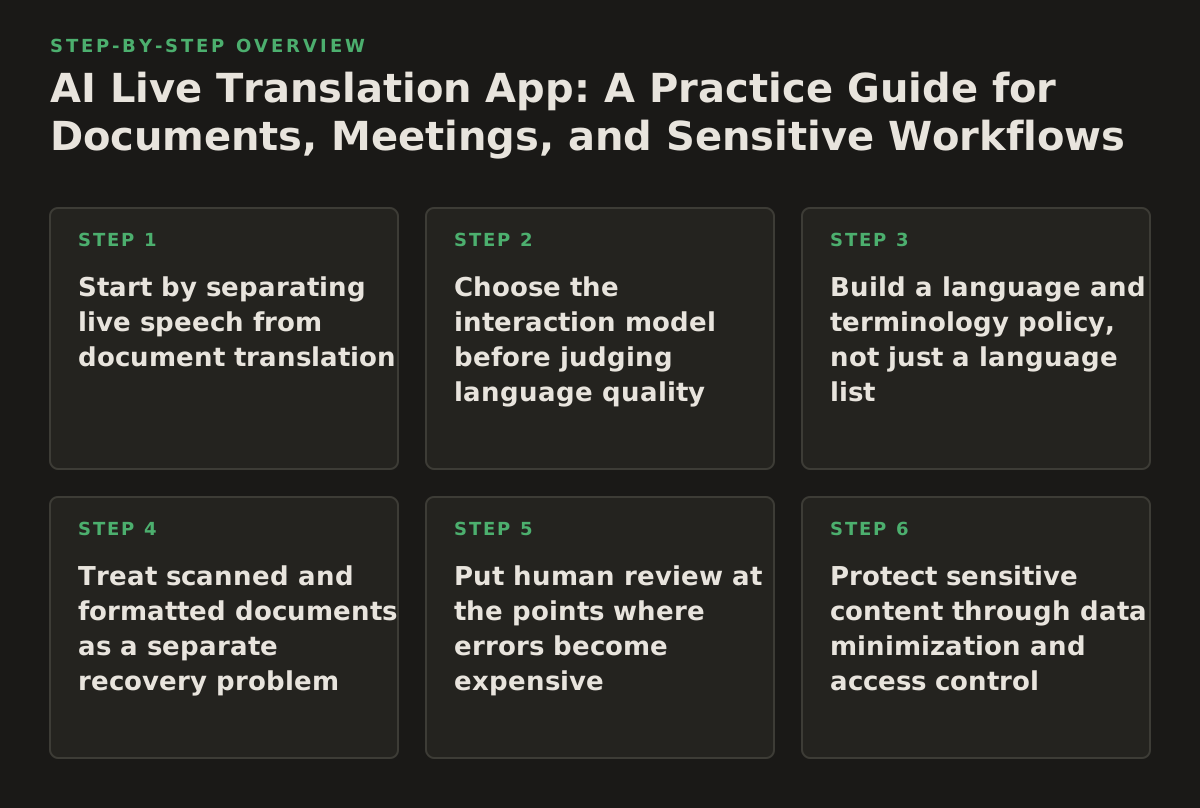
1. Start by separating live speech from document translation
Live translation and document translation solve related but different problems. A live app generally helps participants understand an exchange while it is happening. A document system must preserve or reproduce a stable artifact: page structure, headings, tables, footnotes, exhibits, images, formulas, signatures, or slide layouts.
Use live translation for temporary understanding when the main need is turn-taking, orientation, or a quick answer. Use a document workflow when the output will be filed, circulated, cited, signed, taught from, or used to make a consequential decision. A translated meeting conversation may be useful for deciding which contract clause deserves attention; it is not automatically a suitable translation of the contract.
Official product documentation illustrates why these modes should be evaluated separately. Google’s help documentation describes conversation features as a way to translate spoken exchanges between people, while Microsoft’s Azure Translator documentation describes translation as a service that can be incorporated into applications and workflows. Those descriptions support different evaluation questions: conversation usability for the first, and workflow control for the second. See Google’s conversation translation guidance and the Microsoft Translator overview.
Decide what the output is allowed to do
- Orientation only: participants need the gist of a discussion and can ask for clarification.
- Working draft: staff need translated notes or a preliminary version for internal review.
- Operational instruction: someone will act on the translated content, so names, numbers, dates, and instructions require checking.
- Record or publication: the output may become evidence, a patient-facing document, a course text, a government notice, or a signed business record.
Failure mode: treating a live transcript or translated caption as the final record. Speech systems can segment a sentence incorrectly, miss a speaker change, or render a proper name as an ordinary word. The error may be harmless in an informal conversation and serious in a witness statement.
Implementation example: a university research team uses a live app during an interview to identify relevant themes. After the interview, it obtains consent for recording, creates a reviewed transcript, and translates selected quotations as a separate document. The app accelerates discovery; it does not silently become the authoritative research record.
2. Choose the interaction model before judging language quality
“Live translation” can mean several interfaces: speech-to-speech interpretation, translated text displayed after each utterance, captions during a meeting, typed conversation, or an app that listens through a phone microphone. Each model creates a different risk profile. A noisy room may make captions easier to verify than synthesized speech. A two-person intake conversation may benefit from a turn-by-turn screen. A large meeting may require a dedicated captioning and speaker-management process rather than a phone held between participants.
Match the interface to the setting, not to the marketing label. Ask who speaks, who reads, how quickly a response is needed, and whether the participants can stop to correct an error.
Evaluate these interaction variables
- Turn control: Can each person finish a sentence without the app merging speakers?
- Visibility: Can both parties see the source and translated text, or only hear a translated voice?
- Correction: Can a participant repeat a name, number, or phrase and mark the uncertain passage?
- Environment: Will the microphone face one speaker, a panel, a patient, or a room with background noise?
- Latency tolerance: Is a short pause acceptable, or would delay cause people to interrupt one another?
Speech recognition documentation commonly distinguishes between recognizing audio and handling the resulting text. Google Cloud’s Speech-to-Text documentation, for example, covers topics such as audio input, recognition, punctuation, and model behavior rather than promising that a transcript is automatically a verified record. That distinction matters: recognition is an upstream step, and translation cannot reliably repair a word that was never recognized. See the Google Cloud Speech-to-Text documentation.
Failure mode: choosing speech output when participants need to inspect exact wording. Spoken translation feels fluid, but it can conceal a changed number or omitted qualifier. For legal intake, procurement, clinical instructions, or research consent, translated text that remains visible is usually easier to challenge and correct.
Implementation example: a government service desk uses a phone-based conversation interface for initial orientation, but displays the source and translated text for names, appointment dates, addresses, and eligibility conditions. The staff member repeats those fields aloud and records the confirmed values in the case system.
3. Build a language and terminology policy, not just a language list
An app may support the language pair you need while still performing poorly on the vocabulary that controls the work. Legal drafting depends on defined terms and jurisdiction-specific expressions. Researchers need discipline names, instrument labels, and author names. Healthcare teams need medication names, symptoms, measurements, and instructions. A business may care less about general fluency than about product names, internal abbreviations, and financial categories.
Evaluate terminology in context. Prepare a small, representative phrase set before selecting a tool. Do not use only greetings or travel phrases. Include the terms that would cause rework or harm if translated incorrectly.
Create a pre-use terminology pack
- Ten to twenty high-consequence terms, with the preferred translation and prohibited alternatives.
- Names of people, organizations, products, statutes, institutions, and locations.
- Numbers, units, dates, currencies, decimal conventions, and common formatting patterns.
- Sentences containing negation, exceptions, conditions, and cross-references.
- Two or three naturally spoken versions of the same request, including an accent or colloquial form relevant to the setting.
Run the sample through the exact interaction model under consideration. A typed phrase test cannot validate a microphone workflow, and a polished document sample cannot validate a noisy conversation. Score the output by consequence-weighted errors: a misspelled minor adjective is not equivalent to a reversed dosage, a missing “not,” or a changed contract party.
Failure mode: asking a bilingual employee to approve an app after a general conversation. That employee may understand the intended meaning and unconsciously correct the output, hiding the system’s weaknesses. Review the displayed source and translation independently, and preserve the test phrases and corrections.
Implementation example: a legal operations team tests “subject to,” “without prejudice,” “best efforts,” party names, section references, and dates from a real contract template. It labels the app suitable for preliminary calls but requires a qualified reviewer for translated clauses and exhibits.
4. Treat scanned and formatted documents as a separate recovery problem
Live conversation often leads to a document task: an interpreter identifies a form, a researcher receives a scanned article, or a case team needs to circulate an exhibit after a meeting. If the source is image-based, the first problem is not translation. It is recovering the text and structure through optical character recognition, or OCR.
OCR can confuse characters, columns, stamps, handwriting, superscripts, footnotes, and low-contrast scans. Translation performed on a flawed text layer can produce fluent-looking content that is wrong at the source level. The correct sequence is therefore: inspect the scan, extract text, verify critical fields, translate, and compare the translated output with the original page.
For a text-based PDF with stable formatting, a document translation workflow can preserve the working structure more effectively than copying paragraphs into a chat window. For an image-only file, use a workflow designed to translate scanned PDFs, then inspect tables, page breaks, headers, handwritten annotations, and signatures.
Use an OCR inspection checklist
- Does every page have searchable text, or only some pages?
- Are reading order and columns correct?
- Are decimal points, minus signs, quotation marks, and section symbols intact?
- Did OCR merge a table into a meaningless paragraph?
- Are stamps, marginal notes, seals, and handwritten additions relevant?
- Does the translated file still show the original page boundaries and visual evidence?
Failure mode: assuming a clean-looking translated PDF proves that the source was read correctly. Layout can be preserved while a critical character is wrong. For court exhibits, identity documents, medical forms, and financial tables, compare high-risk fields against the scan rather than reviewing only the translated prose.
Implementation example: a publisher receives a scanned academic chapter. The team runs OCR, checks the bibliography and footnotes against the image, translates the text, and sends the result to an editor who reviews terminology and page references. A live app may help the editor discuss an ambiguous passage with a colleague, but the scanned document remains the source of truth.
5. Put human review at the points where errors become expensive
Human review should not mean reading every word with equal intensity. It should be a designed control placed where a mistake changes meaning, responsibility, eligibility, or legal effect. A useful policy distinguishes meaning review, terminology review, layout review, and source verification.
| Work item | Primary risk | Minimum control | Illustrative release decision |
|---|---|---|---|
| Informal live orientation | Misunderstanding the general topic | Ask-back or repetition of the key point | Use for orientation; do not create an official record from it |
| Internal business discussion | Wrong owner, date, amount, or action | Review names, numbers, decisions, and action items | Release notes after the meeting owner confirms them |
| Research interview | Distorted quotation or coding context | Review transcript excerpts against audio or source text | Publish only approved quotations and translations |
| Contract or court document | Changed obligation, defined term, or evidentiary detail | Qualified bilingual or legal review plus source comparison | Use the translation as a reviewed working or official artifact according to policy |
| Healthcare or public-service instruction | Unsafe or inaccessible guidance | Qualified review of instructions, numbers, and user comprehension | Do not rely on unreviewed output for high-consequence directions |
This table is a starting policy, not a universal standard. Increase review when the content affects a person’s rights, health, money, immigration status, employment, or access to services. The U.S. Department of Health and Human Services describes language assistance as part of meaningful access for people with limited English proficiency; that makes language workflow design a service and governance issue, not merely a convenience feature. See the HHS language assistance guidance.
Make review observable
- Mark the output as draft, reviewed, or approved.
- Record the source file, date, language pair, and responsible reviewer.
- Keep corrections to terminology that will recur in later work.
- Escalate uncertainty instead of silently rewriting an ambiguous sentence.
- Separate the translated text from the reviewer’s interpretation or legal advice.
Failure mode: adding a vague instruction such as “have someone check it.” Without an owner and release status, staff cannot tell whether a document is safe to send. Assign review by risk category and define what the reviewer must inspect.
Implementation example: a healthcare team permits live translation for initial communication but requires a qualified staff member to review translated discharge instructions. The reviewer checks medication names, timing, warnings, and the patient’s understanding before the instructions are treated as complete.
6. Protect sensitive content through data minimization and access control
Legal files, unpublished research, employee records, government case material, and health information should not be placed into a translation tool merely because the interface is convenient. Before adoption, determine what content may be entered, who may use the tool, whether files or transcripts are retained, and how an organization will respond to an incident. Do not infer those answers from an app’s brand or from the phrase “AI.” Verify them in current provider documentation and your organization’s own legal and security review.
Minimize the data before translation. Remove unnecessary identifiers, use a redacted sample for evaluation, and avoid uploading an entire case when one page answers the immediate question. For live conversations, choose a private setting, explain the tool’s role to participants, and avoid capturing unrelated speech.
Ask procurement and governance questions
- What data is sent to the service, and through which account or device?
- Are audio, transcripts, prompts, or uploaded documents retained, and for how long?
- Can an administrator control access, deletion, and user permissions?
- Is the proposed use consistent with the organization’s confidentiality, records, and regional data policies?
- What is the fallback when the service is unavailable or produces uncertain output?
The NIST AI Risk Management Framework is a useful governance reference because it organizes AI risk work around functions including govern, map, measure, and manage. It does not certify a particular translation app, but it provides a disciplined vocabulary for documenting intended use, risks, measurements, and responses. See the NIST AI RMF resource.
Failure mode: letting staff copy sensitive text into personal accounts to solve a one-off language problem. The organization then loses control over access, retention, and the audit trail. Provide an approved route and make the safe route easier than the improvised one.
Implementation example: a research office permits a live app for a de-identified interview guide but prohibits uploading participant records. A separate approved document workflow handles the final paper after the research team has completed its privacy review and removed unnecessary identifiers.
7. Test accessibility, inclusion, and failure recovery in the real setting
A live translation app is part of a human interface. Users may have limited literacy in the source language, hearing loss, speech differences, visual impairments, unfamiliar accents, or limited access to a stable connection. A technically accurate translation can still fail if the text is too small, the app assumes rapid turn-taking, or the participant cannot tell which language is currently active.
Test the complete interaction: device position, microphone, lighting, room noise, screen readability, network conditions, and the behavior of people who are not confident technology users. Accessibility should be designed into the workflow rather than left to an individual staff member’s improvisation. The W3C Web Accessibility Initiative’s WCAG overview provides a recognized framework for perceivable, operable, understandable, and robust digital experiences; use it as a reference for interfaces and supporting web content, not as proof that a particular app meets every need. See W3C’s WCAG standards guidance.
Prepare a fallback ladder
- Ask the speaker to repeat the sentence slowly and use shorter turns.
- Switch from speech output to visible translated text.
- Type names, numbers, addresses, or technical terms.
- Use a qualified human interpreter or translator for consequential content.
- Pause the transaction and document what remains unresolved.
Failure mode: continuing because the app is producing something. A stream of plausible words can create false confidence. Define stop conditions in advance: repeated uncertainty about a name, inability to distinguish speakers, missing negation, conflicting numbers, or a participant indicating that the meaning is wrong.
Implementation example: an educator uses translated captions during a parent meeting. If a family member indicates that an accommodation or deadline was misunderstood, the educator stops the discussion, writes the key information in both languages, asks the family to confirm it, and follows up with a reviewed written notice.
8. Connect the live interaction to a controlled document workflow
The most productive use of an AI live translation app is often not replacing document translation, but routing work to the right next step. A live exchange can identify the document needed, clarify a term, or help a team decide which pages require priority review. The resulting document should then move through naming, translation, review, and distribution controls.
For ordinary PDFs, use a workflow built to translate PDF documents when layout, tables, images, and page references matter. For DOCX, PowerPoint, and EPUB files, preserve the native file type when possible so editors can work with headings, notes, slides, and book structure rather than a pasted block of text. The goal is not merely a translated sentence; it is a usable artifact that remains intelligible in the job where it will be used.
Define the handoff record
- Source filename and version, including whether it is a scan.
- Source and target languages, dialect or regional preference where relevant.
- Purpose: orientation, internal draft, publication, filing, instruction, or record.
- Terminology notes and unresolved ambiguities from the live exchange.
- Reviewer, approval state, and distribution restrictions.
Failure mode: translating a document after a live meeting without carrying over the meeting’s clarifications. The translator may preserve an ambiguous source phrase even though participants agreed on its intended meaning—or may treat an informal explanation as if it were part of the source document. Record clarifications separately and label them as context.
Implementation example: a multinational business uses a live app during a supplier call to identify the relevant pages in a technical report. The team then translates the report, retains its tables and figures, adds a terminology note for the product name, and routes the translated file to procurement and engineering reviewers before external distribution.
Implementation plan: deploy in a narrow, reviewable sequence
Use the following sequence rather than rolling out an app to every multilingual interaction at once. The sequence creates evidence about fit while limiting exposure to avoidable errors.
- Write the use-case boundary. In 2026, document whether the first use is orientation, internal meetings, research interviews, customer support, document triage, or another defined task. State what the app may not do, such as produce an unreviewed legal filing or medical instruction.
- Classify the content. Separate public, internal, confidential, personal, regulated, and legally privileged material. Set an approved path for each class before users begin testing.
- Choose the interaction model. Decide between visible text, captions, typed exchange, or speech output based on turn-taking, accessibility, noise, and correction needs—not on the label “live.”
- Assemble a realistic evaluation set. Include names, numbers, negation, technical terms, accents, background noise, and the file types that follow the conversation. Mark which errors would stop deployment.
- Test the handoff. Move a sample from live exchange to transcript or notes, then to the appropriate PDF, scanned PDF, DOCX, PowerPoint, or EPUB workflow. Check whether context, terminology, and review status survive the handoff.
- Assign human ownership. Name the person responsible for confirming key facts, reviewing high-risk output, approving distribution, and escalating uncertainty. Do not make “the user” the owner by default.
- Publish a one-page operating policy. Include permitted uses, prohibited content, privacy instructions, correction steps, fallback options, and retention expectations. Make the policy easy to follow during a real meeting.
- Review after each material use. Capture recurring errors, missing terminology, accessibility problems, and points where staff bypassed the approved route. Update the terminology pack and controls rather than merely reminding users to be careful.
For teams that need both conversation support and formatted document output, InOtherWord.AI offers AI-powered translation for PDFs, scanned PDFs, DOCX files, PowerPoint presentations, and EPUB books while preserving document structure, tables, images, and layout. Use InOtherWord.AI when the live conversation needs to become a reviewable multilingual document rather than remain a temporary exchange.
Authored with NotFair SEO
Related guides
Keep researching the right workflow
These pages help move from general document-translation research into the specific file format or workflow you need.
A practical workflow for translating scanned PDFs with OCR while preserving enough structure for real review, sharing, and downstream editing.
Explore pageHow to translate PPT and PPTX decks without breaking slide layouts, charts, and speaker-ready formatting.
Explore pageThe best AI PDF translator is not just about language quality. It also needs OCR, layout preservation, and reviewable output for real files.
Explore pageCommercial pages
Ready to translate the actual file?
Jump from the guide into the product page that fits your document type, then continue into pricing when you are ready.
Format page
Translate PDF Documents
Translate PDF files while preserving layout, tables, and page structure.
Explore pageFormat page
Translate Scanned PDFs
OCR and translate scanned PDFs without rebuilding the layout by hand.
Explore pageFormat page
Translate PowerPoint Presentations
Translate PPT and PPTX decks while preserving slide layouts, tables, and speaker-ready formatting.
Explore pageTranslate layout-heavy PDF reports, manuals, forms, and client-ready files while keeping tables, headings, and images readable.
Explore page