Document Translation Cost: What You’re Really Paying For in 2026
Published Thu Aug 20 2026 | 17 min read
Learn what drives document translation cost, from word count and OCR to formatting, review, security, and file complexity, with practical examples.
Document translation cost is the total expense of turning a source file into a usable, accurate document in another language—not simply a per-word translation rate. For a legal team, that total may include terminology review, certification, formatting, and confidentiality controls. For a university, it may include OCR for scanned journal articles and reconstruction of equations or citations. For a publisher or business team, it may include layout repair, image handling, and human quality assurance.
The practical question is therefore not “What is the price per word?” It is “What work must happen before the translated file can be used?” A clean, editable DOCX and a 300-page scanned court bundle may contain the same nominal number of words, but they create very different workloads. This guide breaks down those workloads so legal, research, business, education, government, healthcare, and publishing teams can compare quotes and tools on an equivalent basis.
What Document Translation Cost actually includes
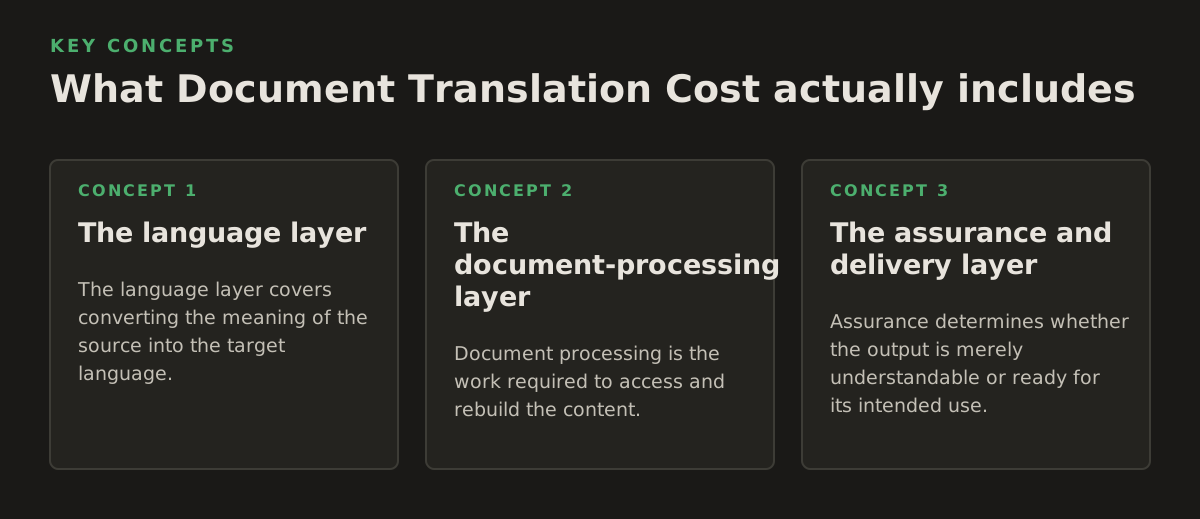
A document translation project has at least three layers: language conversion, document processing, and delivery assurance. Some providers bundle these layers into one quote. Others expose them as separate line items. An AI document platform may automate much of the processing, while a specialist agency may add human translation, editing, proofreading, certification, or desktop publishing.
The language layer
The language layer covers converting the meaning of the source into the target language. Its workload depends on more than word count:
- Language pair: widely supported pairs may have more available translators and machine systems than less common combinations.
- Subject matter: a marketing brochure, medical discharge summary, patent claim, and financial statement require different terminology controls.
- Required quality level: internal comprehension, publication, legal filing, and certified use are not interchangeable outcomes.
- Repetition: repeated clauses and recurring headings may be faster to process than unique prose, but only if the workflow identifies them safely.
- Reference material: a glossary, translation memory, approved terminology list, or bilingual precedent can reduce inconsistency.
A quote based only on source words can conceal whether repeated text, tables, footnotes, captions, and tracked changes are included. Ask whether the provider counts visible words only or also text in headers, footers, comments, embedded objects, and notes.
The document-processing layer
Document processing is the work required to access and rebuild the content. It can include file extraction, OCR, table recognition, reading order detection, translation of text inside images, font substitution, pagination, and export to the requested format.
This is why translate PDF documents is a different job from translating plain text copied into a text box. A PDF can contain selectable text, scanned page images, or a mixture of both. A DOCX may contain tables, tracked changes, text boxes, charts, and embedded images. A PowerPoint file adds speaker notes, slide geometry, and text that may overflow when translated.
The assurance and delivery layer
Assurance determines whether the output is merely understandable or ready for its intended use. It may involve bilingual review, terminology checking, visual inspection, proofreading, legal sign-off, accessibility review, or certification.
For a court filing, an accurate translation with broken page references may still create operational risk. For a research paper, a mistranslated figure label can alter the interpretation of a result. For a healthcare team, an untranslated dosage instruction is a more serious failure than a misplaced decorative heading. Usability is part of translation quality, not a cosmetic extra.
Why the same word count can produce different prices
Word count is useful for estimating language work, but it is a poor standalone predictor of total project effort. The file’s structure, condition, deadline, and consequences of error can matter just as much.
Editable text versus scanned pages
Editable text can usually be extracted directly. Scanned pages first need recognition. If the scan is skewed, faint, handwritten, stamped, or heavily compressed, recognition becomes less reliable and additional review is needed. When a file contains both searchable text and page images, the workflow must identify which regions are already text and which require OCR.
Teams handling archival records should treat OCR as an uncertainty-producing step. translate scanned PDFs can help distinguish a scan-focused workflow from ordinary PDF processing, but no OCR system should be assumed to read every seal, marginal note, or low-resolution character correctly without inspection.
OCR engines are commonly billed by processed pages or extracted features rather than by translated words. For example, AWS describes Textract as a service for extracting text and data from documents, with pricing published separately from its translation service; its official pricing pages are useful reminders that OCR and translation can be separate cost centers (AWS Textract pricing and AWS Translate pricing). The exact bill depends on the service, region, features, and current terms, so use the provider’s live calculator or pricing page rather than an old estimate.
Layout density and file structure
Two 20-page files can have radically different reconstruction effort. Consider a text-heavy policy document versus a bilingual-looking catalog with tables, callouts, diagrams, and text embedded in photographs. Translation can expand or contract text, changing line breaks, table heights, slide overflow, and page references.
Common cost drivers include:
- Multi-column pages whose reading order is difficult to infer.
- Tables with merged cells, nested headings, or repeated headers.
- Footnotes and endnotes that must remain connected to their references.
- Right-to-left or vertical writing systems that affect layout direction.
- Charts and diagrams containing labels that are not ordinary paragraph text.
- Fonts unavailable in the target language, requiring substitution or redesign.
- Comments, revisions, hidden slides, speaker notes, or appendix material.
Risk, review, and deadline
A translation for internal orientation may need speed and broad comprehension. A contract, informed-consent form, regulatory submission, or published book needs a controlled review process. Short deadlines can also require additional coordination, parallel review, or expedited production.
Do not compare an AI-only output with a certified human translation as if they were the same product. They answer different operational needs. A sensible comparison states the deliverable explicitly:
| Deliverable | Typical purpose | Questions to ask |
|---|---|---|
| Machine-translated document | Internal understanding or triage | Are formatting and tables preserved? Is human review excluded? |
| AI translation with human review | External communication or controlled business use | Who reviews terminology, numbers, names, and layout? |
| Professional translation | High-stakes content requiring specialist judgment | Is the translator qualified for the subject and language pair? |
| Certified translation | Submission where an authority requires certification | Who certifies it, and does the receiving authority specify a format? |
| Translated and typeset publication file | Books, courses, reports, or branded material | Are fonts, images, captions, indexes, and print checks included? |
The most important budgeting distinction is translation versus translation-ready delivery. If a team must manually repair every table and page after receiving the output, a low initial quote may be an expensive transfer of labor.
How a document translation workflow creates cost
A dependable workflow makes each transformation visible. That helps teams decide where automation is appropriate and where review is mandatory.
1. Inspect and classify the source
Begin with a file inventory, not a translation button. Record the file type, page count, language, approximate word count, scan quality, presence of tables and images, and intended use. Identify whether the file is a single clean document or a bundle assembled from multiple sources.
For a legal team, classification may also identify exhibits, signatures, seals, handwritten annotations, and privileged content. For a publisher, it may identify front matter, index entries, captions, and running headers. For a research group, it may identify equations, references, supplementary materials, and figure legends.
A useful intake checklist includes:
- What is the source language and required target language?
- Which pages are scanned, image-only, or low resolution?
- Are names, dates, amounts, units, citations, and identifiers sensitive?
- Does the output need to remain PDF, DOCX, PowerPoint, or EPUB?
- Will the translated file be read internally, published, filed, or acted upon?
- Who approves terminology and who signs off the final file?
2. Extract text and run OCR where needed
Searchable documents can be parsed more directly, while scans require OCR. OCR should preserve page coordinates and structural clues whenever possible, because plain extracted text loses relationships between a heading, its table, and its footnote.
Google Cloud’s official documentation describes Cloud Vision’s document text detection as an OCR capability for dense documents, including preserving information about text locations (Google Cloud Vision OCR documentation). That kind of positional information matters when the goal is a translated document rather than a block of translated text. It also illustrates why an OCR charge, a translation charge, and a layout-repair charge should not automatically be treated as one thing.
OCR output needs sampling before translation. Inspect pages with small type, stamps, columns, mathematical notation, handwriting, and overlapping objects. A single incorrectly recognized digit can be more consequential than several awkward sentences.
3. Translate with terminology controls
At this stage, the system or translator converts the extracted content. Terminology controls reduce avoidable variation in proper names, product names, legal phrases, diagnoses, or technical terms. They are especially valuable when several documents form one matter or project.
Machine translation services generally expose usage-based pricing rather than a universal document price. Google Cloud publishes separate translation pricing information and notes that billing depends on the translation features and amount processed (Google Cloud Translation pricing). In a document platform, the customer may see a packaged workflow instead of the underlying API components. The budgeting lesson is the same: ask what is included in the package and what events trigger additional work.
For terminology-sensitive work, prepare a small control set before processing the entire file:
- Five to twenty high-risk terms, names, or phrases.
- Preferred and prohibited translations.
- Numbers, dates, currencies, units, and legal references that must not change.
- Examples of approved tone for headings, instructions, or customer-facing text.
- Instructions for content that should remain in the source language.
4. Rebuild and validate the file
Reconstruction places translated text back into the original document structure. It is not always possible to preserve every visual property exactly: translated text may be longer, fonts may lack required characters, and a table may have insufficient room.
Validation should happen at two levels. Content validation checks that text is present and that critical values remain correct. Visual validation checks pages, slides, tables, images, line breaks, headers, footers, and reading order.
Use automated checks where they are reliable, then inspect high-risk pages manually. A sensible review sequence is:
- Confirm that every source page or slide has a corresponding output.
- Search for untranslated source-language fragments.
- Compare names, dates, monetary amounts, units, citations, and clause numbers.
- Inspect tables, footnotes, captions, signatures, and text inside images.
- Review pages with overflow, blank areas, clipped text, or unusual font substitution.
- Have the designated subject-matter owner approve terminology and meaning.
5. Deliver the correct artifact
The final cost can change depending on whether the customer receives a text export, a formatted PDF, an editable DOCX, a presentation with editable text, or an EPUB suitable for reading systems. A file that looks acceptable on one screen may not be suitable for editing or publication.
Ask for a sample output before committing a large batch. The sample should include the hardest page types, not just a clean first page. For a court bundle, include a scan with a seal and a dense table. For a slide deck, include the most crowded slide. For an EPUB, include a chapter with notes, links, and images.
Where cost estimates break down
Most budget surprises come from hidden assumptions. They are avoidable when the requester defines the job in terms of risk and deliverable rather than only language pair and page count.
“Per page” is not a universal unit
A page can mean a fixed number of source words, a physical page, a PDF page, or a page after formatting. Those units diverge quickly in scanned archives, slide decks, books, and documents with large tables. Request the underlying counting method and ask whether blank pages, cover pages, repeated headers, and embedded text are included.
OCR errors are not ordinary translation errors
A translator can often resolve an ambiguous sentence using context. An OCR error may transform “10 mg” into “100 mg,” change a case number, or omit a negation before the language model ever sees the content. The resulting translation can be fluent and still wrong.
For healthcare, legal, and government documents, create a mandatory verification list for numbers, identifiers, names, and handwritten additions. A low-cost workflow that skips this check may create downstream review costs—or a risk that cannot be priced as ordinary editing.
Formatting preservation has limits
“Preserve formatting” should be treated as a target with defined exceptions, not a promise that every pixel will remain identical. Text expansion, unsupported fonts, charts, and complex tables can require manual intervention. PowerPoint is particularly sensitive because a few extra words can push text outside a box or alter the balance of a slide.
Define acceptable deviations in advance:
- May a table grow vertically onto another page?
- May a font be substituted if the original lacks target-language glyphs?
- Can a figure caption move, or must it remain beside the figure?
- Must page and clause references match the source exactly?
- Are text inside images and speaker notes included?
Confidentiality assumptions may be incomplete
Document translation can involve contracts, patient information, research manuscripts, identity documents, or government records. Before uploading, review the provider’s current terms, retention language, access controls, and administrative requirements. Do not infer security properties from the fact that a service uses artificial intelligence.
Separate the decision into two questions: “Is this service permitted for this document?” and “What review and deletion process does our organization require?” If the answer to either question is unclear, route the file through the organization’s approved procurement or information-security process.
Certification is a separate requirement
A translated document can be accurate without being certified. Courts, immigration offices, universities, regulators, and healthcare institutions may impose their own acceptance rules. Confirm the receiving authority’s requirements before ordering the work. Otherwise, a team may pay for a translation that must later be recreated or accompanied by a different declaration.
How practitioners should estimate a project
A useful estimate separates predictable inputs from risk allowances. It does not need to predict every minute of work, but it should make the assumptions auditable.
Use a cost model, not a single rate
For an initial estimate, model the project as:
Total project cost = language processing + OCR or extraction + formatting and reconstruction + human review + certification or specialist delivery + rush or project-management allowance.
This is a planning model, not a universal industry formula. Some tools bundle components, some agencies waive or absorb them, and some projects do not need every component. Its value is diagnostic: when two quotes differ, map each quote to the same categories.
For recurring work, track the inputs that explain variance:
- Source words or pages, with the counting definition.
- Percentage of pages requiring OCR.
- Number of tables, figures, slides, chapters, or appendices.
- Number of language pairs and target formats.
- Review level and named approver.
- Turnaround requirement and number of delivery rounds.
- Whether the source is stable or likely to change during translation.
Worked illustrative examples
The following figures are illustrative planning examples, not market benchmarks or quotes. They show how scope changes the estimate even when the nominal page count is similar.
- Business report: 40 editable DOCX pages, one language pair, clean tables, internal use, and no certification. The main cost centers may be language processing and a targeted review of financial terms.
- Research archive: 40 scanned PDF pages, faint text, two-column articles, equations, references, and publication use. OCR sampling, equation and citation checks, and page-level visual review add work beyond the word count.
- Legal bundle: 40 PDF pages containing contracts, exhibits, stamps, signatures, and handwritten notes. The estimate should identify which annotations are included, whether certification is required, and who verifies clause numbers and dates.
- Course presentation: 40 PowerPoint slides with diagrams, speaker notes, and crowded text boxes. Slide-by-slide overflow checks may be more important than the raw number of words.
- Short medical form: 6 pages with dosage instructions, tables, and patient identifiers. The small volume does not eliminate the need for controlled terminology and critical-value verification.
These examples demonstrate a key procurement rule: small does not always mean simple. A six-page informed-consent form may require more careful review than a long internal memo because the consequences of a subtle error are higher.
Choose automation by document class
AI translation is most useful when the source is sufficiently legible, the output requirement is clear, and the review process matches the risk. A practical routing policy might look like this:
| Document class | Reasonable starting workflow | Do not skip |
|---|---|---|
| Internal business memo | Automated translation with spot review | Names, figures, decisions, and action items |
| Clean contract draft | Automated first pass plus legal bilingual review | Defined terms, obligations, exceptions, and numbering |
| Scanned court record | OCR, translation, page comparison, specialist review | Case numbers, stamps, handwriting, and page references |
| Academic manuscript | Translation plus researcher or editor review | Abstract, methods, units, citations, and figure labels |
| Published book | Translation, literary or editorial review, and typesetting | Style, continuity, index, footnotes, and print or EPUB checks |
| Healthcare instruction | Controlled translation with qualified review | Dosage, warnings, anatomy, dates, and patient identifiers |
This approach prevents a common mistake: using one workflow for every file simply because the same department owns them. Risk-based routing usually produces a more defensible budget than treating all pages as equivalent.
Set a starting policy for recurring work
For a document-heavy organization, establish a written starting policy and revise it from project evidence. An illustrative policy might require a five-page representative sample before translating a large batch, mandatory human review for legal or healthcare content, and manual inspection of every page containing numbers or scanned annotations.
Those thresholds are examples, not universal benchmarks. The right policy depends on language pair, document quality, organizational risk, and the receiving authority. What matters is that exceptions are documented and that the team can explain why a file received automated, assisted, or specialist treatment.
How to compare tools, agencies, and quotes
Competitor names are less useful than comparable deliverables. A document platform, translation agency, freelance translator, and cloud API may each be appropriate for different stages of the same program.
Questions that expose the real scope
- Is pricing based on source words, output words, pages, characters, files, or usage units?
- Are scanned pages included, and is OCR charged separately?
- Are tables, images, charts, footnotes, comments, speaker notes, and text boxes translated?
- What output formats are returned, and are they editable?
- What does “format preserved” mean when text expands or fonts are unavailable?
- Is human review included, optional, or excluded?
- Are certification, proofreading, desktop publishing, and revision rounds separate?
- How are numbers, names, terminology, and untranslated fragments checked?
- What happens when the source file changes after translation?
- What data-handling terms apply to sensitive documents?
Ask for a line-item quote or a written scope even when the provider presents a simple package. The objective is not to force every vendor into the same pricing model. It is to identify whether you are comparing a translated text, a reconstructed file, or a reviewed and approved deliverable.
Measure value by downstream labor
The lowest invoice is not necessarily the lowest document translation cost. Include the work your team must perform after delivery:
- Manual copying of translated text into the original file.
- Repairing tables, page breaks, slide overflow, or missing captions.
- Rechecking numbers because OCR was not validated.
- Reconciling inconsistent terminology across a document set.
- Sending multiple correction rounds caused by unclear scope.
- Replacing a file that the receiving authority rejects for formatting or certification reasons.
For a business team, this may be staff time. For a law firm, it may be attorney review. For a university, it may be editorial labor. For a publisher, it may be typesetting. A quote becomes meaningful only when these downstream tasks are included in the comparison.
A recommendation for 2026 planning
Start with a representative sample and classify the document before choosing the cheapest workflow. For clean, low-risk files intended for internal understanding, an AI-powered document translator can be a rational first pass. For scans, begin with OCR inspection. For legal, healthcare, government, publication, and externally filed material, add explicit terminology, visual, and subject-matter review rather than assuming fluent output is sufficient.
Then record the actual causes of rework: unreadable pages, table overflow, changed source text, inconsistent terms, or missing review ownership. Use that record to refine future estimates. This produces a more reliable procurement process than applying a single per-word figure to every PDF, DOCX, presentation, or book.
InOtherWord.AI is designed for document translation across PDFs, scanned PDFs, DOCX files, PowerPoint presentations, and EPUB books while preserving formatting, layout, tables, and images. For teams comparing workflows, InOtherWord.AI can be a practical option to evaluate against the document’s risk, file complexity, and required level of review.
Authored with NotFair SEO
Related guides
Keep researching the right workflow
These pages help move from general document-translation research into the specific file format or workflow you need.
A practical workflow for translating scanned PDFs with OCR while preserving enough structure for real review, sharing, and downstream editing.
Explore pageHow to translate PPT and PPTX decks without breaking slide layouts, charts, and speaker-ready formatting.
Explore pageThe best AI PDF translator is not just about language quality. It also needs OCR, layout preservation, and reviewable output for real files.
Explore pageCommercial pages
Ready to translate the actual file?
Jump from the guide into the product page that fits your document type, then continue into pricing when you are ready.
Format page
Translate PDF Documents
Translate PDF files while preserving layout, tables, and page structure.
Explore pageFormat page
Translate Scanned PDFs
OCR and translate scanned PDFs without rebuilding the layout by hand.
Explore pageFormat page
Translate PowerPoint Presentations
Translate PPT and PPTX decks while preserving slide layouts, tables, and speaker-ready formatting.
Explore pageTranslate layout-heavy PDF reports, manuals, forms, and client-ready files while keeping tables, headings, and images readable.
Explore page