Professional Document Translation: How to Preserve Meaning, Layout, and Risk Controls
Published Tue Aug 18 2026 | 18 min read
Professional document translation explained for legal, research, business, and public-sector teams managing layout, terminology, OCR, privacy, and review.
Professional document translation is the controlled conversion of a business, legal, academic, government, healthcare, or publishing document into another language while protecting its meaning, structure, terminology, and intended use. It is not simply a matter of replacing words: a contract clause, table heading, footnote, scanned signature, or slide label may need different treatment from ordinary paragraph text.
That distinction matters because a translated file can be linguistically understandable and still fail operationally. Text may disappear from a table, a right-to-left script may break the layout, an OCR error may change a dosage or case number, or a translated phrase may contradict an approved term in a company’s glossary. The practical objective is therefore usable equivalence: the target-language document should communicate the source document’s content and function, with visible exceptions identified for human review.
What Professional Document Translation includes
A professional workflow begins by treating the document as a structured artifact rather than a bag of sentences. The source may contain paragraphs, headings, headers, footers, tables, charts, captions, comments, hyperlinks, embedded images, speaker notes, formulas, page numbers, and metadata. Each element creates a separate translation or preservation problem.
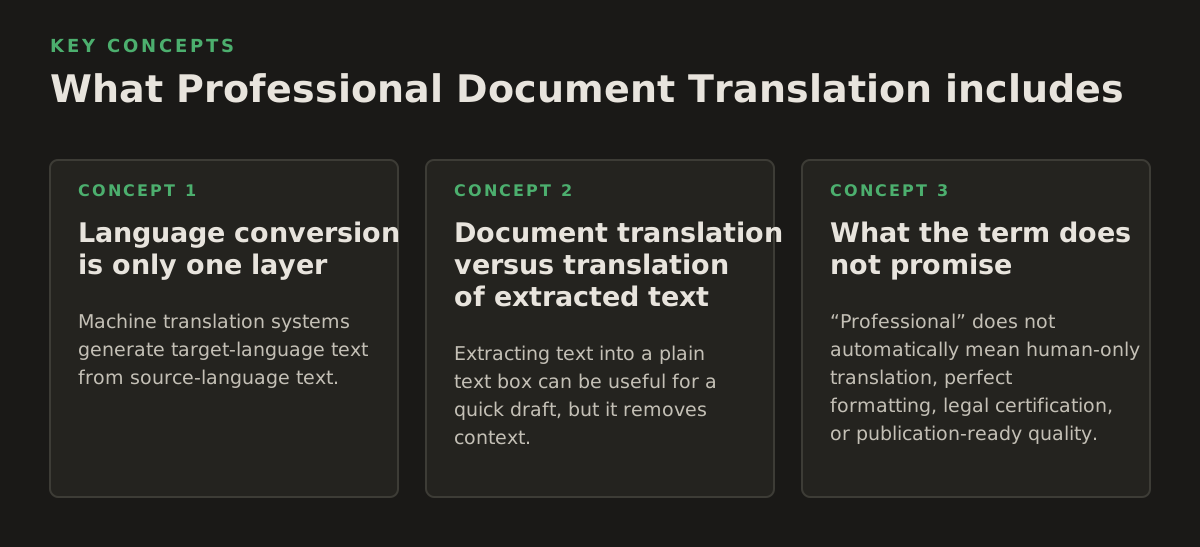
Language conversion is only one layer
Machine translation systems generate target-language text from source-language text. For example, Google Cloud describes Cloud Translation as a service for translating text and documents, with document translation intended to preserve document formatting in supported workflows; its current documentation should be checked for the file types, language pairs, and limits relevant to a particular project. Google Cloud’s Translation overview is the appropriate source for those product-level details.
Professional document work adds several controls around that conversion:
- Content interpretation: identifying what should be translated, left unchanged, localized, or flagged.
- Terminology control: applying approved equivalents for product names, legal phrases, medical terms, or institutional language.
- Format preservation: retaining headings, tables, page relationships, visual hierarchy, and reading order.
- Quality review: checking the target text against the source for omissions, mistranslations, and domain-specific risks.
- Release control: recording the source version, target language, reviewer decisions, and final output.
These controls apply differently by file type. A DOCX file usually contains editable paragraphs and tables. A PDF may contain selectable text, positioned text fragments, vector graphics, and images. A scanned PDF may contain no usable text layer at all. A PowerPoint presentation adds slide geometry, notes, charts, and text boxes. An EPUB is a package of reflowable content whose appearance changes with screen size and reader settings.
Document translation versus translation of extracted text
Extracting text into a plain text box can be useful for a quick draft, but it removes context. Consider the word “charge.” In a legal agreement it may refer to a fee, an allegation, or a security interest. In a laboratory report it may refer to electrical charge. The surrounding heading, table column, footnote, and neighboring values help determine the correct interpretation.
Context must travel with the text whenever possible. That means translating in a workflow that can inspect the original page or slide, preserve labels near diagrams, and identify whether a string is a title, a warning, a table value, or a repeated header. It also means distinguishing text that is part of an image from text that is stored as editable document content.
What the term does not promise
“Professional” does not automatically mean human-only translation, perfect formatting, legal certification, or publication-ready quality. It describes a level of process discipline and accountability. An AI-assisted workflow can be professional when it uses suitable source preparation, terminology rules, risk-based review, and a clear acceptance decision. Conversely, a human translation can still be unprofessional if it omits tables, loses figures, or provides no way to verify what was changed.
For a legal filing, immigration record, clinical document, or regulated submission, determine whether the receiving authority requires a certified translation, translator declaration, notarization, or a particular file format. Those requirements are external to a general AI translation platform and should not be inferred from the quality of the language output.
Why it matters for documents with consequences
The cost of an error depends less on word count than on where the error occurs. A typo in an internal meeting agenda may be inconvenient. A wrong decimal in a safety instruction, a missing exception in a contract, or a mistranslated patient instruction can create a materially different outcome.
Risk is unevenly distributed
Review effort should follow consequence, not simply document length. The following items deserve disproportionate attention:
- Numbers and units: prices, dates, percentages, dosage, dimensions, currency, temperatures, and reference numbers.
- Negation and conditions: “shall not,” “unless,” “except,” “only if,” and similar qualifiers.
- Defined terms: words given a special meaning in a contract, policy, protocol, or technical specification.
- Names and identifiers: people, organizations, medications, case numbers, standards, citations, and product codes.
- Warnings and instructions: content where a softened or strengthened imperative changes behavior.
- Tables and visual labels: content whose meaning depends on row, column, legend, or diagram position.
For legal teams, the central question is often whether obligations, exceptions, and defined terms remain aligned. For researchers, it may be whether a method, statistical qualifier, or citation has survived intact. Business teams may prioritize consistent product and finance terminology. Publishers and educators must preserve chapter order, exercises, captions, and reading flow. Healthcare and government teams commonly need a documented path for handling sensitive content and resolving ambiguities.
A worked risk example
Imagine an illustrative 42-page procurement agreement with 18 tables, 7 defined terms, 23 monetary values, and 4 annexes. A flat “translate everything and skim the result” instruction treats every sentence as equally important. A stronger review plan creates separate checks:
- Verify the 23 monetary values, currencies, dates, and percentages against the source.
- Compare each of the 7 defined terms wherever it appears, including annexes.
- Inspect all 18 tables for row alignment, repeated headers, and missing cells.
- Review the 4 annexes independently because they may contain specifications or exceptions.
- Have a qualified legal reviewer assess clauses that create obligations or limit liability.
The numbers in this example are illustrative, not a universal threshold. The principle is general: risk-based review beats page-count review. A short one-page medical instruction may require more scrutiny than a 100-page low-risk internal report.
Privacy is part of the translation decision
Before uploading a document, identify its data classification and the organization’s approved processing path. A document may include personal data, protected health information, privileged legal advice, export-controlled material, or confidential commercial plans. The relevant question is not merely whether a tool can translate the file, but whether its use is permitted for that document and whether the organization can satisfy its retention, access, and deletion requirements.
For US healthcare organizations, the US Department of Health and Human Services provides the official HIPAA Privacy Rule materials and definitions; those materials should guide an organization’s compliance analysis rather than a translation vendor’s general marketing language. HHS HIPAA Privacy for Professionals is a starting point for that review. For broader privacy governance, NIST’s Privacy Framework describes a risk-management approach, not a blanket approval of any particular translation service.
How the workflow works from source file to approved output
A dependable workflow separates discovery, extraction, translation, reconstruction, and review. Combining them into one opaque action makes it difficult to locate the cause of a problem.
1. Inspect and classify the source
Start by recording the file type, page or slide count, source language, target language, presence of images, and whether text is selectable. Look for encryption, comments, tracked changes, hidden sheets, speaker notes, embedded files, and unusual fonts. For an EPUB, inspect the table of contents and content package. For PowerPoint, check master slides and text inside charts or diagrams.
Classify each content region into practical categories:
- Translate normally.
- Translate with a glossary or style rule.
- Preserve exactly, such as a product code or legal citation.
- Extract with OCR before translation.
- Exclude from translation but verify visually.
- Escalate for subject-matter or legal review.
This inventory prevents a common failure: assuming that visible text is always machine-readable text. It also establishes a baseline for completeness. If the source has 12 tables and the output appears to have 11, the discrepancy should be investigated before anyone edits the target language.
2. Extract text and detect structure
For digitally generated documents, extraction can identify paragraphs, headings, tables, and text boxes. For scans, OCR creates a text layer from page images. Adobe’s official Acrobat documentation describes using “Recognize Text” to make scanned PDFs searchable and selectable; it also cautions users to review the result, which is important because OCR is an interpretation of pixels rather than recovery of original editable text. See Adobe’s documentation on recognizing text in scanned PDFs.
OCR errors enter before translation begins. A scan may confuse “1” and “I,” “0” and “O,” a decimal point and a speck, or a superscript with ordinary text. Skewed pages, low contrast, stamps, handwriting, multi-column layouts, and tables make extraction more difficult. Translating incorrect OCR faithfully still produces an incorrect document.
For that reason, OCR review should focus first on high-consequence regions. Search for all numbers, units, names, headings, and warning terms. Compare suspicious regions with the page image. If the source is a 300-page archive, an illustrative starting policy might be to inspect every page for extraction completeness and conduct deeper character-level review on pages containing figures, signatures, or instructions. That is a project policy, not a guaranteed accuracy standard.
3. Apply terminology and translation rules
A glossary is more useful when it records the reason for a choice, not only a pair of words. Include the source term, approved target term, forbidden alternatives, grammatical notes, and an example sentence. Add rules for names, capitalization, units, dates, quotation marks, and whether headings use sentence case or title case.
For recurring projects, separate stable terminology from document-specific decisions. A university may keep a central glossary for departments and degree names while maintaining a project glossary for the terminology of one research field. A company may preserve product names in the original language but translate user-facing feature descriptions. Legal teams should distinguish a defined term from an ordinary synonym: replacing it for stylistic variety can change the document’s internal logic.
AI translation is useful for generating a first target-language version and surfacing repeated content, but terminology decisions need ownership. Assign an accountable reviewer for each high-risk domain. Do not ask a general reviewer to silently resolve specialized pharmacology, patent, tax, or engineering terminology without access to the relevant source material and style rules.
4. Reconstruct the document
After translation, target text is placed back into the document format. This stage is where language and layout interact. Translated text may expand or contract, changing line breaks, page breaks, table height, slide balance, and the position of footnotes. A right-to-left language may require different alignment and reading order. CJK text may require suitable fonts and line-breaking behavior. Dates, currencies, and decimal conventions may need localization rather than literal substitution.
DOCX reconstruction is not equivalent to pasting text into a new file. The Open XML format represents a Word-processing document through structured parts such as the main document, styles, numbering, and relationships. Microsoft’s overview of the structure of a WordprocessingML document explains why preserving document structure matters when working with editable Word files.
For PDF output, decide whether the goal is a visually faithful translated PDF, an editable document, or both. A visually faithful result may require positioning translated text over or beside original elements. An editable result may require rebuilding paragraphs and tables. Each choice has trade-offs, and a workflow should state which one is authoritative.
5. Validate and release
Quality assurance should include both automated comparisons and human inspection. Automated checks can identify missing pages, empty text boxes, untranslated source-language fragments, altered numbers, duplicate paragraphs, and inconsistent terminology. Visual inspection catches clipping, overlap, broken tables, unreadable fonts, missing images, and misplaced footnotes.
Use a release checklist appropriate to the file:
- Confirm source and target language, file version, and output format.
- Compare page, slide, chapter, and table counts where applicable.
- Search for source-language text that should have been translated.
- Check numbers, dates, units, names, citations, and defined terms.
- Inspect headers, footers, page numbers, captions, legends, and notes.
- Open the final file in a normal viewer, not only in the processing tool.
- Record unresolved questions and obtain an explicit disposition.
A reviewer should be able to tell whether an issue is a translation error, an OCR error, a source ambiguity, or a layout defect. That distinction determines who fixes it and whether the source document itself needs correction.
Where automated document translation breaks
AI-assisted translation is strongest when the source is legible, consistently written, and rich in ordinary context. It becomes less reliable when the document is visually complex, ambiguous, poorly scanned, or dependent on specialist knowledge that is not stated in the text.
Scanned pages and imperfect OCR
Scanned PDFs are images first. If the scan contains a faint stamp over a paragraph, a handwritten correction, or a table with irregular lines, OCR may produce plausible but wrong text. That plausibility is dangerous because a reviewer may read the translation fluently without comparing it to the source image.
Use a two-pass approach for high-risk scans: first validate extraction, then evaluate translation. Teams handling archival contracts, court exhibits, or historical books may need to preserve the original page image alongside the translated text. If the document’s central difficulty is image-based text, a workflow designed to translate scanned PDFs is more appropriate than a text-only converter.
Tables, charts, and positioned text
Tables encode relationships spatially. A translation that moves a value into the wrong row can be more harmful than a visibly awkward sentence. Charts add legends, axis labels, and data labels that may be stored separately from the surrounding paragraph. PDFs can also store words as independently positioned fragments, making reading order ambiguous.
Inspect at least these features:
- Row and column associations.
- Repeated headers across page breaks.
- Merged cells and footnote markers.
- Chart legends, axis labels, and data labels.
- Text embedded inside diagrams or screenshots.
- Alignment of values with their units and labels.
When a table is too dense after translation, do not solve the problem by shrinking the font until it is technically present but practically unreadable. Consider widening columns, allowing additional pages, changing orientation, or presenting the table in a target-language layout approved by the document owner.
Ambiguity, idiom, and institutional language
Translation systems can select a statistically likely meaning that is wrong for the project. “Material” may mean important in a contract, physical substance in an engineering report, or teaching content in an education document. A phrase that is intentionally broad in the source may become artificially precise in translation.
Flag rather than silently normalize:
- Ambiguous pronouns and unclear antecedents.
- Terms used inconsistently in the source.
- Idioms with no direct target-language equivalent.
- Unusual abbreviations and unexplained acronyms.
- Sentences whose legal or clinical meaning depends on punctuation.
Fluency is not evidence of fidelity. A polished sentence can omit a limitation or add an implication that was absent from the source. Back-translation can sometimes expose major divergence, but it is not a substitute for a qualified reviewer reading the source and target together.
Layout, fonts, and language direction
Formatting preservation has physical limits. A translation may require more room; a font may not contain the required characters; a slide may have text boxes with fixed dimensions; and a PDF may include outlines instead of editable letters. A system can preserve the general visual arrangement while still requiring manual adjustment on dense pages.
Set expectations by output type:
| Source or output | Primary risk | Practical validation |
|---|---|---|
| DOCX | Styles, tracked changes, tables, and comments may be mishandled. | Check structure, revision state, headings, numbering, and editable tables. |
| Digital PDF | Reading order and positioned text may be unclear. | Compare page visuals and test text selection and search. |
| Scanned PDF | OCR may misread characters, columns, or tables. | Compare extracted text with the image, prioritizing numbers and names. |
| PowerPoint | Text expansion can cause clipping or overlap. | Review every slide at presentation size, including charts and notes. |
| EPUB | Reflow changes appearance across readers and screens. | Check navigation, chapter order, links, styles, and representative devices. |
How practitioners apply it by document type
The best workflow changes according to the decision the translated document must support. A legal department, a research group, and a publisher should not use the same review checklist merely because all three upload PDFs.
Legal contracts and court documents
Begin with document control. Record the governing version, exhibits, defined terms, signatures, and any pages that are image-only. Preserve clause numbering and cross-references. Build a term list before translation if the agreement contains recurring concepts such as indemnification, assignment, termination, or confidential information.
Use bilingual review for obligations, conditions, exclusions, remedies, and schedules. If the target document will be filed or presented to an authority, confirm the authority’s requirements before selecting an output format. A translated working copy and a certified translation are different deliverables.
A useful legal handoff includes:
- The original source file and a stable rendered reference.
- The translated editable or PDF output.
- A list of unresolved ambiguities and source defects.
- The glossary or terminology decisions used.
- A reviewer sign-off identifying what was reviewed and when.
Research papers, journals, and institutional material
Researchers should protect citation integrity and methodological precision. Do not translate DOI strings, accession numbers, dataset identifiers, chemical formulas, or statistical notation as ordinary prose. Check whether the journal has a house style for article titles, references, abstracts, and author names.
For a long thesis or report, establish terminology before translating chapter by chapter. Otherwise, a term may acquire several target-language equivalents and make the final document appear internally inconsistent. Tables of results deserve a separate numerical check; language review does not verify whether a value was copied accurately.
Business reports and internal documents
Business teams often need speed, but speed is most valuable when the output is immediately usable. Identify whether the purpose is executive reading, local employee instruction, customer delivery, or archival reference. That purpose determines how much attention to give charts, speaker notes, formatting, and localization.
For recurring monthly reports, retain a controlled glossary and compare repeated sections against prior approved translations. Do not assume that a changed source paragraph should inherit the previous target text. Track changes in figures, labels, and footnotes so that an old translation does not survive after the underlying business decision has changed.
Books, course materials, and EPUB files
Publishers and educators should review more than the body text. Preserve chapter navigation, exercise numbering, captions, quotations, glossary entries, hyperlinks, and accessibility-related reading order. An EPUB is reflowable, so a page-by-page visual comparison is not sufficient; inspect its navigation and representative rendering conditions.
For educational content, terminology consistency must include learning objectives and assessment instructions. Translating a repeated instruction in three different ways may confuse learners even if each version is linguistically acceptable. Flag cultural references, examples, and measurement systems that may require adaptation rather than literal translation.
Government and healthcare documents
These teams should start with authorization and sensitivity, then move to translation. Separate public information from restricted records where possible. Use controlled terminology for agency names, benefits, diagnoses, medications, procedures, and emergency instructions. Have a qualified domain reviewer assess content where a misunderstanding could affect eligibility, treatment, safety, or a person’s rights.
Do not treat a machine-generated translation as a substitute for an interpreter in a live clinical interaction or as an automatic certification for an official record. The correct use may be a draft, an internal comprehension aid, or a production document followed by required review. The receiving institution’s policy determines the acceptable path.
A practical operating policy for 2026
Organizations do not need a single translation method for every file. They need a decision policy that matches source quality, document purpose, and consequence of error.
Choose the workflow by risk and structure
An illustrative starting matrix might look like this:
| Document situation | Reasonable starting workflow | Required escalation |
|---|---|---|
| Clean internal memo with ordinary language | AI translation, terminology check, visual review | Owner resolves ambiguous passages |
| Scanned historical record | OCR, extraction review, translation, page comparison | Specialist checks names, dates, and damaged text |
| Commercial contract | Glossary-led translation, clause review, table and cross-reference checks | Qualified legal reviewer and certification assessment |
| Clinical instruction | Controlled terminology, translation, safety-focused bilingual review | Appropriate clinical or language professional |
| PowerPoint for external presentation | Slide-aware translation and complete presentation review | Presenter confirms visual hierarchy and speaker notes |
This is a planning example, not a guarantee or universal classification scheme. The organization should define its own categories, approved tools, retention rules, reviewer qualifications, and release authority.
Use a measurable acceptance checklist
A good acceptance rule is specific enough that two reviewers can apply it consistently. Instead of “make sure it looks good,” specify:
- No required page, slide, chapter, table, or image is missing.
- All high-risk numbers, dates, units, names, and identifiers match the source.
- Defined terms and approved glossary entries are consistent.
- No target text is clipped, overlapped, unreadable, or placed in the wrong cell.
- Uncertain source passages are listed rather than silently guessed.
- The output opens correctly in the intended reader or office application.
- The final reviewer and document version are recorded.
For a large program, track recurring defects by category: OCR, terminology, omission, number, layout, source ambiguity, or reviewer disagreement. That record helps improve source templates and review effort. If every translated presentation requires manual resizing, the root problem may be the original slide template rather than the translation step.
Decide when to use a document-focused platform
Use a document-aware workflow when the deliverable must retain layout, tables, images, or page relationships. If you only need to understand a paragraph, plain text translation may be enough. If you need to send a translated contract, publish a multilingual book, circulate a localized report, or preserve a scanned archive, the file structure and visual result become part of the requirement.
For teams working with PDFs, a workflow built around the original file can reduce the risks created by copy-and-paste extraction. InOtherWord.AI is designed to translate PDFs, scanned PDFs, DOCX files, PowerPoint presentations, and EPUB books while preserving formatting, layout, tables, and images. Teams can use it to translate PDF documents when the output needs to remain a document rather than become a block of translated text.
The specific recommendation is to adopt AI-assisted translation with risk-based human review: automate extraction and first-pass language conversion where appropriate, preserve the source structure, inspect high-consequence content against the original, and require qualified approval for legal, clinical, official, or publication-critical output. InOtherWord.AI can support that document-centered process; its role should be selected according to the organization’s privacy rules, file requirements, and review obligations.
Authored with NotFair SEO
Related guides
Keep researching the right workflow
These pages help move from general document-translation research into the specific file format or workflow you need.
A practical workflow for translating scanned PDFs with OCR while preserving enough structure for real review, sharing, and downstream editing.
Explore pageHow to translate PPT and PPTX decks without breaking slide layouts, charts, and speaker-ready formatting.
Explore pageThe best AI PDF translator is not just about language quality. It also needs OCR, layout preservation, and reviewable output for real files.
Explore pageCommercial pages
Ready to translate the actual file?
Jump from the guide into the product page that fits your document type, then continue into pricing when you are ready.
Format page
Translate PDF Documents
Translate PDF files while preserving layout, tables, and page structure.
Explore pageFormat page
Translate Scanned PDFs
OCR and translate scanned PDFs without rebuilding the layout by hand.
Explore pageFormat page
Translate PowerPoint Presentations
Translate PPT and PPTX decks while preserving slide layouts, tables, and speaker-ready formatting.
Explore pageTranslate layout-heavy PDF reports, manuals, forms, and client-ready files while keeping tables, headings, and images readable.
Explore page