Transcription And Translation Meaning: A Practical Guide for Documents
Published Tue Sep 01 2026 | 17 min read
Transcription and translation meaning explained: see how speech, text, OCR, context, and review fit together for legal, research, and business documents.
Transcription and translation meaning becomes clearer when you separate two jobs that are often bundled together. Transcription converts speech, handwriting, or image-based text into a written representation in the same language or script. Translation transfers written meaning from one language into another. A recorded interview in Spanish may first need transcription in Spanish and then translation into English; a scanned French contract may need OCR before it can be translated. These stages can be combined in one workflow, but they solve different problems and produce different kinds of errors.
That distinction matters to legal teams, researchers, publishers, educators, government offices, healthcare groups, and businesses. If a team asks for “translation” when the source is an image-only PDF, it may actually need text recognition first. If it asks for “transcription” of a bilingual meeting, it may need speaker labeling, timestamps, and translation as separate deliverables. Treating the terms as interchangeable creates avoidable review work and can make an apparently polished document unreliable.
What transcription and translation each produce
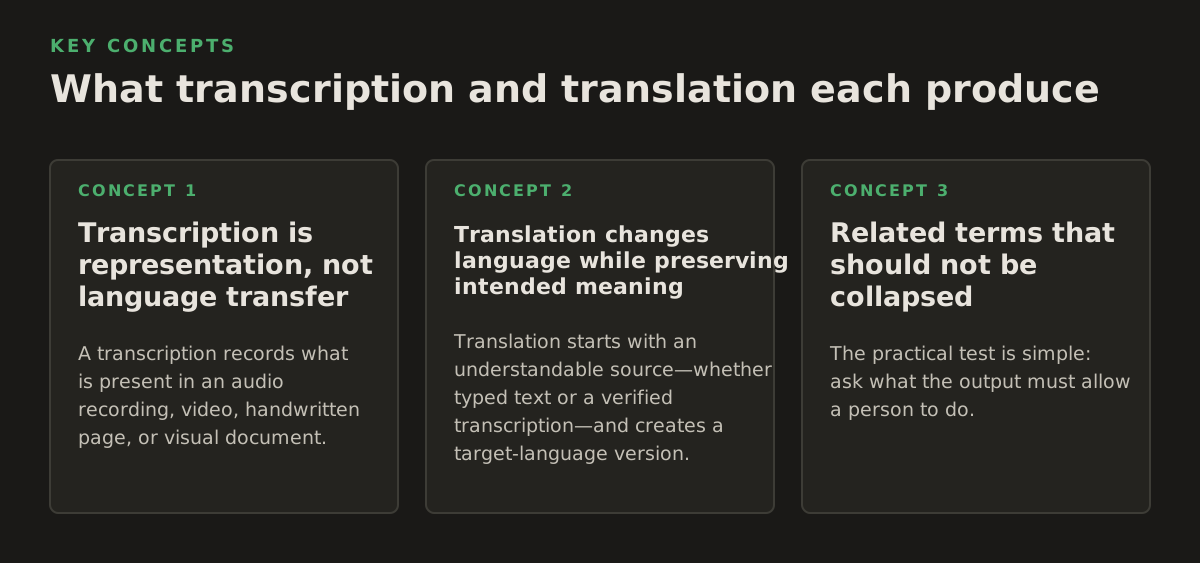
Transcription is representation, not language transfer
A transcription records what is present in an audio recording, video, handwritten page, or visual document. In speech work, that may include words, pauses, speaker changes, and timestamps. In document work, the comparable operation is often OCR, or optical character recognition: software detects characters in a raster image and turns them into machine-readable text. OCR is therefore a form of text extraction rather than translation.
For example, a researcher might receive a scanned 1960s journal article. The page image contains French words, but a computer cannot reliably search, copy, or translate those words until recognition has occurred. OCR can produce a text layer while the language remains French. Translation can then convert that French text into English. If the researcher needs a searchable French archive, translation is unnecessary; if an English literature review is the goal, OCR alone is insufficient.
Translation changes language while preserving intended meaning
Translation starts with an understandable source—whether typed text or a verified transcription—and creates a target-language version. A capable translation process must resolve more than dictionary equivalents. It must account for syntax, terminology, register, ambiguity, names, units, legal force, and the relationship between words and surrounding layout.
Consider the English phrase “without prejudice.” In a legal document, its function may depend on jurisdiction and context; translating each word separately can produce a misleading result. Similarly, “claim” may mean an assertion, an insurance demand, or a court filing. Translation is a meaning-and-use decision, not a mechanical substitution of words.
Related terms that should not be collapsed
- Transcription: creating a written record from speech, handwriting, or an image, usually without changing language.
- Translation: expressing content in another language while preserving its intended meaning and function.
- Transliteration: representing characters from one writing system with characters from another, such as rendering Arabic names in Latin letters.
- Interpretation: transferring spoken meaning orally or through sign language, either simultaneously or after a speaker pauses.
- Localization: adapting language, formatting, dates, currencies, examples, and conventions for a particular audience or region.
- Subtitling: producing timed, readable text for audiovisual content; it can include both transcription and translation.
The practical test is simple: ask what the output must allow a person to do. If the output must preserve the original spoken record, request a transcript. If it must let a different-language audience understand the content, request a translation. If the source is a photograph or scanned page, specify OCR and decide whether the original layout must remain usable.
Why the distinction matters in real document work
The difference affects scope, quality control, confidentiality decisions, and the format of the final file. A translated DOCX with headings, footnotes, and tables has different risks from a plain text transcript. A court exhibit scanned at an angle presents different problems from a clean, typed contract. Before choosing a workflow, define the source modality, target language, and required evidence of accuracy.
Legal and compliance consequences
Legal teams often need to preserve both the source and the translated record. A translation may be used for internal review, discovery, negotiation, or filing, and those uses do not impose identical requirements. A transcript of a deposition may need speaker names and timestamps. A translation of a contract may need stable clause numbering and visible treatment of handwritten annotations. A scanned exhibit may require the original page image alongside a selectable text layer.
For a legal workflow, document these decisions before processing:
- Whether the source is an authoritative original, a working copy, or an exhibit.
- Whether names, defined terms, citations, and clause numbers require a controlled glossary.
- Whether the output is for comprehension, internal analysis, negotiation, or formal submission.
- Whether uncertain text must be marked rather than silently guessed.
- Who will review legal meaning in the target language.
Preserving uncertainty is part of accuracy. If a scan obscures a date or a transcript cannot distinguish two speakers, an honest workflow flags the uncertainty. It should not manufacture a clean answer simply because the output looks professional.
Research, publishing, and education
Researchers may need a searchable corpus in the source language, a translated reading copy, or both. These are different deliverables. A translated article can help a scholar understand an argument, but it should not be treated as a verbatim transcription or as a substitute for checking quotations against the original. Publishers and educators also need to protect structure: chapter headings, footnotes, captions, equations, references, and reading-order cues can carry meaning that plain text does not show.
For an academic or publishing project, decide whether to preserve:
- Original page numbers and section numbering.
- Bibliographic references in their original form.
- Footnotes, endnotes, captions, and callout boxes.
- Mathematical notation, chemical formulas, and specialized symbols.
- Parallel source-and-target text for classroom or editorial review.
A useful policy is to maintain an archival source, a machine-readable extraction, and a translated working copy as separate artifacts. That separation makes it easier to audit a questionable passage without overwriting the evidence.
Business, government, and healthcare operations
Business teams usually care about actionable meaning and consistent terminology: product names, departments, financial periods, and instructions must remain recognizable. Government and healthcare teams face an additional burden: a mistranslated qualification, dosage instruction, eligibility condition, or place name can change what a person does next.
Do not infer suitability from a fluent surface alone. Review should focus on high-consequence content, including:
- Dates, times, quantities, dosage, percentages, and monetary values.
- Negation, conditions, exceptions, and deadlines.
- Personal names, addresses, identification numbers, and case references.
- Warnings, consent language, eligibility rules, and procedural instructions.
- Tables where a row or column shift could associate a value with the wrong item.
The right level of review depends on use. A translated internal memo may need a bilingual subject-matter check. A patient-facing instruction or formal government notice may require qualified human review under the organization’s own policy. The crucial decision is not whether automation is allowed in the abstract; it is which errors are tolerable for this document’s purpose.
How a transcription-and-translation workflow works
A dependable workflow treats the process as a sequence of transformations rather than one magical “translate” button. The stages can be automated, but each stage should have a defined input, output, and failure signal.
1. Inspect the source before choosing a method
First determine whether the file contains selectable text, page images, embedded fonts, handwriting, audio, or a mixture. A PDF can look like ordinary text to a person while containing only photographs of pages. Conversely, a PDF can contain an invisible or inaccurate text layer underneath a scanned image. Check a sample from the beginning, middle, and end instead of assuming the whole file has one structure.
A source inventory should record:
- File type and page or media count.
- Languages and writing systems present.
- Presence of columns, tables, stamps, signatures, diagrams, or handwriting.
- Whether reading order is obvious or visually complex.
- Whether the output must preserve layout or only deliver text.
For image-based files, the relevant service is OCR rather than ordinary text extraction. Microsoft’s official computer vision documentation describes OCR as extracting printed or handwritten text from images and lists scenarios such as documents, receipts, and forms: Microsoft’s OCR overview. The operational implication is that OCR quality depends on the visual input, not merely on the language model used afterward.
2. Recognize or transcribe the source
For audio, transcription systems analyze speech and return text, often with optional timestamps, confidence information, or speaker-related features depending on the system and configuration. Google’s official Speech-to-Text documentation describes converting audio to text and provides separate guidance for audio data, recognition configuration, and supported features: Google Cloud’s Speech-to-Text overview. That documentation is a useful reminder that microphone quality, encoding, language selection, and configuration are inputs to recognition—not afterthoughts.
For scanned documents, recognition must handle page geometry. A robust extraction process attempts to preserve paragraphs, headings, table cells, and reading order. It may still confuse:
- The letter “O” with zero, or the letter “I” with one.
- Hyphenated line breaks with real hyphens.
- Footnotes with body text.
- Two columns with one another.
- Stamps, marginal notes, and handwritten corrections with printed content.
At this stage, retain the original image or audio and do not overwrite it with the recognized text. Recognition errors propagate forward: a missed “not,” a wrong decimal separator, or a misread name becomes material that translation may render fluently but incorrectly.
3. Normalize without erasing evidence
Normalization can remove accidental line breaks, repair obvious spacing, and standardize headings for processing. It must not silently change substantive content. Keep a version that reflects the extraction and a separate working version for cleanup. In a research archive, that distinction supports reproducibility. In a legal matter, it helps reviewers locate the source of a disputed phrase.
Language identification should also be performed at the right granularity. A single file may contain an English cover page, a Japanese appendix, Latin quotations, and names from several languages. A whole-document language guess can therefore be less useful than page-, section-, or paragraph-level detection.
4. Translate with context and terminology controls
Translation engines use surrounding text to choose among possible meanings, but they still need explicit constraints for specialized work. Supply a glossary for defined terms, product names, agency names, recurring legal phrases, and preferred translations. Do not put ordinary words into a glossary without a reason: forcing one translation everywhere can damage meaning when the same word changes function by context.
Google’s official Cloud Translation documentation distinguishes translation capabilities and discusses documents as a supported content type: Google Cloud Translation’s overview. Whatever tool is selected, the working question remains the same: does it receive the right source text, language pair, document context, and formatting requirements?
A simple terminology record can include:
| Source term | Approved target term | Scope or exception | Reviewer |
|---|---|---|---|
| Defined contract term | One consistent equivalent | Use only when capitalized as defined | Legal reviewer |
| Product or program name | Keep official name | Translate descriptive suffix if policy allows | Business owner |
| Medical instruction | Approved clinical wording | Check units and patient reading level | Clinical reviewer |
| Institution name | Official local-language form | Retain original in parentheses if required | Editorial reviewer |
5. Reconstruct and inspect the output
For a document workflow, translation is not finished when the text is correct in isolation. The output must be checked in the file format people will actually use. Layout reconstruction can expose problems such as expanded text overflowing a text box, a translated heading moving to the next page, a table splitting badly, or a right-to-left passage changing alignment.
Use a two-layer review:
- Content review: compare source and target for meaning, names, numbers, omissions, additions, terminology, and uncertainty markers.
- Visual review: inspect page order, reading sequence, tables, headers, footers, footnotes, captions, links, and text that overlaps or disappears.
For a PDF workflow, teams can use InOtherWord.AI to translate PDF documents, including documents where preserving the original structure is important. For image-only material, the related workflow is to translate scanned PDFs so recognition is treated as a necessary stage rather than mistaken for translation itself.
Where automated transcription and translation break
Automation is strongest when the source is clear, the language is expected, the structure is regular, and the cost of an occasional correction is low. It becomes less dependable when several difficult conditions interact. The practical response is not to reject automation categorically; it is to identify the risk and place a human checkpoint where it matters.
Visual and acoustic defects
Low resolution, skewed pages, bleed-through, unusual typefaces, dense tables, seals, and handwritten annotations can defeat OCR. In audio, overlapping speakers, background noise, accents, code-switching, distant microphones, and specialist vocabulary can impair transcription. A clean-looking paragraph does not prove that the recognition was faithful.
Run a focused quality sample before processing a large set. An illustrative starting policy—not a universal benchmark—is to inspect a few representative pages from each visual class and every unusually important section. For audio, sample quiet speech, interruptions, names, and technical terms. If the sample reveals systematic errors, improve the source or recognition settings before translation.
Ambiguity and missing context
Short fragments are especially dangerous. “Charge,” “appeal,” “consideration,” “dose,” and “draft” can have multiple domain meanings. A heading, table cell, or form label may not contain enough context for a reliable choice. Translation should therefore receive surrounding content where possible, while reviewers should examine ambiguous terms in their document role rather than as isolated dictionary entries.
Machine translation can also preserve a grammatical interpretation that the source did not intend. Passive voice, pronoun references, gender, politeness, and legal modality may be under-specified. When the target language requires a choice the source leaves open, the workflow should either use context, retain an ambiguity note, or escalate the passage.
Numbers, structure, and scripts
Numbers deserve their own pass because they can be damaged independently of ordinary language. Decimal and thousands separators vary by locale; dates can be ambiguous; units may require conversion or may need to remain unchanged. A translated table can be linguistically accurate while putting a value under the wrong heading.
Writing direction creates another layer of risk. The Unicode Consortium’s CLDR project provides locale data used to represent language and regional conventions such as date, number, and measurement formats: the official Unicode CLDR site. This does not decide what a particular contract or medical instruction should say, but it explains why a target locale is more than a language label.
Check these items mechanically where possible and manually where consequences are high:
- All numerals, percentages, ranges, currency symbols, and units.
- Date order and time-zone references.
- Page, clause, figure, and table references.
- Opening and closing quotation marks, parentheses, and minus signs.
- Right-to-left text, mixed scripts, and names that should not be translated.
Privacy, access, and retention decisions
Documents may contain personal data, privileged communications, unpublished research, health information, or government-sensitive material. The fact that a system can process a file does not answer whether the organization is permitted to send it there. Before uploading, establish which data may leave the controlled environment, who can access outputs, how long working files remain available, and whether human review is required by internal policy.
Do not make unsupported assumptions about a tool’s security, retention, or compliance posture. Instead, ask for current contractual and technical documentation and have the relevant privacy, procurement, legal, or information-security team approve the workflow. Risk classification should precede tool selection, not follow a regrettable upload.
How practitioners apply the distinction
The best workflow starts with the deliverable, not the feature list. A legal department, university, publisher, and hospital may all upload PDFs, yet their definitions of “accurate” differ. The examples below show how to choose stages and review points.
Example 1: a scanned court exhibit
The source is a 42-page image-only PDF containing typed pages, handwritten marginal notes, stamps, and a two-column appendix. The legal team needs an English review copy while preserving the original page references.
- Retain the original PDF as the evidentiary source.
- Run OCR that preserves page boundaries and attempts column-aware reading order.
- Mark uncertain handwriting and illegible characters rather than guessing.
- Translate the recognized text with a glossary for party names and defined terms.
- Compare names, dates, clause references, and handwritten additions against page images.
- Deliver the translated copy with stable page mapping and a list of unresolved items.
Here, transcription-like recognition and translation are sequential. A plain translated text file may be cheaper to produce but less useful to counsel because it breaks the connection between target passages and source pages.
Example 2: a multilingual research interview
A university team has a 75-minute interview in Arabic and English with frequent code-switching. The research question depends on pauses, speaker turns, and the exact wording of several quotations.
The team should specify whether it needs a verbatim transcript, a cleaned transcript, a translation, or a time-aligned bilingual record. A sensible workflow is to transcribe each language as spoken, label speakers, preserve timestamps, translate selected passages for analysis, and have a qualified bilingual researcher check quotations. Translating first and discarding the source-language transcript would make it harder to audit interpretation choices.
Example 3: a healthcare instruction sheet
A clinic has a two-page English PDF with diagrams and dosage tables and needs a version for Spanish-speaking patients. The job is not merely to replace English words. It requires preserving warnings, units, sequence, and visual association between a diagram and its instruction.
Review should prioritize:
- Dosage values and measurement units.
- Negation and conditional instructions.
- Body-part labels and diagram callouts.
- Reading level and culturally clear phrasing.
- Emergency warnings and contact instructions.
If the source is a clean digital PDF, OCR may not be necessary. If the PDF is a scan, recognition comes first. Either way, a clinical or qualified bilingual reviewer should examine the final patient-facing wording according to the organization’s policy.
Example 4: a publisher’s backlist
A publisher is preparing a translated EPUB from a set of scanned books. The source includes chapter ornaments, footnotes, running headers, illustrations, and occasional historical spellings. The publisher should not treat OCR output as editorially final.
Separate the process into an extraction pass, an editorial cleanup pass, a translation pass, and a proof pass. Preserve the original spelling in quotations where scholarship requires it, but apply the publication’s style guide to surrounding prose. Check that footnote markers still point to the correct notes after text expansion. For ebooks, inspect reflow on different screen sizes because a page-perfect source layout cannot always be reproduced in a reflowable format.
Example 5: an internal business report
A finance team needs a translated quarterly report for colleagues, not a public filing. The source is a structured DOCX with charts, tables, and recurring department names. The team can usually gain efficiency by supplying a terminology list and reviewing exceptions rather than rewriting every ordinary sentence.
Its acceptance checklist might include:
- Department and product names match the approved internal forms.
- Charts retain labels and do not imply a different data series.
- Totals, percentages, currencies, and reporting periods are unchanged or explicitly localized.
- Headings and cross-references remain navigable.
- Executives review conclusions, risks, and action items in the target language.
This is a good setting for a translated working document with targeted human review. It is not a reason to skip review of figures or conclusions simply because the audience is internal.
A decision framework for requesting the right service
When submitting a job, describe the source and the intended use in operational terms. “Translate this PDF” is incomplete if the file is scanned, contains two languages, or must preserve tables. A stronger request identifies the language pair, source condition, output format, layout requirement, terminology needs, and review level.
Use this compact intake sequence:
- What is the source? Typed text, scan, handwriting, audio, video, or mixed media.
- What is the language task? Same-language transcription, translation, transliteration, interpretation support, or several stages.
- What must remain unchanged? Names, numbers, citations, page references, tables, images, or legal formatting.
- Who will use the result? Internal staff, researchers, students, patients, the public, counsel, or an authority.
- What happens if an error survives? Minor inconvenience, analytical distortion, financial loss, legal confusion, or safety risk.
- What review is required? None for low-risk comprehension, bilingual review, subject-matter review, or formal approval.
The resulting specification may be as concise as: “Recognize a scanned German contract, preserve page and clause references, translate into English, retain uncertain handwriting markers, apply this glossary, and provide a bilingual review copy.” That request makes the distinction between transcription and translation explicit and gives the processor something testable.
In 2026, the most defensible practice is to use automation for scale while keeping the source, intermediate recognition, terminology decisions, and final review traceable. Choose transcription when the record must be captured, translation when the audience must change languages, and both when a scan or recording must become usable across languages. For document-heavy teams, InOtherWord.AI can be a practical place to process PDFs, scanned PDFs, DOCX files, presentations, and ebooks while keeping formatting and layout in the workflow; explore InOtherWord.AI when the deliverable needs more than plain translated text.
Authored with NotFair SEO
Related guides
Keep researching the right workflow
These pages help move from general document-translation research into the specific file format or workflow you need.
A practical workflow for translating scanned PDFs with OCR while preserving enough structure for real review, sharing, and downstream editing.
Explore pageHow to translate PPT and PPTX decks without breaking slide layouts, charts, and speaker-ready formatting.
Explore pageThe best AI PDF translator is not just about language quality. It also needs OCR, layout preservation, and reviewable output for real files.
Explore pageCommercial pages
Ready to translate the actual file?
Jump from the guide into the product page that fits your document type, then continue into pricing when you are ready.
Format page
Translate PDF Documents
Translate PDF files while preserving layout, tables, and page structure.
Explore pageFormat page
Translate Scanned PDFs
OCR and translate scanned PDFs without rebuilding the layout by hand.
Explore pageFormat page
Translate PowerPoint Presentations
Translate PPT and PPTX decks while preserving slide layouts, tables, and speaker-ready formatting.
Explore pageTranslate layout-heavy PDF reports, manuals, forms, and client-ready files while keeping tables, headings, and images readable.
Explore page