Pdf Translation Examples For Court Filings: Formats That Preserve Meaning
Published Wed Oct 07 2026 | 9 min read
See pdf translation examples for court filings, from exhibit labels to translator statements, and learn how to preserve page references, uncertainty, and contex
pdf translation examples for court filings are most useful when they show both the translated text and how it connects to the original: the exhibit identity, page references, unclear text, and any translator statement required by the court. Below are adaptable examples for an exhibit, a short passage, and a translator’s statement. They are drafting patterns, not court-approved forms; confirm the filing court’s rules and the case’s instructions before submitting anything.
Choose a format that matches the filing job
A translation is not just a block of replacement text. The filing team needs to show what document was translated, where the translated material appears, and which details remain uncertain. The right format depends on whether the filing relies on a whole document, a passage, or the translator’s credentials and process.
Start by identifying the document’s role in the filing. A complete contract offered as an exhibit calls for a different presentation from a single message quoted in a declaration. Before preparing the PDF, note:
- The case caption, docket or exhibit identifier, and the original document’s title or date, if known.
- Whether the filing needs the full document translated or only specified pages or passages.
- How the court’s rules or an order address translations, translator qualifications, declarations, and exhibit formatting.
- Whether the source is a digital PDF or a scan with handwriting, stamps, tables, or faint text.
Do not assume one court’s practice applies elsewhere. The U.S. Courts’ rules and procedures resources distinguish federal rules from other court requirements; check the applicable court’s local rules and any case-specific order as well. A court interpreter’s role in a proceeding is not, by itself, an answer to what a particular filing requires: the U.S. Courts describes federal court interpreter services in the context of court proceedings.
Examples for translated exhibits and quoted passages
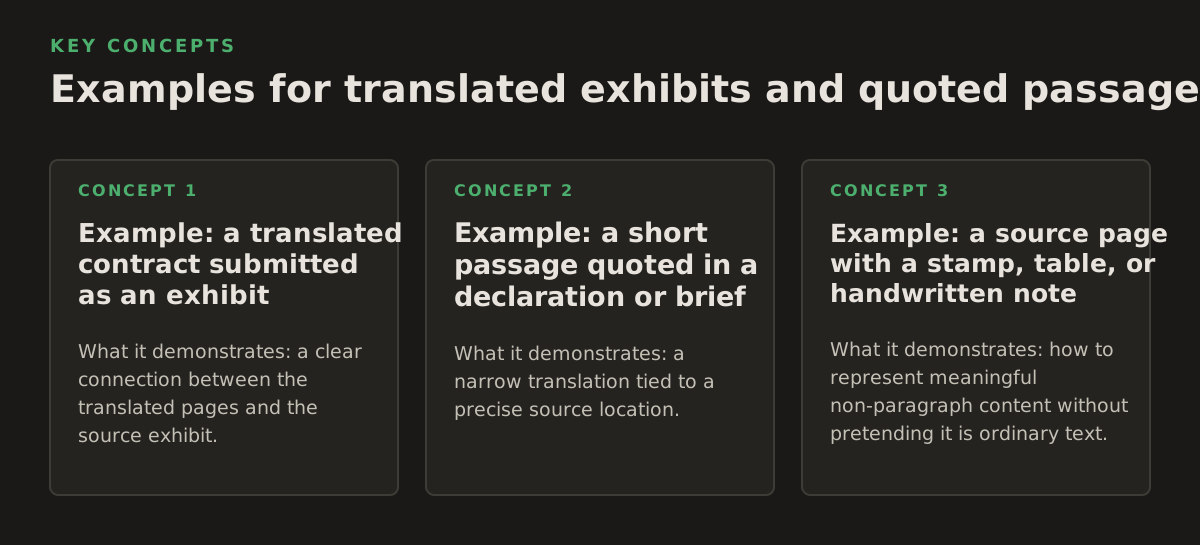
The patterns below are illustrative. Replace bracketed text with verified information, retain the original, and do not present sample wording as a legal certification. They demonstrate ways to keep a translated exhibit traceable and make the translation’s scope visible.
Example: a translated contract submitted as an exhibit
What it demonstrates: a clear connection between the translated pages and the source exhibit. Use a cover or identification page, then present the translation in a consistent order. If the filing includes the original alongside the translation, label each part so a reviewer can tell which is which.
Case: [case name and number]
Exhibit: [identifier]
Document: [title or description in the source language] — English translation
Source document: [date or other identifying detail, if shown]
Translation covers: [pages or sections translated]
For the body, use source page labels or another stable reference, such as:
Source page 3
[Translated heading]
[Translated paragraph, preserving paragraph breaks and numbering where practical.]
[Signature block: name and title as shown in source.]
This pattern works because it makes the document’s identity and translation scope apparent without silently blending the translation into the original. Adapt the labels to the filing’s exhibit convention. If a page is missing, duplicated, or out of order, flag that fact rather than making the translation appear complete.
Example: a short passage quoted in a declaration or brief
What it demonstrates: a narrow translation tied to a precise source location. A quotation should not imply that the entire source document was translated. Identify the source and page, distinguish quoted wording from the filing author’s explanation, and keep any omitted context apparent.
In the message dated [date], the sender wrote: “[translated quotation]” (Ex. [identifier], source-language PDF, p. [page]; translation at [translation page]).
That format helps a reader move between the quotation and the exhibit. If the source contains a term with more than one plausible meaning, do not quietly choose the interpretation that best supports the argument. Provide a concise translator’s note or explain the ambiguity in a separate, clearly identified note, subject to the filing team’s review.
Example: a source page with a stamp, table, or handwritten note
What it demonstrates: how to represent meaningful non-paragraph content without pretending it is ordinary text. Keep a table’s row and column relationships visible; identify a seal, stamp, or handwritten annotation; and distinguish what can be read from what cannot.
- Table: retain the row and column headings so each translated entry stays attached to the right category.
- Stamp: use a restrained label such as “[stamp: text reads ‘received’; date unclear]” when that accurately describes the source.
- Handwriting: mark an uncertain word as “[unclear]” rather than supplying a guess as though it were legible.
- Blank or unreadable area: state that it is blank or unreadable only if the source supports that description.
These are presentation choices, not universal court requirements. A case order or local rule may prescribe a different method, and the filing team should check before relying on an example.
Show uncertainty instead of repairing the source
A translation should preserve what the source says, including awkward phrasing, incomplete information, and ambiguities that matter. Editing a confusing source into polished, certain prose can change its meaning. The practical goal is readability without concealment: make the translated document usable while keeping material uncertainty visible.
Use explicit, limited markers for source problems. For example:
- “[illegible]” when the relevant writing cannot be read.
- “[unclear: ‘invoice’ or ‘in voice’]” when two readings remain plausible and the distinction matters.
- “[handwritten note; partially legible]” when the source includes handwriting that cannot be fully read.
- “[Translator’s note: …]” for a brief explanation about a feature of the source, not for argument about what the court should conclude.
Do not add a bracketed explanation just to make the document sound more persuasive. A translator’s note should help the reader understand the source or the translation, not advocate for a party. Keep the original wording and the translation available for comparison when the filing format permits it.
Also separate translation from legal interpretation. A translator can render a term, date, or handwritten annotation; deciding what that evidence proves belongs to the legal analysis. If a disputed term affects a claim or defense, flag it for counsel rather than resolving the issue through an unmarked paraphrase.
Use a translator statement only after checking the applicable rule
Some filing contexts call for a translator’s declaration or other statement; the format and required wording cannot be assumed from a sample. In U.S. federal law, 28 U.S.C. § 1746 addresses unsworn declarations made under penalty of perjury in specified circumstances. It does not, by itself, establish that a particular translated exhibit needs a declaration or that any sample below satisfies the court’s requirements.
Where counsel confirms that a translator statement is appropriate, this illustrative outline shows the kinds of information the team may need to verify. It is not a substitute for required language, an oath, notarization, or a court-specific form.
Translator statement — illustrative outline
I, [name], state that I translated [identify document and source language] into [target language].
[Describe relevant language ability or qualifications, if required and accurate.]
[Identify any limits, unclear passages, or portions not translated, if applicable.]
[Use the declaration or certification wording required by the applicable court, rule, or order.]
[Signature and date, in the form required for this filing.]
Verify before signing: the person signing must be the person who can truthfully make the statement. Do not insert credentials, a completeness claim, or a promise of accuracy unless they are accurate and appropriate. Federal Rule of Evidence 604 says an interpreter must be qualified and take an oath or affirmation to make a true translation; that rule concerns interpreting in the evidence context and should not be treated as a ready-made certification rule for every translated document. See the Federal Rules of Evidence and check the rule’s scope with counsel.
Before filing, compare the proposed statement against the applicable rules, local procedures, and any judge’s order. If the court or case instructions do not make the requirement clear, ask counsel to verify the correct form and whether a statement is needed at all.
Preserve page references when preparing a PDF translation
A translated PDF becomes harder to review when page numbering, exhibit labels, or layout drift away from the source. A page reference should be reproducible: someone reviewing the filing should be able to locate the corresponding content in the original without guessing. Preserve source-page identity even if the translation reflows onto a different number of pages.
For a born-digital file, check whether selectable text matches the visible page. For a scan, OCR can help extract text, but the extracted text is not proof that the source was read correctly. Mistaken characters in names, dates, amounts, or case references can survive into the translation if no one checks them against the page image.
When reviewing a scanned source, compare the translation against the image for:
- Names, dates, identifiers, amounts, and negation words such as “not.”
- Footnotes, marginalia, stamps, signatures, and text running across a table.
- Page breaks, repeated headers, and exhibit labels that may be mistaken for document text.
- Characters that look similar in the source language or are faint, clipped, or handwritten.
InOtherWord.AI has pages for teams that need to translate PDF documents and for workflows involving translate scanned PDFs. Whatever preparation method you use, a legal reviewer should check the final translated PDF against the source and the court’s filing instructions.
Run a filing-focused review before submission
Do not review only for fluent English. The final check should ask whether the translation is traceable, complete within its stated scope, and consistent with the source. Assign the review to someone who can compare the original and translation, and have counsel confirm procedural requirements separately.
- Confirm scope: Does the filing identify whether it contains a full document, selected pages, or a quoted passage?
- Check traceability: Can a reviewer match each translated page to a source page or clearly identified section?
- Compare material details: Verify names, dates, amounts, negations, defined terms, and numbered clauses against the original.
- Inspect non-text content: Confirm that tables, stamps, handwriting, footnotes, and signatures have not disappeared or been mischaracterized.
- Review uncertainty markers: Are unreadable or ambiguous portions marked honestly, without guessed repairs?
- Confirm procedure: Check the applicable local rules, case order, exhibit requirements, and any requested translator statement before filing.
This review catches two different failure modes: a translation that misstates the source and a filing that does not make the translation’s relationship to the source clear. Keep those checks separate. Good wording cannot cure a missing procedural requirement, and a complete exhibit label cannot cure a mistranslated clause.
For document preparation, InOtherWord.AI offers AI-powered translation for PDFs and scanned PDFs while preserving document structure. Treat the resulting file as a draft for source comparison and procedural review, not as proof that a court’s filing requirements have been met.
Authored with NotFair SEO
Related guides
Keep researching the right workflow
These pages help move from general document-translation research into the specific file format or workflow you need.
A practical workflow for translating scanned PDFs with OCR while preserving enough structure for real review, sharing, and downstream editing.
Explore pageHow to translate PPT and PPTX decks without breaking slide layouts, charts, and speaker-ready formatting.
Explore pageThe best AI PDF translator is not just about language quality. It also needs OCR, layout preservation, and reviewable output for real files.
Explore pageCommercial pages
Ready to translate the actual file?
Jump from the guide into the product page that fits your document type, then continue into pricing when you are ready.
Format page
Translate PDF Documents
Translate PDF files while preserving layout, tables, and page structure.
Explore pageFormat page
Translate Scanned PDFs
OCR and translate scanned PDFs without rebuilding the layout by hand.
Explore pageFormat page
Translate PowerPoint Presentations
Translate PPT and PPTX decks while preserving slide layouts, tables, and speaker-ready formatting.
Explore pageTranslate layout-heavy PDF reports, manuals, forms, and client-ready files while keeping tables, headings, and images readable.
Explore page