Translation And Editing: A Practical Guide to Accurate Documents
Published Thu Aug 27 2026 | 17 min read
Learn how translation and editing work together to protect meaning, formatting, terminology, and usability in legal, academic, business, and public documents.
Translation and editing are separate jobs that must cooperate when a document needs to be accurate, usable, and fit for its audience. Translation transfers meaning between languages; editing examines the translated text for accuracy, clarity, terminology, tone, and consistency. For a contract, research paper, medical instruction, government form, or book, treating translation and editing as one undifferentiated step creates avoidable risk.
What Translation And Editing mean in a document workflow
Translation produces a target-language version from a source-language document. Editing then evaluates that version against the source, the assignment brief, and the readers who will rely on it. Editing may correct an inaccurate meaning, replace an unnatural phrase, resolve an inconsistent term, improve sentence structure, or flag a source passage that is itself ambiguous. It is not simply “making the English sound better.”
The distinction matters because a fluent sentence can still be wrong. A translator might render a legal obligation as a recommendation, flatten a technical distinction, omit a footnote, or change a number while preserving polished grammar. An editor needs permission to inspect those risks rather than limiting the review to spelling.
Translation transfers meaning; editing controls the result
A useful working model separates four questions:
- Did the document survive extraction? Text, numbers, headings, footnotes, tables, and captions must be present in the working content.
- Did the translation preserve meaning? Negation, modality, scope, references, units, names, and defined terms deserve deliberate review.
- Does the target text read naturally? Syntax, register, punctuation, and cultural conventions should fit the intended audience.
- Does the delivered file remain usable? Layout, page breaks, tables, hyperlinks, right-to-left text, and accessible structure can affect interpretation.
These questions describe different failure modes. A document can pass one and fail another. A translated presentation may communicate every sentence correctly but place text outside a text box. A scanned court filing may look complete but contain an OCR error in a case number. A journal article may be linguistically elegant but use two translations for the same scientific term.
Editing also has levels. Proofreading is the final search for surface defects such as typos, punctuation, spacing, and obvious formatting problems. Copyediting improves grammar, usage, consistency, and style. Substantive or bilingual editing compares the target text with the source and checks whether the argument, obligation, or instruction has been preserved. A high-stakes document may require all three, while a private internal memo may need only a targeted review.
Why the file itself is part of the meaning
Document translation is not equivalent to copying paragraphs into a plain text box. A table can establish which value belongs to which category. A heading can determine the scope of the next clause. A superscript can distinguish a footnote marker from a multiplication symbol. A warning color or slide position can signal priority.
For that reason, a practical brief should identify the document objects that need protection:
- paragraphs, headings, lists, and cross-references;
- tables, cells, merged columns, formulas, and footnotes;
- headers, footers, page numbers, bookmarks, and hyperlinks;
- charts, diagrams, speaker notes, captions, and callouts;
- signatures, stamps, handwritten annotations, and embedded scans.
The goal is not to make the target file look identical at any cost. The goal is to preserve the source’s functional hierarchy while allowing for language expansion, different punctuation, and target-language conventions.
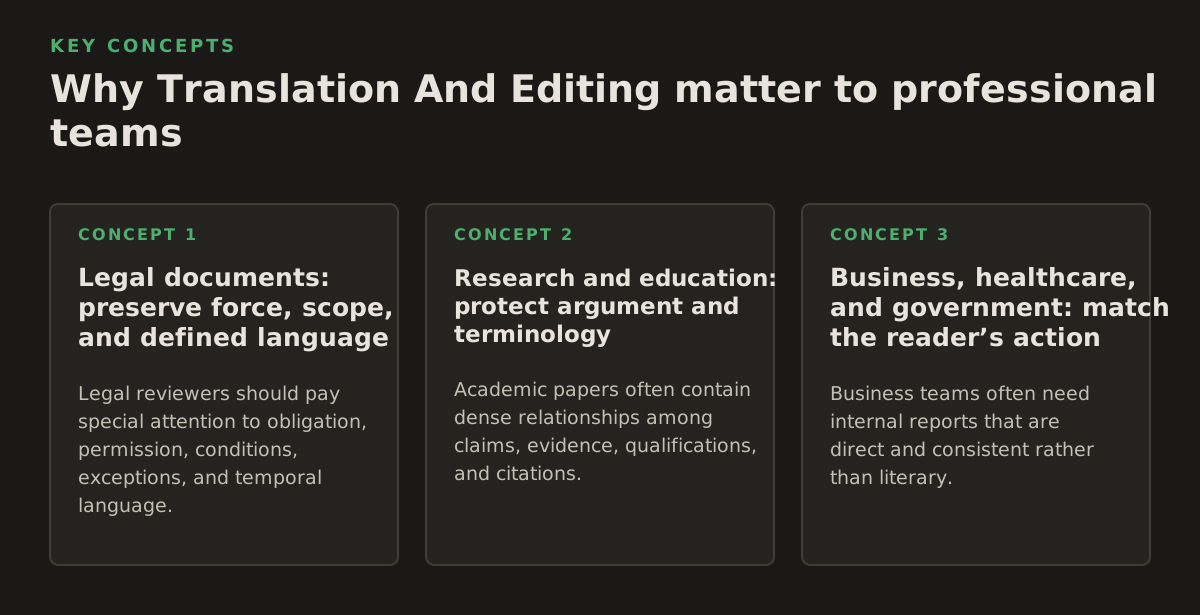
Why Translation And Editing matter to professional teams
The cost of an error depends less on how awkward it sounds than on what the reader does next. A mistranslated limitation in a contract can alter a negotiation. A missing decimal in a laboratory result can mislead a clinician. An incorrect reference in a government form can send an applicant to the wrong procedure. Editing is therefore a form of risk control, not merely a polish step.
Legal documents: preserve force, scope, and defined language
Legal reviewers should pay special attention to obligation, permission, conditions, exceptions, and temporal language. Words such as “shall,” “may,” “must,” “unless,” and “subject to” often carry more weight than the surrounding prose. Defined terms must remain stable even when ordinary repetition would make a stylistic variation attractive.
A legal editing pass should ask:
- Are party names, dates, amounts, section numbers, and governing-law references identical to the source?
- Does each defined term have one target-language form, or is a variation justified and documented?
- Have negations and exceptions survived sentence restructuring?
- Do cross-references point to the correct translated section?
- Are signature blocks, schedules, exhibits, and tables complete?
Illustrative example: if a source clause says that a supplier “may terminate after 30 days’ written notice,” an editor should verify both the discretionary verb and the notice period. A translation that changes “may” to a mandatory form, or “30 days” to “30 business days,” is not a stylistic difference.
Research and education: protect argument and terminology
Academic papers often contain dense relationships among claims, evidence, qualifications, and citations. An editor should distinguish the author’s result from a hypothesis, a limitation, or a reference to another researcher’s position. “Suggests,” “demonstrates,” and “is consistent with” should not be treated as interchangeable.
Researchers and universities should provide a terminology list when a project includes:
- a discipline-specific vocabulary with preferred translations;
- names of institutions, instruments, datasets, or methods;
- units, abbreviations, chemical names, or mathematical notation;
- an established translation used in earlier papers or course materials;
- terms that must remain in the source language for indexing or citation.
Editing also has a publication consequence. Journals, repositories, and university systems may apply their own rules for titles, abstracts, references, and metadata. A translated manuscript can be linguistically strong but still require a separate check for citation order, author names, figure labels, and searchable keywords.
Business, healthcare, and government: match the reader’s action
Business teams often need internal reports that are direct and consistent rather than literary. A finance department may prioritize stable labels across monthly reports; a sales team may need a localized presentation; an executive may need a short translated summary that remains faithful to a longer source.
Healthcare and government documents add an operational constraint: the reader may be following instructions under time pressure. Editors should check whether warnings, eligibility conditions, dosage units, contact details, and procedural steps are conspicuous and unambiguous. They should not “improve” a source instruction by silently changing its scope.
For publishers and educators, voice and reading level matter alongside fidelity. A children’s workbook, a university textbook, and a scholarly monograph may all use correct grammar while requiring very different sentence lengths, examples, and terminology policies.
When a document will guide a real action, define acceptance criteria before translation begins. A useful starting policy, offered as an illustrative example rather than a universal benchmark, might require zero unexplained discrepancies in names, numbers, dates, defined terms, and safety instructions, plus a documented review of every table and visual element.
How a translation-and-editing workflow works
A reliable workflow treats the source file, language decisions, translated text, and final rendering as connected but reviewable stages. Automation can accelerate extraction and first-pass translation, but it does not remove the need to decide what must be checked and by whom.
1. Inspect and prepare the source
Begin with a source inventory. Record the file type, language pair, page or slide range, intended audience, deadline, and whether the document contains sensitive material. Identify whether the source is editable text or an image-only scan. If text cannot be selected, searching and ordinary copyediting will not be dependable until OCR creates a text layer.
For editable documents, inspect styles, tables, headers, footers, and embedded objects. For PDFs, check whether text extraction preserves reading order. A PDF can contain visually arranged text that extracts in an unexpected sequence, especially when columns, sidebars, or footnotes are involved.
Official documentation for cloud document translation illustrates why file type and structure matter: Google Cloud describes document translation as preserving document formatting and supporting document-specific workflows, while also documenting separate handling for scanned or image-based content in its translation services documentation (Google Cloud document translation documentation). The practical lesson is to verify what kind of content the file contains before promising a review method.
2. Establish a translation brief and terminology controls
The brief should answer questions that a generic language request leaves unresolved:
- Who will read the target document, and what action should they take?
- Should the style be formal, plain-language, academic, technical, promotional, or conversational?
- Which names, product terms, legal expressions, and abbreviations are fixed?
- Should measurements be converted, retained, or shown in both systems?
- Are quotations, citations, titles, and proper names translated or preserved?
- Which content must be reviewed by a subject-matter expert?
A terminology list should record the source term, approved target term, forbidden alternatives, grammatical information, and a short context note. For example:
| Source term | Approved target term | Review note |
|---|---|---|
| Effective Date | Defined target equivalent | Use the same form in headings, tables, and clauses. |
| control group | Defined scientific equivalent | Do not replace with a term meaning “reference group” unless the author approves it. |
| shall notify | Defined legal equivalent | Preserve mandatory force and notice method. |
Terminology management is not about forcing every phrase into a one-to-one match. It is about making deliberate choices visible so later editors do not “correct” an approved term into an inconsistent synonym.
3. Translate with structure and uncertainty visible
During the first pass, preserve paragraph boundaries, list levels, table relationships, labels, and references whenever possible. Mark uncertainty rather than hiding it. A translator or automated system may encounter an ambiguous acronym, a damaged scan, a missing source phrase, or a sentence whose intended subject is unclear. An explicit flag gives the reviewer something actionable.
For large files, work in logical units rather than assuming that page boundaries equal meaning boundaries. A heading may be separated from its paragraph by layout. A table may continue across pages. A footnote may be stored at the end of a file even though it belongs to a sentence several pages earlier.
InOtherWord.AI is designed for document-oriented work across PDFs, scanned PDFs, DOCX files, PowerPoint presentations, and EPUB books. Teams that need to translate PDF documents can use translate PDF documents, while image-heavy source files require a workflow that recognizes the distinction between visible pixels and searchable text.
4. Edit in passes, not as one vague review
Separate passes make defects easier to diagnose and assign:
- Structural pass: confirm that pages, sections, tables, labels, notes, and visual elements are present and in the expected order.
- Bilingual accuracy pass: compare meaning, numbers, names, modality, omissions, additions, and references against the source.
- Monolingual quality pass: improve grammar, flow, register, punctuation, and terminology in the target language.
- Functional pass: inspect the rendered file as a reader would, including navigation, legibility, clipping, and page or slide breaks.
The order is intentional. If an editor polishes a paragraph before noticing that its table row is missing, the review can create false confidence. Likewise, a reviewer who checks only the source and target text may miss a text box that overflows after translation.
5. Render, sample, and document decisions
Always inspect the delivered format, not just the extracted text. Text expansion can change pagination. A translated heading may wrap to three lines and push a table to the next page. A PowerPoint title may collide with a logo. An EPUB may expose a broken link or inconsistent chapter navigation.
Use a risk-based sampling plan when a full line-by-line review is not possible. A starting policy, explicitly illustrative, could require complete review of all numbers, names, warnings, tables, and headings, plus a page-by-page visual inspection of a short document and targeted sampling of repetitive sections in a long one. The policy should be approved by the document owner; it is not a general quality standard.
Record unresolved questions, approved exceptions, and the final terminology list. That record becomes valuable when a later contract amendment, journal revision, course edition, or public notice must use the same language.
Where Translation And Editing break down
Most failures are not caused by one bad sentence. They arise when the workflow hides uncertainty, treats visual layout as decoration, or gives the wrong person responsibility for a decision.
OCR errors become translation errors
Optical character recognition converts pixels into machine-readable text, but recognition is probabilistic. A scan may confuse “1” and “I,” merge columns, lose superscripts, misread accented characters, or interpret a stamp as body text. The translation system can then produce a fluent sentence from incorrect input.
For scanned legal, medical, or archival material, inspect the OCR layer before evaluating the translation. Search for high-risk patterns such as:
- dates, currency amounts, percentages, and decimal values;
- case numbers, patient identifiers, policy numbers, and account references;
- chemical symbols, dosage units, mathematical signs, and superscripts;
- names with diacritics, seals, signatures, and handwritten amendments;
- columns, footnotes, marginal notes, and text inside diagrams.
Teams that need to translate scanned PDFs should treat OCR review as its own control, not as an invisible precondition. A page that is visually clear to a human may still produce an unreliable text layer if the scan is skewed, low-resolution, faint, compressed, or arranged in multiple columns.
OCR standards and tools vary by document and language. The U.S. National Archives explains that digitization involves creating access copies and descriptive information rather than assuming that a digital image automatically contains searchable text (National Archives digitization guidance). That distinction is operationally important: an image file and a text-bearing document are not interchangeable review assets.
Layout changes can alter usability
Languages do not expand or contract predictably. A short source label may require a longer target phrase; a right-to-left language may change alignment and reading order; a translated table may need wider columns. Reflow is sometimes unavoidable, but silent clipping is not acceptable.
Common layout breakpoints include:
- headings that wrap into a footer or collide with a figure;
- table cells that hide text or split a row across pages;
- PowerPoint text boxes that shrink text below a readable size;
- headers and footers that retain source-language labels;
- EPUB navigation, bookmarks, or hyperlinks that point to the wrong location.
Do not solve every overflow by shrinking the font. That preserves geometry while damaging access. Prefer a controlled decision: revise a heading, widen a column, adjust spacing, move a figure, or approve a documented layout change. For regulated or externally filed documents, route such changes to the owner before delivery.
Fluency can conceal factual drift
Automated translation is particularly persuasive when it is grammatically smooth. Editors should therefore compare the elements most likely to drift:
| Element | What to compare | Typical consequence |
|---|---|---|
| Numbers | Digits, separators, decimals, ranges, and units | Incorrect amount, dose, date, or result |
| Modality | Must, may, should, can, and conditional forms | Changed obligation or permission |
| References | Section, figure, table, appendix, and citation links | Reader cannot verify or follow an instruction |
| Terminology | Defined terms and repeated technical labels | Apparent contradiction or indexing failure |
| Negation | Not, never, without, except, and unless | Reversed meaning |
A final language edit cannot reliably detect all of these if the editor does not have access to the source or a terminology brief. Conversely, a bilingual comparison may preserve literal meaning while leaving the target text unnatural or inappropriate for its readers. Assign the review to match the risk.
Confidentiality and workflow boundaries need explicit decisions
Legal, healthcare, government, and commercial documents may contain personal data, privileged material, unpublished findings, or trade secrets. Do not infer that a translation workflow is suitable for sensitive content merely because it accepts the file. Before uploading, establish who may access the document, how files are handled under the organization’s policy, whether reviewers may download copies, and how the final version will be retained or deleted.
Those are governance questions, not translation settings. If the organization cannot answer them, pause the workflow and involve its security, legal, or records-management owner.
How practitioners apply Translation And Editing to real documents
The best process changes with the document’s purpose. A useful way to choose the depth of review is to map reader action to error consequence. The more directly the document controls a legal, financial, medical, educational, or public decision, the less appropriate a purely stylistic review becomes.
Worked application: a contract package
Suppose a legal team has a 42-page supplier agreement, two schedules, and a scanned signature page. An illustrative workflow would separate the package into three risk classes:
- Class A: obligations, termination, liability, governing law, definitions, amounts, dates, and notice provisions receive complete bilingual review.
- Class B: operational descriptions and service specifications receive bilingual review with terminology checks.
- Class C: repetitive boilerplate receives structured checks plus visual inspection, with exceptions escalated to counsel.
The editor should build a defined-term table before polishing prose. Each occurrence of a defined term should be checked against that table, including occurrences inside schedules and tables. The signature page should be compared for names, titles, dates, and blank fields, while the scanned page should undergo OCR inspection rather than being trusted because its image looks legible.
The deliverable should include the translated file, a query log, and a short list of unresolved source ambiguities. The editor should not decide silently whether an unclear clause means one legal outcome or another. That decision belongs to the legal owner.
Worked application: a research article
For a 7,800-word research article, the central risk is often not a single mistranslated sentence but a chain of terminology and qualification. Create a term list from the abstract, methods, tables, and conclusion before final editing. Then compare every instance of the key variable, population, intervention, and outcome.
A practical review sequence is:
- Confirm that the title and abstract make the same claim as the source.
- Check that the methods preserve sample sizes, dates, units, and inclusion criteria.
- Compare table headings and figure labels independently from the body text.
- Review hedging words in the results and conclusion.
- Verify references, author names, and quoted material against the publication requirements.
If the target audience includes students or non-specialists, a readability edit may be appropriate after the bilingual review. It should not simplify away a limitation or change a technical term merely to make the prose smoother.
Worked application: a PowerPoint briefing
A presentation has two simultaneous products: the words and the visual argument. Translate slide text, speaker notes, chart labels, and captions as separate content types. A short slide title may need a different treatment from a full explanatory note. Keep the relationship between title, visual, and callout intact.
Reviewers should inspect the slide sorter or equivalent overview for consistency, then open individual slides to check:
- text-box overflow and minimum readable type;
- chart legends, axes, units, and data labels;
- speaker notes that still contain source-language instructions;
- animation order and callouts that depend on position;
- links, embedded media labels, and appendix references.
If a target language needs more space, revise the layout deliberately. Do not compress every slide until the presentation technically fits but becomes unusable in a meeting or classroom.
Worked application: a scanned public or healthcare document
For a scanned form or patient instruction sheet, begin with image quality and OCR. Then verify the fields that a reader must complete or follow. A linguistically excellent translation is still a failed deliverable if the translated label no longer aligns with its checkbox, if a warning is buried in a paragraph, or if a dosage unit is ambiguous.
Use plain, direct target-language instructions where the source permits it, but preserve legally or clinically material qualifications. Have the responsible subject-matter reviewer examine the final rendered pages, not just the extracted text. InOtherWord.AI can be considered when a team needs one document-focused workflow for files such as PDFs, scans, DOCX documents, presentations, or EPUB books; the appropriate review depth still depends on the document’s risk and owner.
Set a recommendation that matches the consequence
For routine internal material, use automated translation followed by terminology and visual checks. For customer-facing, published, or instructional material, add a target-language copyedit. For contracts, clinical content, court documents, government forms, or safety-critical instructions, require a bilingual review and a subject-matter sign-off on high-risk elements.
That recommendation is more defensible than asking whether a file is “translated” or “edited.” Ask instead: what could go wrong, who can detect it, and who has authority to resolve it? InOtherWord.AI supports document translation across common business and publishing formats, including PDFs, scanned PDFs, DOCX, PowerPoint, and EPUB; teams can start at InOtherWord.AI when they need to move from a source file to a reviewable translated document without treating editing as an afterthought.
Authored with NotFair SEO
Related guides
Keep researching the right workflow
These pages help move from general document-translation research into the specific file format or workflow you need.
A practical workflow for translating scanned PDFs with OCR while preserving enough structure for real review, sharing, and downstream editing.
Explore pageHow to translate PPT and PPTX decks without breaking slide layouts, charts, and speaker-ready formatting.
Explore pageThe best AI PDF translator is not just about language quality. It also needs OCR, layout preservation, and reviewable output for real files.
Explore pageCommercial pages
Ready to translate the actual file?
Jump from the guide into the product page that fits your document type, then continue into pricing when you are ready.
Format page
Translate PDF Documents
Translate PDF files while preserving layout, tables, and page structure.
Explore pageFormat page
Translate Scanned PDFs
OCR and translate scanned PDFs without rebuilding the layout by hand.
Explore pageFormat page
Translate PowerPoint Presentations
Translate PPT and PPTX decks while preserving slide layouts, tables, and speaker-ready formatting.
Explore pageTranslate layout-heavy PDF reports, manuals, forms, and client-ready files while keeping tables, headings, and images readable.
Explore page