Arabic Document Translation Services: A Practical Buyer’s Guide for High-Stakes Files
Published Sat Aug 22 2026 | 16 min read
Compare Arabic document translation services by quality, OCR, layout, security, pricing, and workflow so your team can choose the right delivery model.
Choosing arabic document translation services is not simply a matter of finding a system that can convert English words into Arabic. Legal teams need defensible terminology and an audit trail; researchers need citations, equations, and footnotes to survive conversion; publishers need readable right-to-left pages; and healthcare or government teams need controlled handling of sensitive records. The decision is really about matching the document, risk level, and review capacity to a delivery model. This guide provides a practical way to compare service categories, estimate implementation burden, ask vendors useful questions, and define success before a file enters production.
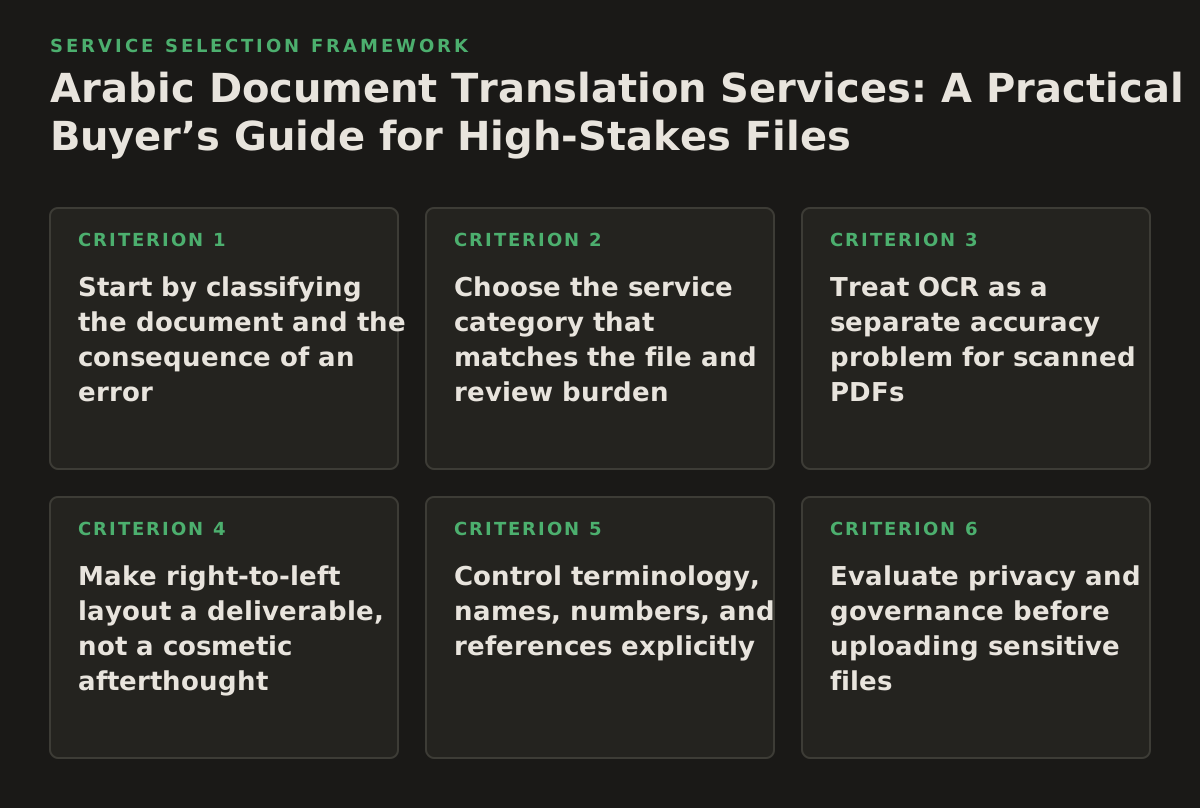
1. Start by classifying the document and the consequence of an error
The same translation method should not be used for a signed contract, a scanned immigration record, and an internal sales presentation. Begin with the document’s risk profile, not with a feature checklist. A translation error can be inconvenient in a training deck, financially material in a contract, or harmful when it changes a dosage instruction or eligibility condition.
Classify each file across four dimensions:
- Meaning risk: Could a mistranslated word change a legal obligation, clinical instruction, research conclusion, or government decision?
- Layout risk: Must tables, page references, signatures, diagrams, formulas, captions, or speaker notes remain in a fixed relationship?
- Source condition: Is the file editable text, a born-digital PDF, a scanned PDF, a photograph, or a mixed document?
- Audience and jurisdiction: Is the Arabic intended for a broad audience, a particular country, a court, a regulator, or an internal bilingual team?
A useful starting policy is to assign one of three review levels. Low-risk translation can be machine-generated and sampled by a bilingual employee when the document is informational and easy to replace. Controlled translation requires terminology instructions, a defined reviewer, and systematic checks for business, academic, or operational content. High-assurance translation requires qualified human review, source-to-target traceability, and explicit sign-off for legal, clinical, regulatory, or public-facing use. These are workflow categories, not claims about a particular vendor’s accuracy.
Failure mode: teams often treat “Arabic” as one undifferentiated output. A document may require Modern Standard Arabic, a country-specific preference, or terminology prescribed by a client or authority. If the audience is not identified, reviewers can disagree about whether a phrase is wrong, merely unfamiliar, or inappropriate for the intended jurisdiction.
Implementation example: a university translating a research consent form can record the audience, Arabic variety requested by the ethics committee, prohibited translations for study terms, required reading level, and approval owner before uploading the document. The same intake form can route a faculty newsletter to a lighter review path and a patient-facing form to a controlled one.
2. Choose the service category that matches the file and review burden
“Translation service” can describe several materially different products. The right comparison is not machine versus human in the abstract; it is who performs each quality task, when that task occurs, and what happens to the original layout.
| Buyer need | Best-fit service type | Trade-offs | Questions to settle before purchase |
|---|---|---|---|
| Fast understanding of ordinary, editable text | Automated document translation | Low coordination burden; terminology and tone may require review | Can the team upload the file in its original format? What output checks are available? |
| Contracts, court exhibits, policies, or regulated content | Automated draft plus qualified bilingual review, or a managed human workflow | Higher coordination and review effort; better control over defined terminology | Who reviews it, what credentials or subject expertise apply, and how are changes recorded? |
| Scanned records, photocopies, and image-only PDFs | OCR-assisted translation with visual and text verification | OCR errors can enter the translation before language review; poor scans need cleanup | How are tables, stamps, handwriting, columns, and page order handled? |
| PowerPoint or training material | Presentation-aware document translation with layout inspection | Right-to-left expansion can change line breaks, text boxes, and slide balance | Are speaker notes, charts, embedded text, and overflow checked? |
| Books, journals, or repeated publishing work | Human-led editorial workflow with a terminology resource | More planning; strongest fit for voice, consistency, and staged approvals | How are style sheets, titles, references, and revisions managed across chapters? |
| Confidential bulk documents | Enterprise or managed workflow subject to procurement and security review | More onboarding and legal review; may support repeatability and governance | What data is retained, who can access it, and how are deletion and export handled? |
These categories can be combined. For example, a legal department might use automated translation for internal issue spotting, then commission a reviewed version for external submission. A publisher might use automation to create a working draft, but require an editor to revise voice, references, and page composition. The output’s intended use determines the acceptable process.
Failure mode: buying a “human translation” label without defining the actual deliverable. Human involvement could mean a full bilingual revision, a quick spot check, or only project management. Ask for the workflow in stages rather than accepting a category name.
Implementation example: a multinational business can define three lanes in its procurement brief: automated internal translation for routine reports; bilingual review for customer-facing proposals; and specialist review plus approval for contracts. Each lane has its own owner, turnaround expectation, file naming convention, and acceptance test.
3. Treat OCR as a separate accuracy problem for scanned PDFs
A scanned PDF is an image container, not necessarily a text document. Before Arabic translation begins, the service may need to identify characters, reading order, columns, tables, headers, seals, and handwritten or low-contrast content. That makes OCR quality a gate before translation quality. If the source text is misread, a fluent Arabic output can still be wrong.
Use translate scanned PDFs when the source is a scan or contains pages that cannot be selected or searched. Before committing a batch, inspect representative pages with different conditions:
- clean typed pages with ordinary paragraphs;
- two-column academic or legal pages;
- tables with merged cells and small type;
- pages containing stamps, signatures, footnotes, or marginal notes;
- skewed, faded, compressed, or partially cropped pages.
For every sample, compare the extracted source text with the image. Pay particular attention to negations, decimal points, dates, names, article numbers, medication units, and references. Numbers and proper nouns need their own check because a translator may reasonably preserve a mistaken OCR result if the source text appears coherent.
Document structure also matters. The service should distinguish a heading from body text, a table cell from a footnote, and a caption from a paragraph. If the workflow flattens everything into one text stream, a reviewer may not know where a sentence belongs when the translated document is rebuilt.
Failure mode: reviewing only the final Arabic pages. A polished page can hide a dropped line, a reordered column, or an OCR substitution in the source. Visual review should be paired with a text-level comparison for high-consequence files.
Implementation example: a government records team can select ten pages from a 400-page archive using a sampling rule that includes the oldest scan, the worst contrast, the densest table, and the longest stamp. It can then require the provider to return an OCR preview or searchable output for approval before translating the full batch.
For editable PDFs or born-digital files, translate PDF documents may be the more appropriate workflow. The distinction reduces unnecessary OCR and gives the service a cleaner source to preserve.
4. Make right-to-left layout a deliverable, not a cosmetic afterthought
Arabic translation changes more than word order. It introduces right-to-left paragraph behavior, bidirectional text when Arabic appears alongside Latin text, different line lengths, and potential changes to table direction and page flow. The W3C Arabic Layout Requirements document describes script-specific behaviors and layout considerations that affect digital publishing, including directionality and Arabic text presentation; it is a useful reference for teams defining acceptance criteria (W3C Arabic Layout Requirements).
Ask whether the output must preserve the original appearance exactly or preserve the original information structure while allowing reflow. These are different requirements. A court exhibit may need stable page references. A course handout may permit pagination changes if headings, exercises, and answer spaces remain usable. A presentation may need every slide to fit without shrinking text below an approved size.
Layout checks that catch expensive rework
- Verify paragraph direction, alignment, punctuation, and mixed Arabic-Latin strings.
- Check that tables retain row and column meaning rather than being mirrored blindly.
- Inspect page breaks around headings, signatures, footnotes, and numbered clauses.
- Look for clipped text, overflow, blank pages, missing glyphs, and substituted fonts.
- Review charts, diagrams, screenshots, and text embedded inside images separately.
- Confirm that bookmarks, links, form fields, and references still point to the intended content.
Failure mode: assuming “format preservation” means pixel-for-pixel preservation. Right-to-left content often needs additional width or a changed reading order. A service can preserve the file type while still producing unusable pages.
Implementation example: a publisher translating a six-page course module can define a visual acceptance sheet: no text outside frames, no heading separated from its paragraph, tables readable at normal zoom, Arabic direction applied to prose, and references traceable to the source page. The editor signs that sheet alongside the language review.
5. Control terminology, names, numbers, and references explicitly
General language fluency does not guarantee domain consistency. Legal teams may need the same defined term translated identically throughout a contract. Researchers may need a journal title or species name preserved in a particular form. Healthcare teams may need approved names and units. Government teams may need official names for programs, agencies, and places.
Create a compact translation brief before the first production file. It should contain:
- preferred translations and terms that must remain in the source language;
- names of people, organizations, products, laws, journals, and places;
- rules for dates, currencies, units, decimal separators, and numerals;
- the target audience and desired register;
- examples of approved tone and unacceptable phrasing;
- instructions for citations, footnotes, quotations, headings, and appendices.
For multilingual systems, identify languages with standardized tags rather than relying on informal labels. RFC 5646 explains the structure and purpose of language tags, which helps teams distinguish a language from optional regional or script subtags when files move between systems (IETF RFC 5646). This does not decide the right Arabic variety for your audience; it gives the workflow a precise way to record what was requested.
Use a two-pass review for critical documents. The first pass checks meaning, omissions, and terminology. The second pass checks layout, numbers, names, and consistency against the source. Separate linguistic review from visual QA because each reviewer notices different failure modes.
Failure mode: sending feedback as unstructured email after delivery. Without a reusable glossary or change log, the same correction reappears in the next document, and reviewers cannot tell whether a change was global, file-specific, or accidental.
Implementation example: a legal operations team can maintain a spreadsheet with source term, approved Arabic term, context, owner, and date approved. For a new contract template, the reviewer checks every defined term against that resource and records exceptions rather than silently changing them.
6. Evaluate privacy and governance before uploading sensitive files
Translation services may process contracts, health information, identity records, unpublished research, or internal strategy documents. Treat the upload as a data-processing decision. The European Union’s General Data Protection Regulation distinguishes controller and processor responsibilities and sets requirements for processing on behalf of a controller; Article 28 is the relevant primary text for teams assessing processor arrangements (EUR-Lex, Regulation (EU) 2016/679).
Do not infer security from a marketing phrase. Ask for written answers about:
- what data is stored, for how long, and in which locations;
- whether submitted content is used to improve models or services;
- which personnel or subprocessors can access files;
- how access is authenticated, logged, and revoked;
- how deletion requests, exports, and account closure work;
- what happens to temporary files, extracted OCR text, and translated previews;
- which contractual terms govern confidential, regulated, or cross-border data.
Minimize exposure where possible. Remove irrelevant pages, redact personal identifiers when the task allows it, separate a glossary from the underlying case file, and use synthetic samples for initial demonstrations. For healthcare, legal, and government work, involve the organization’s privacy, security, records, or procurement owner before a production upload.
Failure mode: confusing encrypted transmission with complete governance. Encryption in transit may protect a network connection, but it does not answer retention, employee access, model training, deletion, or subprocessor questions.
Implementation example: a research office can create a risk gate: public papers may use the standard workflow; unpublished participant data requires redaction and a written data-use review; restricted records require an approved contractual arrangement and a designated administrator. The gate is more useful than a blanket rule that either blocks all automation or exposes everything.
7. Compare price models by total delivery effort
Vendors may structure fees around word count, pages, files, subscriptions, seats, minimum projects, human review, OCR, formatting, or a combination. Do not compare a low apparent unit price with a fully managed quotation without normalizing the scope. Price is only comparable after deliverables are comparable.
Questions for the commercial review
- Is the billable unit a source word, translated word, page, file, user, or usage allowance?
- Are scanned pages, image-heavy pages, tables, footnotes, and slides treated differently?
- Does the quoted work include OCR, layout reconstruction, bilingual review, and revisions?
- Are rush handling, terminology preparation, specialist review, or quality inspection separate?
- What happens when the source changes after translation?
- Can the buyer run a small pilot before committing to a recurring plan?
- What internal labor remains for preparing files, reviewing output, and correcting layouts?
Build a simple total-cost worksheet with four columns: provider charge, internal preparation time, internal review time, and rework cost. Use an illustrative starting policy, not a universal benchmark: for example, require a pilot on one routine file and one difficult file, then estimate the effort for the next ten documents using the observed workflow. The purpose is to expose hidden work, not to predict a guaranteed saving.
Subscription pricing can make frequent work easier to budget, but it may be wasteful for occasional projects or create pressure to upload documents merely because capacity exists. Per-file pricing can be transparent for a small batch but may become difficult to forecast when OCR and formatting vary. Managed project pricing can include coordination and review, but the statement of work must specify who does what.
Failure mode: selecting the cheapest quote and discovering that the buyer must rebuild every table, correct every page break, and perform the specialist review internally. The apparent saving was a transfer of labor.
Implementation example: a healthcare communications team can compare two proposals using the same sample: one patient leaflet, one scanned form, and one slide deck. It can ask each provider to state whether OCR, Arabic layout, glossary setup, reviewer changes, and final PDF production are included. The team then chooses based on the cost of an acceptable deliverable, not the cheapest headline rate.
8. Define measurable acceptance tests and interview the vendor like an operator
“High quality” is too vague to manage. Convert the buyer’s concerns into checks that a reviewer can pass or fail. A contract team might require no omitted clauses and complete preservation of article numbering. A researcher might require every citation, equation, and figure caption to remain present. A publisher might require consistent terminology and no text overflow. Acceptance criteria should be observable, even when language quality still requires expert judgment.
Sample acceptance framework
- Completeness: all pages, headings, tables, notes, captions, and appendices are present.
- Meaning: a qualified reviewer approves critical clauses, instructions, names, and numbers.
- Consistency: approved glossary terms are used unless an exception is documented.
- Usability: no clipped text, broken links, unreadable tables, or incorrect reading order.
- Traceability: reviewers can locate the source passage behind a disputed translation.
- Delivery: the agreed file format, naming convention, and revision package are supplied.
Vendor interview checklist
- Show the workflow for a mixed file containing editable text, scanned pages, tables, and images.
- Explain how Arabic directionality, mixed-language strings, numbers, and table structure are checked.
- Describe what happens when OCR confidence is poor or the scan contains handwriting.
- Identify the human review stage, reviewer qualifications, and escalation path for terminology disputes.
- State exactly what files and metadata are retained and how deletion is requested.
- Provide a sample statement of work separating translation, OCR, formatting, review, and revisions.
- Explain how a buyer receives corrections and whether the terminology resource can be reused.
- Describe the process for a failed acceptance test, including rework responsibility.
Request a pilot using representative content, not a polished marketing sample. Include the hardest page and a short glossary. Ask for both the final Arabic file and any intermediate representation needed for review. Do not treat a pilot as proof that every future document will behave identically; treat it as a way to expose workflow assumptions.
Red flags include guaranteed accuracy without a defined review method, refusal to explain retention, no answer for scanned pages, no process for terminology conflicts, vague “format preservation” language, and a quote that excludes the very checks your team needs. Another warning sign is a provider that cannot say who owns the final approval.
For public-sector language access work, requirements may also be shaped by the agency’s own policy and applicable law. The U.S. Department of Justice publishes language-access resources for federal agencies, including planning guidance that can help government teams frame audience, responsibility, and access questions (U.S. Department of Justice, Federal Coordination and Compliance Section). Use such official guidance as a governance input, not as a substitute for the agency’s legal review.
Implementation plan: move one controlled document through the workflow
Use the following sequence before expanding Arabic translation across a department or publishing program.
- Inventory the workload. Record file types, scan quality, languages, audience, confidentiality, frequency, and required output formats. Separate recurring templates from one-off files.
- Assign risk lanes. Mark each class as low-risk, controlled, or high-assurance. Name the business owner, bilingual reviewer, privacy contact, and final approver for each lane.
- Write the translation brief. Specify Arabic audience, register, terminology, names, numbers, dates, references, layout expectations, and prohibited transformations.
- Select representative pilot files. Include one editable document, one difficult PDF or scan, and one layout-sensitive file such as a table-heavy report or presentation.
- Run source QA first. Confirm page count, OCR behavior, reading order, missing text, image content, and source version before judging the Arabic output.
- Compare service categories on equal scope. Ask each provider to price the same deliverables and identify internal work that remains with your team.
- Apply acceptance tests. Review meaning, completeness, terminology, numbers, and layout separately. Record defects by type and decide which are blocking.
- Document the decision. Keep the approved brief, glossary, sample output, security determination, statement of work, and acceptance record together.
- Scale gradually. Start with a repeatable document class, monitor recurring defects, update the glossary, and only then add more sensitive or layout-complex files.
The most reliable recommendation is to choose the lightest service category that can pass the document’s acceptance tests, then increase human review where the consequence of error justifies it. InOtherWord.AI can help teams translate PDFs, scanned PDFs, DOCX files, PowerPoint presentations, and EPUB books while preserving document structure; explore InOtherWord.AI when you want to evaluate a file-based workflow against the requirements above.
Authored with NotFair SEO
Related guides
Keep researching the right workflow
These pages help move from general document-translation research into the specific file format or workflow you need.
A practical workflow for translating scanned PDFs with OCR while preserving enough structure for real review, sharing, and downstream editing.
Explore pageHow to translate PPT and PPTX decks without breaking slide layouts, charts, and speaker-ready formatting.
Explore pageThe best AI PDF translator is not just about language quality. It also needs OCR, layout preservation, and reviewable output for real files.
Explore pageCommercial pages
Ready to translate the actual file?
Jump from the guide into the product page that fits your document type, then continue into pricing when you are ready.
Format page
Translate PDF Documents
Translate PDF files while preserving layout, tables, and page structure.
Explore pageFormat page
Translate Scanned PDFs
OCR and translate scanned PDFs without rebuilding the layout by hand.
Explore pageFormat page
Translate PowerPoint Presentations
Translate PPT and PPTX decks while preserving slide layouts, tables, and speaker-ready formatting.
Explore pageTranslate layout-heavy PDF reports, manuals, forms, and client-ready files while keeping tables, headings, and images readable.
Explore page