Cat Tools Translation: How Translation Workflows Stay Consistent
Published Fri Sep 25 2026 | 9 min read
Learn how cat tools translation workflows use translation memory, terminology, QA, and human review, plus when PDFs and scanned files need another approach.
CAT tools translation means using computer-assisted translation software to help a human translator work with text in manageable segments, reuse approved translations, apply terminology, and check for common errors. It is not the same as fully automated translation: people remain responsible for meaning and final review, even when a CAT tool connects to machine translation. For a contract, research paper, report, or course book, the practical question is whether the workflow can preserve the source file’s structure and give reviewers enough control—not just produce translated words.
What a CAT tool does—and what it does not
A computer-assisted translation (CAT) tool is a work environment for translating and reviewing content. It commonly separates a source document into segments, displays the source beside the target language, and stores approved segment pairs for possible reuse. Depending on the product and configuration, it may also support terminology lists, quality checks, machine-translation suggestions, and file conversion.
The key distinction is assistance versus automation. A translation memory can suggest a previously approved version of a sentence; it cannot decide whether that sentence still fits a new contract clause. A terminology list can flag a preferred term; it cannot determine whether the term is legally appropriate in a particular jurisdiction. A machine-translation connection can offer a draft, but a person still needs to judge accuracy, register, and risk.
The term “CAT tool” also does not guarantee a particular feature set. Teams should confirm which file formats, language pairs, review roles, and quality checks a specific tool supports. OmegaT’s documentation, for example, describes a translation environment with project files, translation memories, glossaries, and machine-translation options; those are capabilities of that documented tool, not a promise that every CAT product behaves identically (OmegaT user manual).
Why the workflow matters to document teams
CAT workflows are useful when documents contain repeated language, established terminology, or multiple rounds of revision. The benefit is not simply speed. Consistency and traceability matter when a team must explain why a term was chosen, update a recurring document, or reconcile edits from several reviewers.
For legal teams, a prior translation of “effective date” may be a useful suggestion, but the translator must check the clause and governing context before reusing it. Researchers may want a consistent rendering of a technical construct across a paper and its appendices. A business team translating quarterly reports may need figures, headings, and repeated disclaimers to remain aligned. Publishers and educators may prioritize voice, glossary consistency, and chapter-level review.
A CAT tool can support those jobs only if the source content is properly prepared. A DOCX file with clear paragraph and table structure is generally easier to process than a page made of positioned text boxes. A scanned PDF first needs text recognition; otherwise, the workflow may have no reliable editable text to segment. For editable PDF workflows, see how to translate PDF documents; for image-based source files, the separate process to translate scanned PDFs addresses OCR as an initial step.
- Legal: reuse approved defined terms, but send changed clauses for contextual review.
- Research: maintain consistent terminology across the abstract, body, tables, and supplementary material.
- Business: preserve recurring product names and standard report language while checking updated figures.
- Education and publishing: coordinate terminology and editorial voice across lessons, chapters, or editions.
How Cat Tools Translation workflows work
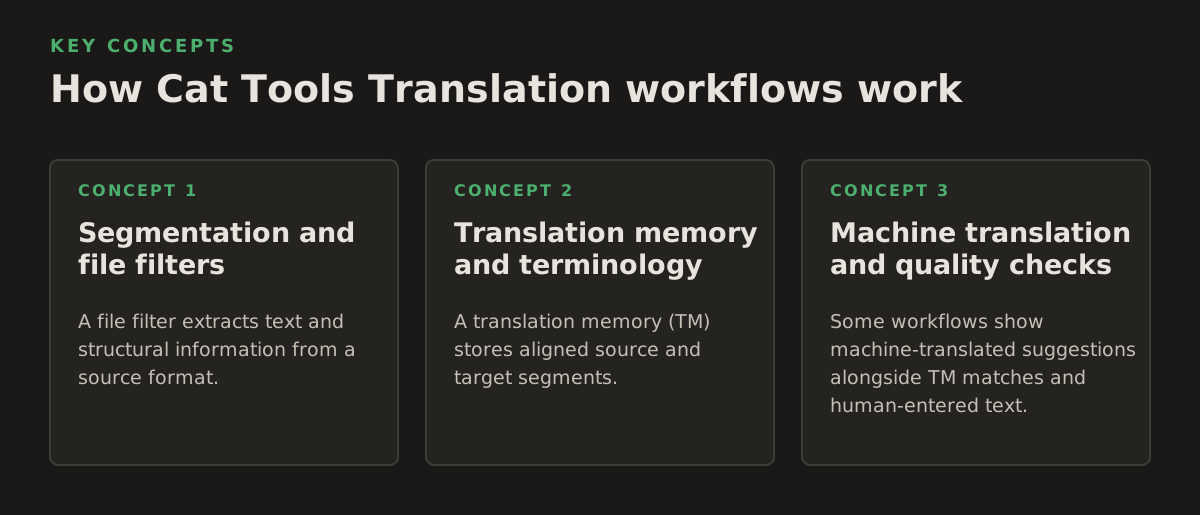
A typical workflow converts a source file into translatable segments, presents each segment to a translator, and then reconstructs a target file. The translator may use existing language assets, enter a new translation, run checks, and export the result. Segmentation, reusable language data, and file reconstruction are separate mechanisms; trouble in any one can affect the delivered document.
Segmentation and file filters
A file filter extracts text and structural information from a source format. The CAT environment then divides extracted text into segments—often sentences or other units—so a translator can work through the document in order. Tags or placeholders may represent formatting, links, variables, or other non-translatable elements. If a filter mishandles a table, footnote, or text box, the translator may see missing content or the exported document may not match the source.
Interchange standards can help move translation content between systems, but they do not remove the need to validate the actual file. The OASIS XLIFF 2.1 specification defines an XML-based format for exchanging localization data, including source and target content (OASIS XLIFF 2.1 specification). Teams using an exchange file should still check that segments, metadata, and inline codes survive the round trip.
Translation memory and terminology
A translation memory (TM) stores aligned source and target segments. When a new segment resembles one already stored, the tool may offer an exact or partial match. A match is a candidate, not an instruction: context, surrounding text, locale, and document version can change what is correct. Keep separate or clearly labeled memories when content has different owners, legal status, or editorial conventions.
A termbase or glossary records terms and, ideally, their approved equivalents, definitions, and usage notes. This is especially useful for product names, statutory language, clinical terminology, and research concepts. Google Cloud’s glossary documentation describes how a glossary can specify preferred translations for terms in its translation service; a glossary is a terminology control, not a substitute for sentence-level review (Google Cloud glossary documentation).
Machine translation and quality checks
Some workflows show machine-translated suggestions alongside TM matches and human-entered text. The translator chooses whether to use, edit, or reject a suggestion. Separate this step from final approval: a fluent sentence can still reverse a condition, omit a qualification, or mishandle a name. Google Cloud documents machine translation for supported document formats in its document-translation service; format support and behavior depend on the service and file type (Google Cloud document translation documentation).
Automated quality checks can flag issues such as untranslated segments, inconsistent terminology, missing numbers, or tag mismatches, depending on the tool. They cannot reliably decide whether a legal exception is faithfully rendered or a medical instruction is safe. Use checks to identify review targets, then have a qualified reviewer assess meaning and context.
- Illustrative example: A researcher has a 12-page paper with a recurring term. The translator checks the glossary, reviews each match in its sentence, and verifies table captions separately.
- Illustrative example: A legal team updates 4 clauses in a standard agreement. The TM can surface earlier language, but counsel or the designated legal reviewer checks every changed clause against the current source.
- Illustrative example: An educator receives a scanned 30-page handout. OCR must first produce text; the team then checks recognition errors before translation and verifies the reconstructed pages afterward.
Where CAT workflows break down
Reusing a match without checking context is a common process failure. A sentence may be identical but refer to a different product, party, study population, or version. Even a high match score does not certify that a translation is current or appropriate. Set review rules based on content risk rather than treating match categories as approval levels.
Layout introduces another boundary. A CAT tool may extract and replace text while the final document still needs manual adjustment. Translated text can be longer or shorter than the source; tables may overflow, line breaks may shift, and text embedded in diagrams may remain untouched. Scanned sources add OCR uncertainty: a misread number or negation can pass through later steps unless someone compares the recognized text with the page image.
File conversion also creates a control point. For instance, a presentation may contain text in speaker notes, charts, or grouped objects, and a workflow may handle those differently. Before committing to a process, make a representative sample containing the document’s hardest elements—not just a clean opening page—and compare the exported result with the source.
- Check whether footnotes, headers, tracked changes, comments, and table cells are included or intentionally excluded.
- Confirm that names, dates, identifiers, decimal separators, and units remain correct after translation.
- Inspect charts, equations, text boxes, and image labels for content that may not enter the normal segment stream.
- For OCR, compare uncertain characters and numbers against the original scan before approving the translated file.
Language identification matters too. Use explicit language and locale settings where the workflow allows them; a language label can affect spelling, punctuation, and terminology choices. IETF’s language-tag standard explains how language tags identify languages and, where applicable, regional or other variants (RFC 5646). Treat locale selection as a project decision, not a cosmetic setting.
How practitioners should choose and apply a CAT workflow
Start with the deliverable and its risk, not a feature checklist. A team translating a signed contract needs controlled review and a dependable final comparison. A research group may need a stable glossary and the ability to revise sections over time. A publisher may need chapter-level coordination and careful layout review. Choose the workflow around the source format, review obligations, and consequences of an error.
Before a project, document who can edit language assets, who approves the translation, and which file is the source of truth. Decide whether old translations are approved for reuse and whether sensitive or client-specific material should be excluded from shared memories. Ask vendors or internal administrators specific questions about file handling and access controls rather than assuming that “CAT tool” implies a particular security or retention policy.
- Run a representative pilot: include at least one complex table, footnote, image label, or other difficult element from the real file.
- Set asset rules: define which TM entries and terms are approved, who can change them, and how outdated material is retired.
- Assign human review: identify a linguist and, where needed, a subject-matter reviewer for legal, clinical, technical, or academic content.
- Inspect the export: compare the translated document with the source for completeness, layout, and critical details before release.
For a straightforward editable file, a CAT-centered process may be enough. For complex PDFs or scanned pages, document conversion, OCR, and layout reconstruction may be equally important as translation memory. Match the method to the source and the review burden; do not assume that a translation editor alone will solve document fidelity.
InOtherWord.AI translates PDFs, scanned PDFs, DOCX files, PowerPoint presentations, and EPUB books while aiming to retain document structure and visual elements. If that document-first workflow fits your source files, explore InOtherWord.AI as an option alongside your translation and review process.
Authored with NotFair SEO
Related guides
Keep researching the right workflow
These pages help move from general document-translation research into the specific file format or workflow you need.
A practical workflow for translating scanned PDFs with OCR while preserving enough structure for real review, sharing, and downstream editing.
Explore pageHow to translate PPT and PPTX decks without breaking slide layouts, charts, and speaker-ready formatting.
Explore pageThe best AI PDF translator is not just about language quality. It also needs OCR, layout preservation, and reviewable output for real files.
Explore pageCommercial pages
Ready to translate the actual file?
Jump from the guide into the product page that fits your document type, then continue into pricing when you are ready.
Format page
Translate PDF Documents
Translate PDF files while preserving layout, tables, and page structure.
Explore pageFormat page
Translate Scanned PDFs
OCR and translate scanned PDFs without rebuilding the layout by hand.
Explore pageFormat page
Translate PowerPoint Presentations
Translate PPT and PPTX decks while preserving slide layouts, tables, and speaker-ready formatting.
Explore pageTranslate layout-heavy PDF reports, manuals, forms, and client-ready files while keeping tables, headings, and images readable.
Explore page