Document Translation: A Practical Guide for Legal, Research, and Business Teams
Published Mon Sep 07 2026 | 17 min read
Learn how document translation preserves meaning, layout, tables, and review controls across PDFs, scans, DOCX files, slides, and ebooks.
Document translation is the process of converting the written content of a file from one language into another while managing the file’s structure, visual hierarchy, and intended use. For a legal team, that may mean translating a contract without losing clause numbering or signature blocks. For a researcher, it may mean preserving footnotes, equations, citations, and figure captions. For a publisher, it may mean producing a readable EPUB rather than a plain text export.
That distinction matters because a translated file is not merely a collection of translated sentences. It is a document with relationships between headings, tables, page references, images, notes, and metadata. A useful workflow therefore combines language conversion with file inspection, OCR when necessary, layout reconstruction, terminology control, and human review. The right process depends on whether the source is an editable DOCX, a born-digital PDF, a scanned court filing, a PowerPoint deck, or an EPUB book.
What Document Translation includes
A document translation workflow has at least four layers:
- Content extraction: identifying paragraphs, headings, table cells, text boxes, captions, notes, and other translatable units.
- Language conversion: rendering those units in the target language while preserving meaning, register, and terminology.
- Document reconstruction: placing the translated content back into an appropriate file structure and visual layout.
- Quality control: checking language, numbers, omissions, formatting, and whether the output still works for its intended audience.
These layers are related but not interchangeable. A system can translate every paragraph correctly and still produce a poor deliverable if a table overflows, a right-to-left language is displayed in the wrong direction, or a footnote marker no longer points to the correct note. Conversely, a visually faithful file can still contain a mistranslated legal obligation.
File type changes the problem
Born-digital PDFs usually contain a text layer, but that layer may have an unusual reading order or fragmented words. A two-column journal article can be extracted as alternating lines from both columns. A PDF form can place labels and responses in separate objects. A chart may contain text that is visually obvious but structurally difficult to extract.
Scanned PDFs are images of pages rather than ordinary text documents. They require optical character recognition, or OCR, before machine translation can work on the words. OCR systems identify characters and often attempt to recover lines, blocks, tables, and other page elements. The resulting text is an interpretation of pixels, not a guaranteed transcription. For a practical workflow, teams handling scans should first translate scanned PDFs and inspect the extracted text before relying on the translation.
DOCX files generally expose paragraphs, runs, tables, headers, footers, comments, and other editable structures. That can make them easier to process than a flattened scan, but Word documents can also contain tracked changes, nested tables, floating objects, embedded charts, and unusual style dependencies.
PowerPoint presentations add a presentation constraint: text length affects slide composition. A translated heading may wrap onto three lines, cover an image, or make a speaker-facing slide unreadable. Translation quality must therefore be judged in Slide Sorter view and in a presentation mode, not only in a text comparison.
EPUB books are reflowable publications built from HTML, CSS, images, and metadata. A translated sentence may occupy more or fewer lines depending on the reader’s font and screen size. The central quality question is not whether every page break matches the source, but whether chapter structure, navigation, emphasis, notes, and reading order remain sound.
A useful definition of “preserved formatting”
Preserving formatting does not always mean producing identical coordinates on every page. It means retaining the document features that communicate meaning and support use. Those features can include:
- heading levels and section hierarchy;
- paragraph spacing, lists, indentation, and emphasis;
- tables, row and column relationships, and merged cells;
- headers, footers, page numbers, footnotes, and cross-references;
- images, captions, callouts, diagrams, and text embedded in graphics;
- slide positions, notes, hyperlinks, and presentation order; and
- book chapters, navigation, metadata, and accessibility-related structure.
For teams comparing tools, ask a more precise question than “Does it preserve formatting?” Ask: Which structures are detected, translated, reconstructed, and verified? The answer determines whether the output is ready for circulation or only useful as a draft.
Why Document Translation matters to practitioners
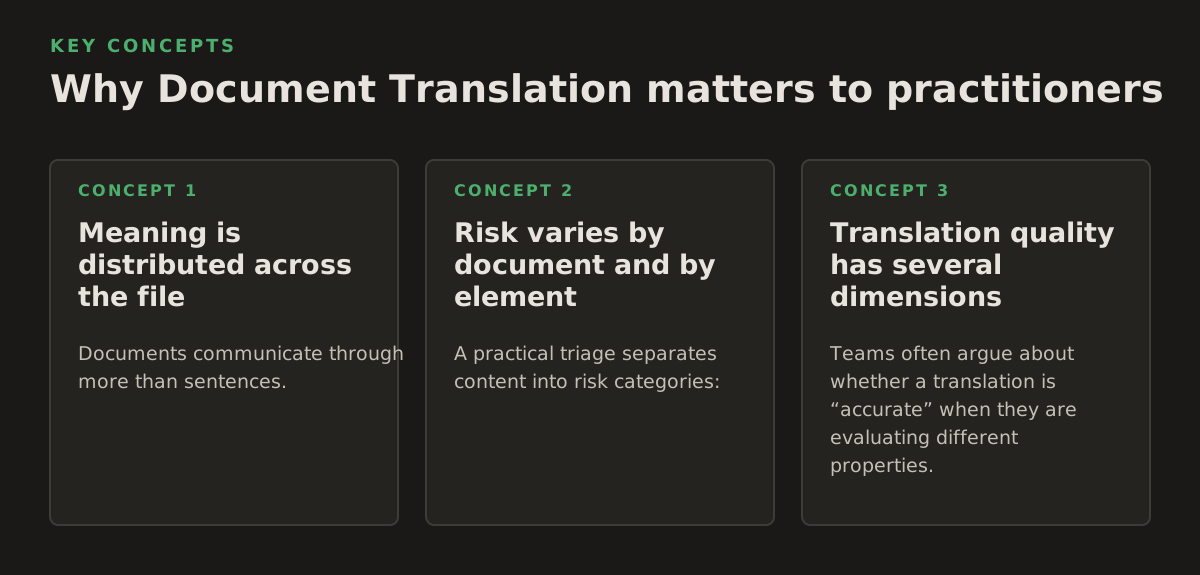
The cost of a translation error is shaped by the document’s job. A typo in an internal brainstorming memo may be inconvenient. A wrong negation in a contract, dosage instruction, court submission, or safety procedure can change the outcome. The workflow should therefore allocate review effort according to risk, not simply file length.
Meaning is distributed across the file
Documents communicate through more than sentences. A bold warning, a shaded table cell, a superscript citation, and a defined term may each carry operational meaning. Consider a clinical protocol in which “before meals” appears in a table heading and the dosage appears in a separate cell. Translating the words without retaining their relationship can create an unsafe interpretation even if each cell is linguistically plausible.
The same issue appears in legal documents. A defined term may be introduced in one section and used throughout the agreement. A translator or reviewer must determine whether the target-language equivalent remains consistent, whether capitalization signals a defined term, and whether references such as “Section 4.2(b)” still point to the intended provision.
Semantic completeness is consequently a better goal than sentence-level fluency. It includes numbers, units, names, dates, conditions, exceptions, references, and the connections between them.
Risk varies by document and by element
A practical triage separates content into risk categories:
| Document context | High-risk elements | Useful review focus |
|---|---|---|
| Contracts and court documents | Defined terms, negation, obligations, dates, exhibits, citations | Clause-by-clause bilingual review and source-to-output comparison |
| Research papers and journals | Methods, units, statistics, equations, references, figure labels | Terminology, numeric integrity, citation mapping, and subject review |
| Business reports | Financial figures, currencies, headings, charts, executive summaries | Number checks, chart inspection, and consistency across versions |
| Healthcare and government material | Instructions, names, forms, dates, warnings, eligibility conditions | Qualified review, privacy handling, and usability in the target locale |
| Books and course materials | Chapter order, exercises, references, captions, navigation, tone | Editorial review and final reading in the published format |
The table is a planning aid, not a substitute for subject-matter judgment. A short one-page consent form may deserve more scrutiny than a long internal report. A 200-page dissertation may contain only a few critical equations, but those equations need targeted verification.
Translation quality has several dimensions
Teams often argue about whether a translation is “accurate” when they are evaluating different properties. Separate at least these dimensions:
- Accuracy: Does the target text express the source meaning without additions or omissions?
- Terminology: Are recurring terms, names, and defined concepts handled consistently?
- Register: Does the wording fit a judgment, contract, research article, training guide, or public notice?
- Functional usability: Can the recipient navigate, read, search, print, sign, or present the document?
- Visual integrity: Are layout, tables, labels, page references, and images still coherent?
An AI translation platform can accelerate the first pass, but the approval standard should be set by the document’s consequences. In a low-risk internal report, a knowledgeable business reviewer may be sufficient. In a filing, medical instruction, or regulated submission, language review and domain review may need to be assigned separately.
How an AI Document Translation workflow works
A reliable workflow is a sequence of transformations, not a single “upload and download” action. The following model helps teams identify where errors enter and where controls belong.
1. Inspect the source before translating
Start by identifying the file type, language, page count, and structural hazards. Record whether the document is searchable, whether it contains multiple languages, and whether any pages are rotated, encrypted, handwritten, or low resolution.
For a mixed packet, do not assume every page has the same treatment. A 40-page legal bundle might contain a digitally generated agreement, three scanned exhibits, a photograph of an identification document, and a spreadsheet pasted as an image. Each object creates a different extraction problem.
Useful preflight questions include:
- Is there selectable text, or is each page an image?
- Are headers and footers being mistaken for body text?
- Do tables contain critical numbers or only presentation material?
- Are comments, tracked changes, annotations, or signatures present?
- Does the source include text inside diagrams or screenshots?
- Will the translated output be edited, printed, presented, published, or filed?
2. Extract text and structure
OCR is the bridge between image-only pages and machine-readable content. It may identify characters, lines, words, and blocks, but recognition confidence can vary by scan quality, typeface, contrast, skew, handwriting, stamps, and language. A useful pipeline preserves a link between each extracted segment and its source location so reviewers can inspect the original when a phrase looks suspicious.
For digital files, extraction still requires judgment. A PDF’s visual order may not match its internal object order. A table can be extracted as a series of unrelated strings. A text box may be missed or inserted in the wrong place. The workflow should therefore retain page or object coordinates where possible and flag unusual structures rather than silently flattening them.
Official documentation for Google Cloud’s document translation service describes separate handling for common document formats and notes that document translation can preserve formatting in supported workflows; the exact behavior depends on the file and service configuration, so teams should validate their own document types rather than generalize from a simple sample (Google Cloud’s document translation overview).
3. Translate with context and terminology
Sentence-by-sentence translation is vulnerable to ambiguity. “Charge,” for example, can refer to a fee, accusation, electrical property, or responsibility. Context from the surrounding section, document type, and repeated usage helps select the right sense.
Terminology controls are particularly important for legal and technical teams. Before translation, identify:
- defined terms that must remain consistent;
- product, organization, person, and place names;
- units, currencies, dates, and number formats;
- standard phrases required by a policy or authority;
- terms that should remain in the source language; and
- ambiguous words requiring human adjudication.
A terminology list should not be treated as a blind replacement table. Grammatical gender, inflection, case, and local usage can change the correct form. The better control is a combination of preferred terms, forbidden alternatives, contextual notes, and examples.
4. Reconstruct the output
After translation, the system must place longer or shorter target-language content into the original document model. This is where layout problems become visible. Paragraphs may expand, tables may need wider columns, and slide titles may collide with design elements. Right-to-left scripts introduce directionality and alignment decisions; the Unicode Consortium documents the bidirectional algorithm used to display mixed left-to-right and right-to-left text (Unicode Standard Annex #9).
Reconstruction should preserve the right level of editability. A legal team may need a searchable PDF with selectable text. A publisher may need an EPUB whose chapter files and navigation remain editable. A design team may prefer a PowerPoint that keeps text in native text boxes rather than flattening slides into images.
5. Validate content and appearance separately
Run two reviews. The first is a content review: compare source and translation for omissions, numbers, names, terminology, and meaning. The second is a rendered review: open or render the actual output and inspect pages, slides, or reading views.
For a large file, sampling can reduce effort, but sampling should be risk-based. Inspect every page containing a table, signature, chart, footnote, form field, warning, or image with embedded text. Randomly inspect ordinary pages as well, because extraction errors are not always concentrated in obvious sections.
Where automated Document Translation breaks
Automation is most useful when its failure modes are explicit. The purpose of a review plan is not to distrust every translated sentence; it is to catch predictable classes of error before the file reaches a client, court, patient, student, or public audience.
OCR can misread the source before translation begins
A translation engine cannot reliably correct an OCR error it never knows about. Common examples include:
- “1” read as “l” or “I” in a contract number;
- a decimal point lost in a laboratory value;
- a minus sign omitted from a result;
- columns read from top to bottom instead of left to right;
- stamps or handwritten corrections merged into printed text; and
- superscripts, footnote markers, and quotation marks dropped.
OCR quality is affected by image resolution, contrast, skew, background noise, font, and script. AWS’s Textract documentation, for example, describes extraction of text and document elements such as forms and tables, but the presence of an extraction capability should not be interpreted as a guarantee that every scan will be read correctly (AWS Textract documentation).
For high-consequence scans, compare extracted text against the page image. Pay special attention to names, account numbers, dates, legal citations, dosage values, and any text that appears visually unusual.
Layout can hide semantic damage
A visually tidy output can still be wrong. A translated table may appear aligned while a cell has moved to the wrong row. A chart legend may retain its colors but lose the correspondence between labels and series. A footnote may remain at the bottom of the page but no longer match the marker in the text.
Use a structured inspection rather than a quick glance:
- Compare the source and output page or slide count, allowing for legitimate reflow.
- Check headings and section order.
- Compare all tables row by row, including blank cells and merged cells.
- Verify names, numbers, units, dates, citations, and hyperlinks.
- Inspect images and diagrams for untranslated embedded text.
- Open the output in the way recipients will use it: print, presentation mode, reading system, or form workflow.
Languages do not expand and contract predictably
Some translations occupy more space; others occupy less. A fixed layout may therefore require controlled resizing, line breaks, or a revised design. Aggressive font shrinking is a poor universal fix: it may preserve a page count while making the document difficult to read or inaccessible to users with low vision.
PowerPoint decks deserve special attention because slides are spatial arguments. A short source title can become a long target title, pushing the body text below the visible area. Reviewers should check every slide with dense text, diagrams, or speaker notes rather than assuming the slide master will solve the problem.
Privacy and governance are workflow decisions
Legal, healthcare, government, and employment documents may contain personal, confidential, or privileged information. Before uploading a file to any AI service, the responsible team should confirm its organization’s approved-data policy, retention terms, access controls, and contractual requirements. Do not infer these conditions from the existence of encryption language or an attractive product interface.
For sensitive work, define a handling policy that covers:
- which document classes may be processed automatically;
- who may upload, download, and review files;
- how source and translated copies are named and stored;
- how temporary working files are deleted or archived;
- which pages require redaction before processing; and
- when a qualified human must approve the final version.
NIST’s AI Risk Management Framework emphasizes governing, mapping, measuring, and managing risks across an AI system’s lifecycle. It is not a translation-specific approval checklist, but it provides a useful governance structure for documenting intended use, risks, controls, and accountability (NIST AI Risk Management Framework).
How teams apply Document Translation in practice
The best workflow is shaped by the deliverable and its audience. The same platform may be used differently by a university research office, a litigation team, and a publisher.
Legal teams: separate working translation from authoritative filing
A legal team can use AI translation to understand incoming material, prepare internal summaries, or create a review draft. The control point is deciding whether the output is for comprehension, negotiation, client communication, or formal submission. Those purposes have different approval requirements.
For a contract, build a bilingual review table containing the clause number, source text, target text, reviewer comment, and resolution. Check defined terms globally, then review high-risk clauses individually: indemnity, limitation of liability, governing law, termination, confidentiality, warranties, and payment conditions.
For court documents, preserve exhibit labels, page references, stamps, signatures, and filing order. A translated working copy should be clearly labeled so nobody mistakes it for a certified or authoritative version. The final decision about certification or filing belongs to the responsible legal and language professionals.
Researchers and universities: protect the evidence chain
Academic translation must preserve more than prose. Methods, sample sizes, statistical notation, units, uncertainty values, citations, and figure labels can affect whether another researcher understands or reproduces the work.
A workable process is:
- translate the article or chapter while retaining the source file;
- create a glossary for field-specific terms and abbreviations;
- compare every number and unit against the source;
- review equations, tables, figures, captions, and references separately;
- ask a subject specialist to review claims and methods; and
- record unresolved terminology decisions for later chapters or papers.
Researchers should also distinguish translation from interpretation. A translator can render a technical sentence, but a domain reviewer may be needed to determine whether the target wording preserves the author’s exact methodological claim.
Business teams: design for version control
Reports and internal documents often change after translation. If the source is updated, a team needs to know what changed and which target passages require retranslation. Use stable filenames, source-version identifiers, and a change log. Avoid editing a translated output without recording whether the change was linguistic, factual, or formatting-related.
For financial or operational reports, assign an owner to verify:
- currency symbols and decimal conventions;
- percentages, totals, and negative values;
- fiscal periods and date formats;
- chart labels and legends;
- executive-summary terminology; and
- confidentiality markings and distribution lists.
When a report will be presented, review the translated PowerPoint separately from the source report. A correct paragraph can become an incorrect slide if the visual emphasis changes or a key qualification is pushed into speaker notes.
Publishers and educators: review the reader experience
For a book or course pack, the deliverable is a reading experience. Review chapter navigation, headings, exercises, answer keys, captions, references, hyperlinks, and recurring terminology. In an EPUB, test the file at different font sizes and screen widths because reflow changes the relationship between text and page boundaries.
For educational material, distinguish instructions from explanatory prose. “Select two answers,” “do not use,” and “submit by” are operational statements and deserve targeted review. A glossary can help keep lesson terms consistent across units, but local educators should still check whether examples and idioms make sense for the target learners.
Government and healthcare teams: make review traceable
Public-facing and clinical documents need clear ownership. Identify who approved the source, who reviewed the translation, which version was approved, and where the current file is published. If a correction is made to the source, assess whether the translated version must be withdrawn or revised.
For forms and instructions, test the output with the actual workflow. Can a user find the required field? Does a translated label still align with its input box? Are dates and names entered in the expected order? Does a warning remain visually prominent? These are usability questions, not merely language questions.
Use a starting policy rather than a universal threshold
Every organization should set its own review rules. As an illustrative starting policy, not a universal benchmark, a team might require full human review for contracts, court submissions, patient instructions, and public notices; targeted subject review for research methods and financial tables; and lightweight owner review for low-risk internal drafts. The policy should be revised when a near miss reveals a new failure mode.
Before choosing a workflow, score each project on four practical dimensions:
- Source difficulty: editable text, complex PDF, scan, handwriting, or mixed files.
- Content risk: informational, operational, financial, legal, clinical, or safety-critical.
- Layout dependence: plain prose versus forms, tables, slides, diagrams, or publication files.
- Review capacity: available language expertise, subject expertise, and time for visual inspection.
A team needing to translate PDF documents should still decide whether the output is a reading copy, an editable working file, or a final distribution document. That decision determines how much reconstruction and review is necessary.
Choose the workflow by consequence, not convenience
AI can shorten the path from an unreadable multilingual file to a useful working draft, particularly when the workflow combines OCR, translation, and layout preservation. It does not remove the need to understand the source, define the deliverable, or assign accountability.
For low-risk business material, prioritize speed and a clear owner review. For complex scans, prioritize OCR inspection before language review. For legal, healthcare, government, and research documents, preserve traceability and make numbers, terms, and high-risk clauses explicit review targets. For books and presentations, judge the rendered experience rather than only the extracted text.
In 2026, a sensible procurement question is not simply “Which tool translates the most file types?” Ask instead: Can this workflow expose what it extracted, preserve the structures that matter, and support the review my document requires? InOtherWord.AI is designed for translating PDFs, scanned PDFs, DOCX files, PowerPoint presentations, and EPUB books while preserving formatting, layout, tables, and images; explore the platform through InOtherWord.AI and match the workflow to the risk of the document.
Authored with NotFair SEO
Related guides
Keep researching the right workflow
These pages help move from general document-translation research into the specific file format or workflow you need.
A practical workflow for translating scanned PDFs with OCR while preserving enough structure for real review, sharing, and downstream editing.
Explore pageHow to translate PPT and PPTX decks without breaking slide layouts, charts, and speaker-ready formatting.
Explore pageThe best AI PDF translator is not just about language quality. It also needs OCR, layout preservation, and reviewable output for real files.
Explore pageCommercial pages
Ready to translate the actual file?
Jump from the guide into the product page that fits your document type, then continue into pricing when you are ready.
Format page
Translate PDF Documents
Translate PDF files while preserving layout, tables, and page structure.
Explore pageFormat page
Translate Scanned PDFs
OCR and translate scanned PDFs without rebuilding the layout by hand.
Explore pageFormat page
Translate PowerPoint Presentations
Translate PPT and PPTX decks while preserving slide layouts, tables, and speaker-ready formatting.
Explore pageTranslate layout-heavy PDF reports, manuals, forms, and client-ready files while keeping tables, headings, and images readable.
Explore page