6 Translation Comparison Tools for Business and Professional Documents in 2026
Published Tue Sep 22 2026 | 12 min read
Use this translation comparison of six document tools to match file support, layout preservation, workflow effort, pricing model, and privacy needs.
Translation comparison is most useful when the buyer first separates document platforms from translation APIs and computer-assisted translation tools. For teams that need a finished PDF, DOCX, presentation, or EPUB with its layout intact, InOtherWord.AI is the most direct fit; Google Cloud Translation, Azure AI Translator, and Amazon Translate are stronger for developers building translation into a workflow, while SYSTRAN Translate and Matecat suit controlled enterprise or human-assisted processes. The practical test is not “which engine sounds smartest,” but which service handles your file type, terminology, review process, privacy requirements, and output formatting with the least rework.
This list is for legal teams, researchers, publishers, educators, government departments, healthcare groups, and business operations teams choosing a document translation workflow in 2026. It evaluates each option on five criteria:
- Document handling: whether the product is designed for uploaded files, an API, or translation inside a human workflow.
- Format and layout: how much responsibility remains with your team for tables, images, page breaks, and scanned pages.
- Terminology control: whether glossaries, custom models, translation memories, or reviewer controls are available.
- Implementation burden: the technical, operational, and quality-assurance work required before regular use.
- Commercial fit: whether usage-based billing, subscriptions, marketplace fees, or a plan that must be confirmed fits your procurement process.
These are not interchangeable products. A translation API can be excellent for a case-management system and still be inconvenient for a paralegal who needs a translated contract today. Conversely, a file-oriented service may be efficient for a publisher but insufficient when developers need real-time translation inside an application.
1. Google Cloud Translation
Best use: an API-led document pipeline
Google Cloud Translation is a strong candidate when your team wants to translate documents through a cloud application rather than manually upload files one by one. Its document translation documentation describes support for common office and PDF workflows, including asynchronous processing for larger jobs; confirm the current supported formats and limitations in the official document translation documentation. That makes it relevant to a university repository, claims system, or internal knowledge platform that already runs on Google Cloud.
The main advantage is automation around a translation service. Developers can connect storage, authentication, file intake, and output delivery, then apply a repeatable process to recurring reports. Glossaries and translation configuration can help protect terms such as product names, statutory phrases, or medical vocabulary, but the team must design how those controls are selected and reviewed.
Trade-offs, implementation, and commercial model
- Best for: engineering teams translating recurring document batches or embedding translation into a larger application.
- Does not suit: a small legal office that wants a polished translated file without cloud configuration or scripting.
- Standout: a broad cloud platform with room for automated intake, storage, logging, and downstream processing.
Implementation burden is medium to high for a nontechnical department. Expect work around a Google Cloud project, permissions, file transfer, error handling, and human review. The commercial model is usage-based cloud billing; Google publishes the current structure on its Translation pricing page, but your actual cost depends on volume, document type, and configuration. Treat the API as a component, not a complete publishing workflow.
2. Azure AI Translator
Best use: Microsoft-centered document operations
Azure AI Translator is designed for organizations already managing identity, storage, applications, or procurement through Microsoft Azure. Its official document translation overview explains the document-oriented service and its use with source and target files. This is particularly relevant for a government team, healthcare administrator, or enterprise legal department that needs translation called from an existing secured workflow.
Azure’s appeal is less about a standalone editor and more about integration with an organization’s technical controls. A developer can place translation between document intake and review, preserve an audit trail in the surrounding system, and route certain language pairs to a human reviewer. The difficult work is still yours: defining acceptable output, protecting confidential files, and checking whether complex tables, embedded objects, or scanned pages need a separate OCR step.
Operational fit and limitations
- Best for: Microsoft-oriented organizations with developers or IT administrators available to configure a repeatable service.
- Does not suit: educators or researchers who need a simple drag-and-drop workflow for occasional papers.
- Standout: a natural option when translation belongs inside an existing Azure application or document process.
The implementation burden is medium to high, depending on whether the organization already has Azure governance in place. The commercial model is metered cloud service usage; verify current quotas, supported formats, and rates on Microsoft’s Translator pricing page. For a contract archive, build a pilot around representative files rather than judging the service from a clean text-only DOCX.
3. Amazon Translate
Best use: translation as part of an AWS workflow
Amazon Translate is an AWS machine translation service intended for developers and organizations that want translation called from software. The Amazon Translate developer guide describes the service and its supported customization concepts. It can make sense when documents already enter Amazon S3, pass through an AWS processing pipeline, or feed a multilingual customer or research application.
For document teams, the important distinction is service infrastructure versus finished document production. Amazon Translate may provide the language conversion layer, but your workflow may still need file conversion, OCR, layout checking, glossary selection, access controls, and delivery of the translated artifact. That is manageable for a software team; it is a substantial burden for a publisher trying to prepare a formatted ebook or a paralegal preparing exhibits.
Commercial and quality considerations
Implementation is high if you need a complete document workflow and low-to-medium only when your AWS platform already handles ingestion and output. The commercial model is usage-based AWS billing. Current rates and eligible features should be checked on the official Amazon Translate pricing page.
- Best for: AWS developers translating recurring content inside an existing data pipeline.
- Does not suit: teams whose success measure is immediate visual fidelity in a PDF, slide deck, or scanned court filing.
- Standout: architectural flexibility when translation is one step in a larger AWS process.
Before procurement, test files with footnotes, tables, headers, and mixed-language segments. A successful text response does not prove that the resulting document is ready for legal filing, classroom distribution, or publication.
4. SYSTRAN Translate
Best use: controlled enterprise and specialist translation
SYSTRAN Translate is an established translation product family focused on professional and enterprise use. Its official translation solutions page describes its business-oriented approach and language technology. It is worth considering where terminology, organizational control, and specialist language matter more than a casual one-off translation.
Its potential value for legal, public-sector, and technical teams is control over domain language. A procurement group should ask specifically about file-based translation, supported formats, terminology resources, deployment choices, reviewer roles, and whether the required language pair is available in the intended plan. Do not assume that an enterprise translation platform will preserve every object in a complex presentation or repair a low-quality scan automatically.
Fit, burden, and pricing questions
- Best for: organizations that need a more governed translation environment and can involve procurement or language operations staff.
- Does not suit: occasional users who want the lowest-friction route for a few personal documents.
- Standout: an enterprise-oriented approach for terminology-sensitive work.
Implementation burden is medium and may rise with custom terminology, user administration, or integration requirements. The commercial model can vary by product configuration and enterprise agreement, so request current pricing and confirm the exact document features before signing. For a government or healthcare buyer, also make security, retention, access, and data-processing terms explicit in the vendor review rather than inferring them from marketing language.
5. Matecat
Best use: human-assisted translation with CAT controls
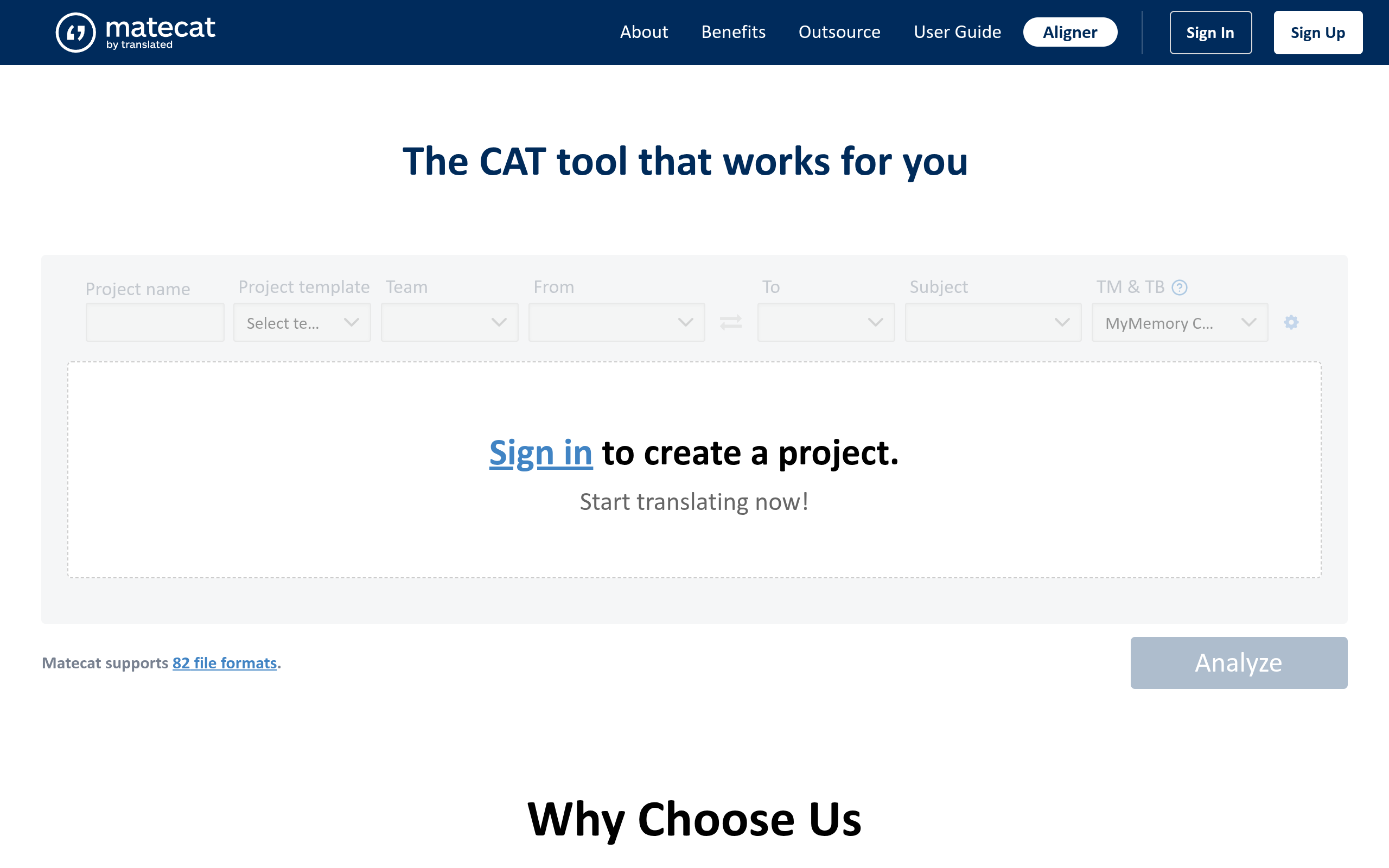
Matecat is a computer-assisted translation environment rather than a simple “upload a PDF and receive a finished PDF” service. It is useful for translators, agencies, researchers with language specialists, and publishers who need a workspace containing segments, translation memory, terminology, and review steps. The product’s official home is Matecat.com; verify its current file support and workflow details before committing to a particular project.
The central mechanism is segment-level human review. A translator can reuse approved wording across a journal series, maintain a consistent legal phrase, and inspect machine suggestions instead of accepting a whole document blindly. That is valuable for a 200-page academic book or recurring regulatory report, but it creates a different output process: someone must export, proofread, and potentially reconstruct elements that do not behave well in a CAT environment.
Where it fits poorly
- Best for: professional translators and teams prioritizing translation memory, review, and linguistic accountability.
- Does not suit: a business user who needs an immediately formatted translated slide deck with minimal intervention.
- Standout: a translation-workbench model that keeps humans involved at the segment and terminology level.
Implementation burden is medium: lower than building an API, but higher than using an automated document platform. The commercial model and available services should be checked on the current Matecat site; project cost may also include the human translator or reviewer, not just the software workflow. For scanned PDFs, plan an OCR and quality-control stage before expecting reliable segments.
6. InOtherWord.AI
For current product details, see the official InOtherWord.AI website.
Best use: formatted files without building a translation stack
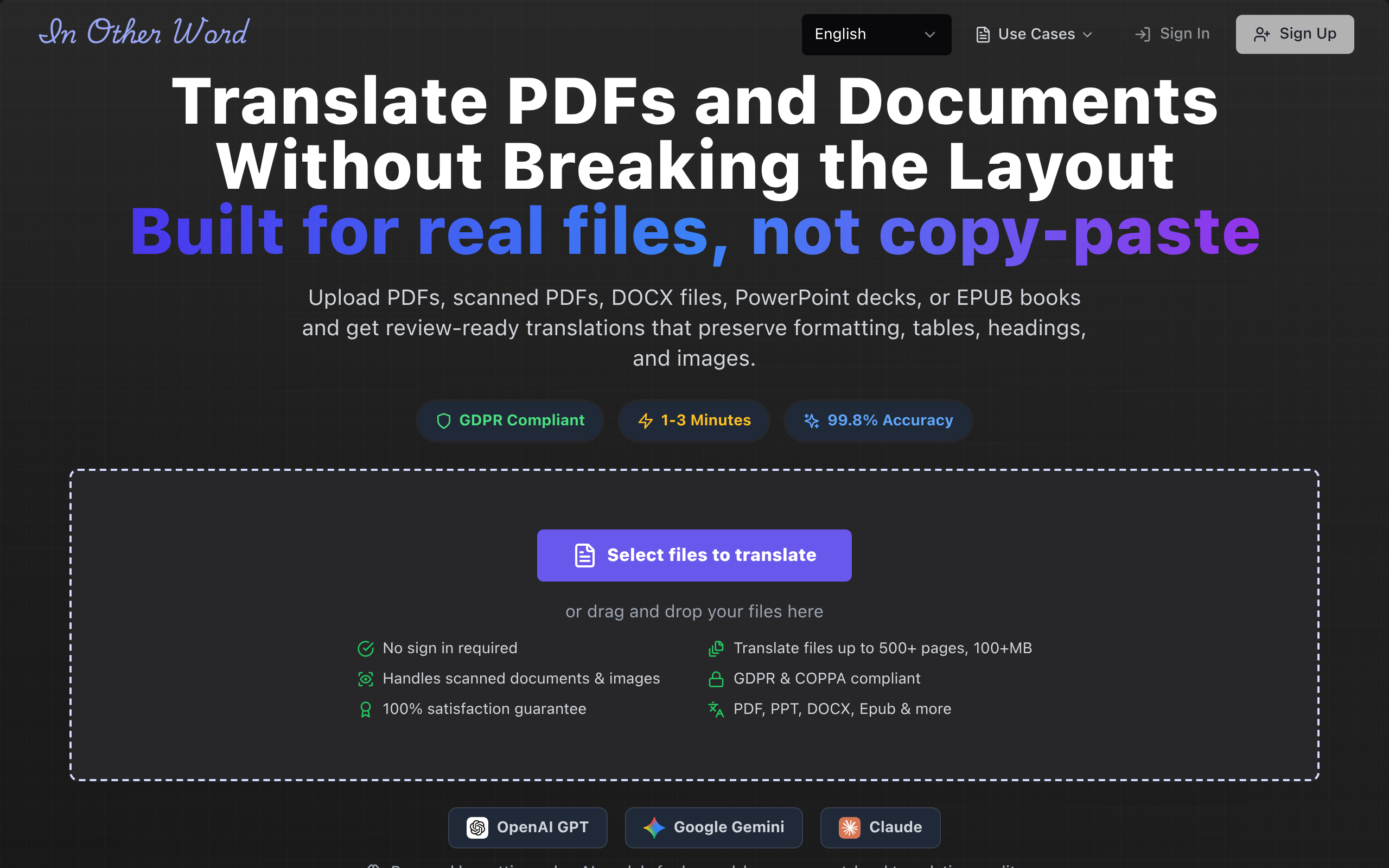
InOtherWord.AI is built for users who want to translate PDFs, scanned PDFs, DOCX files, PowerPoint presentations, and EPUB books while retaining formatting, layout, tables, and images. It is therefore a direct fit for the buyer job in this article: turning an existing document into a usable translated document, rather than exposing a translation API to developers.
A legal team can use it for a contract draft, a researcher for an academic paper, or an educator for course material. For image-only files, the relevant workflow is translate scanned PDFs, while ordinary digital files may be handled through translate PDF documents. The key evaluation is visual and functional: do page breaks remain sensible, do tables stay readable, are images retained, and can a reviewer locate the original and translated passages?
Trade-offs, implementation, and pricing
- Best for: business, legal, academic, publishing, healthcare, government, and religious teams that need translated files rather than developer infrastructure.
- Does not suit: engineers who need a low-level API, custom application logic, or large-scale automated orchestration.
- Standout: one workflow spanning office documents, presentations, ebooks, PDFs, and scanned PDFs.
Implementation burden is low to medium for a document team because there is no requirement to build storage, API calls, or file-return logic. The commercial model and current plan limits should be verified on the official InOtherWord.AI site, especially for large files, sensitive documents, and recurring organizational use. Even with layout preservation, schedule a human review for contracts, clinical content, court documents, and anything that will be published or filed.
Comparison
The table compares the six products against the same purchasing questions. “File-first” means the product is oriented toward delivering a document; “API-first” means your team must build more of the surrounding workflow. Capability and pricing details can change, so confirm the exact language pair, file type, retention terms, and plan available in 2026.
| Product | Primary workflow | Implementation burden | Layout responsibility | Commercial model |
|---|---|---|---|---|
| Google Cloud Translation | Cloud API and automated document pipeline | Medium to high | Test and validate in your pipeline | Usage-based cloud billing |
| Azure AI Translator | Azure-integrated document translation | Medium to high | Shared between service and workflow owner | Usage-based Azure billing |
| Amazon Translate | AWS application or processing pipeline | High for a complete document workflow | Mostly workflow-owner responsibility | Usage-based AWS billing |
| SYSTRAN Translate | Governed enterprise translation | Medium | Confirm by format and plan | Configuration or enterprise terms; verify current pricing |
| Matecat | Human-assisted CAT workflow | Medium | Translator and export workflow responsibility | Verify current software and language-service terms |
| InOtherWord.AI | File-first AI document translation | Low to medium | Platform-focused preservation, with human QA required | Verify current plans and file limits |
How to choose the right document translation tool
Start with the deliverable, not the engine
Write down what must exist at the end of the process. If the answer is “a translated DOCX that a lawyer can edit,” “a PDF with the original tables intact,” or “an EPUB ready for editorial review,” favor a file-first product. If the answer is “translated text returned to our claims application,” favor an API. If the answer is “a linguist must approve every segment,” favor a CAT workflow.
- Choose a file-first platform for occasional or department-led document work.
- Choose an API when translation is one automated step inside software you control.
- Choose CAT tooling when translation memory and human review determine quality.
- Choose a governed enterprise product when terminology, access, procurement, and repeatability outweigh setup speed.
Run a representative-file pilot
Do not pilot with a clean two-page text document. Use one file that exposes the risks in your real workload:
- A contract with defined terms, footnotes, tables, and signature blocks.
- A scanned court or government document with skewed pages and stamps.
- A research paper with references, equations, captions, and two-column layout.
- A presentation with charts, speaker notes, and text embedded in images.
- An EPUB or course packet with headings, callouts, and repeated terminology.
Score the output on meaning, formatting, review effort, and downstream usability. Ask who corrects OCR errors, who approves terminology, where the source and output are stored, and how a revised source document is handled. A tool that saves translation time but creates three hours of manual layout repair may be the wrong choice for a publishing team.
Make privacy and review non-negotiable
For healthcare, legal, government, and internal business documents, procurement should verify retention, access, processing location, deletion, and contractual data-use terms directly with the vendor. Do not treat “AI-powered” as a security specification. Likewise, machine translation should not be the sole approval step for a court filing, patient-facing instruction, employment agreement, or published book.
For most teams that need a usable translated file without developing cloud infrastructure, start with InOtherWord.AI and compare its output on representative documents against the human-review or API workflow your organization can actually support. InOtherWord.AI offers document translation across PDFs, scanned PDFs, DOCX, PowerPoint, and EPUB through InOtherWord.AI, while API-led teams should select Google Cloud Translation, Azure AI Translator, or Amazon Translate only when they are prepared to own the surrounding engineering and quality process.
Authored with NotFair SEO
Related guides
Keep researching the right workflow
These pages help move from general document-translation research into the specific file format or workflow you need.
A practical workflow for translating scanned PDFs with OCR while preserving enough structure for real review, sharing, and downstream editing.
Explore pageHow to translate PPT and PPTX decks without breaking slide layouts, charts, and speaker-ready formatting.
Explore pageThe best AI PDF translator is not just about language quality. It also needs OCR, layout preservation, and reviewable output for real files.
Explore pageCommercial pages
Ready to translate the actual file?
Jump from the guide into the product page that fits your document type, then continue into pricing when you are ready.
Format page
Translate PDF Documents
Translate PDF files while preserving layout, tables, and page structure.
Explore pageFormat page
Translate Scanned PDFs
OCR and translate scanned PDFs without rebuilding the layout by hand.
Explore pageFormat page
Translate PowerPoint Presentations
Translate PPT and PPTX decks while preserving slide layouts, tables, and speaker-ready formatting.
Explore pageTranslate layout-heavy PDF reports, manuals, forms, and client-ready files while keeping tables, headings, and images readable.
Explore page