Free Document Translation Services: A Practical Buyer’s Guide for 2026
Published Tue Aug 18 2026 | 18 min read
Compare free document translation services with paid workflows for PDFs, scans, contracts, and books, including quality, privacy, layout, and budget checks.
When a legal team, university lab, publisher, or operations group searches for free document translation services, the real job is rarely “convert these words.” It is usually to produce a usable contract, readable research source, reviewable medical record, or publishable course file without losing tables, citations, signatures, page structure, or confidentiality. This guide helps you decide whether a free self-service tool, an AI document platform, a human translation workflow, or a hybrid process is appropriate for the document and its risk.
The practical decision is not simply free versus paid. It is acceptable risk versus required assurance, weighed against file complexity, turnaround expectations, review capacity, and the cost of repairing a bad translation. A free tool may be sensible for internal discovery; the same tool may be unsuitable for a court filing, patient-facing instruction, or contract that changes legal obligations.
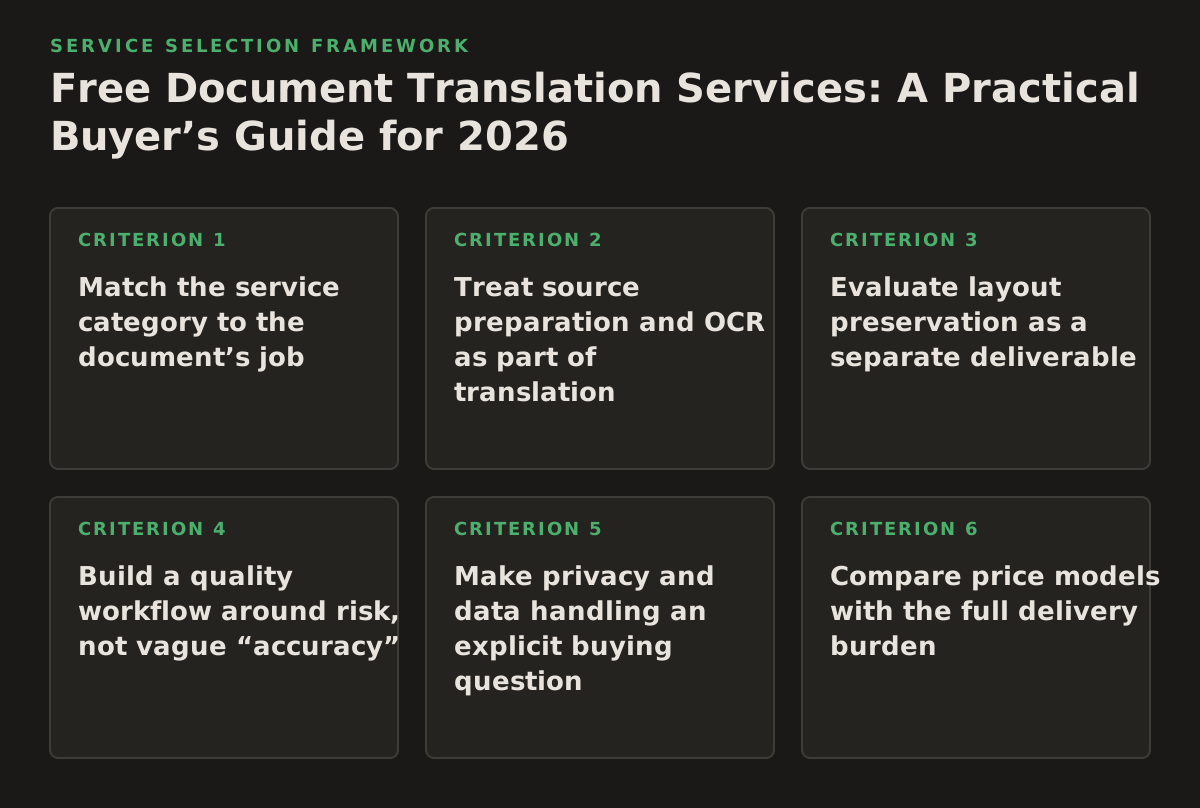
1. Match the service category to the document’s job
“Document translation service” covers several different delivery models. Treating them as interchangeable causes most buying mistakes. Start by identifying what the translated file must do after delivery.
Four practical service categories
- Free machine translation is suited to comprehension, triage, and low-consequence internal use. It is usually the lightest-cost option, but the buyer carries the burden of checking terminology, formatting, privacy handling, and file usability.
- AI document translation is suited to larger batches and files where preserving layout matters. The platform processes the document rather than requiring text to be copied into a chat box. It can reduce manual preparation, but the buyer still needs a review policy and must verify the provider’s current file, language, and privacy terms.
- Human translation is suited to documents requiring nuanced judgment, certified delivery, jurisdiction-specific language, or publication-quality editing. It generally has greater coordination cost and may require a glossary, style guide, and review rounds.
- Hybrid translation combines machine output with human review of selected sections or the full deliverable. It is useful when a team needs speed but cannot accept unreviewed terminology, especially across repeated contracts, technical manuals, or academic collections.
When this principle applies: use it before collecting vendor quotes or uploading a file. A five-page internal report and a five-page merger agreement may have the same page count but radically different quality and liability requirements.
Why it works: the document’s purpose determines the acceptable error rate. A reader can often infer the meaning of a rough translation during research triage. A judge, patient, regulator, or counterparty may not have that context.
Failure mode: choosing a service by language count or headline price while ignoring the output’s legal, operational, or editorial role.
Implementation example: a university researcher can use a free tool to identify whether a Japanese article is relevant, then commission a reviewed translation of the methods and results sections. A legal department should instead classify a translated contract as a controlled work product, preserve the original, and require bilingual review before signature.
2. Treat source preparation and OCR as part of translation
Text-based DOCX files are not the same problem as scanned PDFs. A scanned PDF is often a collection of page images, so a translation system must first recognize the characters, infer reading order, and separate text from stamps, handwriting, tables, or marginal notes. Optical character recognition, or OCR, converts image content into machine-readable text; Google’s official Cloud Vision documentation describes text detection for dense documents and handwriting as distinct recognition cases, which is a useful reminder that source type affects extraction quality (Google Cloud Vision OCR documentation).
Use a source-readiness checklist
- Confirm whether the file contains selectable text or only page images.
- Check scan resolution, skew, contrast, shadows, and cropped margins.
- Identify handwritten annotations, seals, signatures, stamps, and checkboxes.
- Record the original page count and the pages that contain tables or complex forms.
- Remove duplicate pages and confirm that the source is the final approved version.
- For DOCX and PowerPoint files, inspect text embedded in shapes, charts, notes, headers, and footers.
When this principle applies: always for scanned contracts, historical books, court exhibits, archived reports, and image-only forms; selectively for digitally authored office documents.
Why it works: translation cannot correct text that was never extracted correctly. If OCR reads a part number, decimal, date, or negation incorrectly, fluent target-language wording can conceal the original error.
Failure mode: assuming that a successful upload means every page was machine-readable. A platform may return a complete-looking file while omitting faint text, columns, or handwritten qualifications.
Implementation example: before translating a 40-page scanned procurement record, the buyer samples the first, middle, and most visually difficult pages. The team compares extracted text against the images, logs uncertain fields, and sends those pages for targeted human verification. For a larger archive, OCR confidence review can be prioritized around names, amounts, dates, and legal conditions rather than every identical body paragraph.
If the source is image-based, a dedicated workflow for translate scanned PDFs is more appropriate than pasting screenshots into a general translator. For text-based files, a workflow designed to translate PDF documents can preserve more of the original document structure than plain text exchange.
3. Evaluate layout preservation as a separate deliverable
A translation can be linguistically understandable and still fail the business job because the output is difficult to compare, print, sign, teach from, or publish. German, French, Arabic, and many other languages can expand or reshape text. Tables may reflow; bullets may detach from headings; right-to-left scripts introduce different alignment requirements; and translated text inside diagrams may remain untranslated.
Inspect these layout elements
- Reading order: verify columns, footnotes, sidebars, and callout boxes.
- Tables: check merged cells, repeated headers, units, dates, and page breaks.
- Typography: inspect missing characters, line wrapping, font substitutions, and superscripts.
- Visual assets: review charts, labels, diagrams, screenshots, and text placed inside images.
- Pagination: compare page references, cross-references, signature blocks, and appendices.
- Directionality: test Arabic or Hebrew output for alignment, punctuation, numerals, and mixed-language fields.
When this principle applies: use a strict visual review for court bundles, board presentations, product manuals, forms, textbooks, and any file that will be distributed as a finished artifact. A lighter review may be enough for internal notes.
Why it works: readers use visual structure to interpret relationships. A misplaced table row or detached footnote can change how a result, obligation, or instruction is understood even when each translated sentence is grammatical.
Failure mode: checking only the extracted text and never opening the rendered output. Text comparison cannot detect overlapping objects, blank pages, clipped text, or an unreadable signature area.
Implementation example: a compliance team translates a policy PDF into three languages. It defines a visual acceptance pass covering every table, warning box, page header, and form field, then compares the rendered files against the original at 100% zoom. It does not require identical pagination if the translated language expands, but it does require stable section order and intact controls.
For PowerPoint, reviewers should inspect presenter notes and text inside diagrams separately. For EPUB, they should test navigation, chapter order, links, and device rendering. The EPUB specification is maintained by the World Wide Web Consortium, whose EPUB overview identifies the format as a web-standard publishing format rather than a single fixed-page canvas (W3C EPUB specification overview). That distinction matters: an EPUB translation can preserve semantic structure without reproducing the exact page geometry of a PDF.
4. Build a quality workflow around risk, not vague “accuracy”
“Accurate” is too broad to function as an acceptance criterion. Define what must be correct, who checks it, and what happens when the output fails. The appropriate review depth differs for a literature search, a patient instruction, a contract draft, and a public-facing book.
Use a layered review model
- Completeness check: confirm that every page, heading, table, note, caption, and appendix is present.
- Meaning check: compare numbers, names, dates, conditions, negations, and defined terms with the source.
- Terminology check: apply an approved glossary for product names, legal phrases, scientific terms, and organizational titles.
- Functional check: open links, inspect forms, test navigation, and verify that the file can be printed or edited as required.
- Audience check: ask a qualified reader whether the tone and terminology fit the jurisdiction, discipline, or reading level.
When this principle applies: use all five layers for high-consequence documents. For research triage, completeness and meaning checks may be sufficient until a source becomes central to the work.
Why it works: different errors require different reviewers. A bilingual attorney may catch an obligation that a general language reviewer misses; a researcher may catch a mistranslated statistical term that a general editor overlooks.
Failure mode: asking one bilingual employee to “proofread everything” without a glossary, source version, checklist, or escalation rule. That creates inconsistent judgments and makes corrections difficult to audit.
Implementation example: a healthcare education team creates a term list for drug names, dosage units, body parts, and emergency instructions. A language reviewer checks the target text, while a clinical reviewer checks whether instructions preserve the original clinical meaning. The team records rejected terms so they do not reappear in later documents.
Success criteria should be measurable enough to trigger a decision. An illustrative starting policy—not a universal benchmark—is to require 100% page and section completeness, zero unresolved errors in names or numeric values, and documented approval for every high-risk term. For a lower-risk internal report, the policy might instead require a representative review sample and clear labeling that the translation is for understanding only.
5. Make privacy and data handling an explicit buying question
Free does not mean consequence-free. A document may contain attorney-client material, unpublished research, employee records, patient information, government data, or commercially sensitive plans. Before uploading, determine what the provider says about retention, access, training or product improvement, deletion, subprocessors, account controls, and data location. Do not infer these answers from a homepage or from the fact that a service uses artificial intelligence.
Separate document risk from platform claims
- Classify the file before upload: public, internal, confidential, regulated, privileged, or export-controlled.
- Ask whether the service stores source and translated files, and for how long under the applicable plan.
- Ask whether uploaded content may be used to improve a general model or service.
- Confirm who can access files, logs, workspaces, and administrative exports.
- Determine whether the buyer can delete files and obtain confirmation through documented controls.
- Check whether the vendor will sign the required agreement, if the organization’s policy requires one.
When this principle applies: for every professional workflow, and especially for legal, healthcare, government, human resources, and unpublished research documents.
Why it works: privacy risk is created at ingestion, processing, storage, review, and download—not only at the moment of translation. A secure source file can still be mishandled through shared links or unmanaged local downloads.
Failure mode: uploading a sensitive document to a free consumer service first and asking policy questions later. Once uploaded, the buyer may not be able to reverse processing or establish what happened to the file.
Implementation example: a hospital translation coordinator writes a one-page data-handling requirement before comparing services. A public patient brochure can use a low-friction workflow; an identifiable clinical document requires an approved provider, restricted access, documented deletion, and qualified review. If those controls are unavailable, the file is not uploaded.
Security expectations should be written as questions, not assumed as features. The National Institute of Standards and Technology provides a risk-management framework for organizing cybersecurity outcomes and governance; it is a useful reference for turning broad security concerns into documented controls (NIST Cybersecurity Framework). It does not certify a translation vendor, so the buyer must still examine the provider’s own current terms and evidence.
6. Compare price models with the full delivery burden
Free document translation services typically reduce the visible transaction cost, but they may leave preparation, formatting, review, and correction with the buyer. Paid services may charge through word volume, pages, files, subscriptions, seats, language pairs, human review, or custom project arrangements. The relevant question is not “What is the listed price?” but “What work and risk remain after delivery?”
Ask what the quoted or advertised model includes
- Does the service accept the required file type, size, language direction, and script?
- Is OCR included for scanned pages, or does the buyer need to extract text first?
- Is layout reconstruction included, or is the output plain translated text?
- Are tables, charts, notes, speaker notes, and image text handled?
- Are revisions, glossary application, human review, and file conversion separate?
- Does the price apply to source words, translated words, pages, files, or usage volume?
- Are there account, storage, collaboration, or export limitations that affect operations?
When this principle applies: whenever a team is comparing free tools with paid vendors, or when a recurring translation program is replacing ad hoc work.
Why it works: total effort includes source cleanup, upload administration, visual quality assurance, terminology repair, stakeholder review, and rework. A nominally free workflow can be expensive when a presentation must be rebuilt manually or a contract requires a second review.
Failure mode: using page count as the only cost proxy. One page of plain text, one page of dense legal tables, and one page of annotated handwriting impose different processing and review burdens.
Illustrative budget method: estimate three components separately: tool or vendor charges, internal preparation and review hours, and expected rework. Label any internal hourly assumption as a local planning assumption, not a market benchmark. Then compare the result with the consequence of delay, mistranslation, or an unusable file.
For a publisher, a hybrid workflow may be economical when AI handles a large manuscript draft but an editor reviews terminology and style. For a law firm, a human-led process may be preferable even if the raw text volume is low because the cost of ambiguity is high. Neither conclusion follows from “free” alone.
7. Use a decision matrix before selecting a provider
The table below is intended as a reusable first-pass framework. “Service type” describes the workflow, not a guarantee that every provider offers every capability. Confirm current functionality, limits, and terms directly with the vendor.
| Buyer need | Best-fit service type | Trade-offs | Acceptance test |
|---|---|---|---|
| Understand whether an unfamiliar article or report is relevant | Free machine translation | Low setup cost; terminology and formatting may be rough | Reviewer can identify the thesis, method, findings, and limitations without relying on uncertain passages |
| Translate a text-based PDF while retaining usable structure | AI document translation | Faster file workflow; layout and language quality still require inspection | Compare headings, tables, page order, links, and representative rendered pages |
| Process a scanned court exhibit or archive | OCR-enabled AI workflow plus human verification | Less manual transcription; OCR errors can affect names, figures, and handwriting | Sample difficult pages and verify all material names, dates, amounts, and legal qualifications |
| Prepare a contract, filing, or regulated communication | Human or hybrid review with qualified subject expertise | Higher coordination burden; stronger control over ambiguity and terminology | Documented bilingual approval and zero unresolved high-risk discrepancies |
| Translate a recurring manual, report series, or course pack | AI workflow with glossary and scheduled human review | Consistency improves with process discipline; setup and governance take time | Approved glossary, version control, repeatable QA checklist, and tracked corrections |
| Publish a translated book or EPUB | Human editorial workflow, optionally assisted by AI | Highest editorial burden; better control of voice, navigation, and audience fit | Style review, chapter continuity check, link/navigation test, and target-format proof |
When this principle applies: use the matrix during procurement, project intake, or triage meetings. It prevents a team from selecting one default tool for every document category.
Why it works: it ties the service to an observable job and an acceptance test. The team can explain why a lower-cost workflow is acceptable for one file but not another.
Failure mode: marking a service “approved” globally without defining which document classes it may process. Approval should attach to a use case, data classification, and review level.
Implementation example: a government communications office creates three lanes: public information for machine-assisted translation and editorial review, internal operational documents for approved AI processing, and restricted records for a controlled human workflow. Each lane has its own reviewer, storage rule, and release gate.
8. Interview vendors with evidence-oriented questions
A vendor interview should expose operational limits before a pilot becomes a production dependency. Ask for demonstrations using a redacted file that resembles the real workload, not a pristine paragraph chosen by the seller.
Vendor interview checklist
- File handling: Which PDF, scanned PDF, DOCX, PowerPoint, and EPUB features are supported? What happens to charts, notes, forms, and image text?
- OCR behavior: How are low-quality scans, multiple columns, handwriting, stamps, and mixed scripts handled? How are uncertain extractions identified?
- Quality controls: Can the workflow apply a glossary, preserve defined terms, show source and target together, or support reviewer comments?
- Output: What file is delivered? Can the buyer inspect the rendered result before release? How are pagination, links, tables, and right-to-left text handled?
- Privacy: What are the current retention, deletion, access, subprocessors, and model-training terms for the specific plan?
- Commercial model: Is billing based on pages, words, files, seats, usage, review, or a combination? What work is excluded?
- Operations: What happens when a file fails, a language pair is unsupported, or the output needs correction? Is there an export path?
- Evidence: Will the provider document supported formats, limits, and service terms in writing rather than relying on a sales promise?
When this principle applies: whenever the translation will recur, involve sensitive information, or require coordination across legal, research, editorial, or IT teams.
Why it works: concrete questions convert “AI-powered” or “format preserving” into testable behavior. A provider that cannot explain the failure path is not necessarily unusable, but the buyer should not mistake marketing language for a control.
Failure mode: running a pilot only on a clean DOCX and concluding that scanned exhibits, tables, or presentations will behave similarly.
Implementation example: a publisher pilots one chapter containing footnotes, a table, a caption, and a scanned illustration. It records extraction defects, layout defects, terminology corrections, reviewer time, and final-file changes. The decision is based on those observations and the publisher’s acceptance criteria, not on a generic fluency impression.
Keep vendor claims current. For example, Microsoft’s official documentation distinguishes document translation capabilities from broader text translation scenarios, so buyers should verify the exact API or product path that applies to their files rather than assuming that a text translation feature handles complete documents (Microsoft Translator document translation overview). Likewise, Google’s documentation describes Cloud Translation as supporting document translation in specified formats and workflows; the supported-file list and conditions should be checked before procurement (Google Cloud document translation overview).
9. Set measurable success criteria for the first project
A pilot should answer whether the workflow is fit for a defined class of documents. It should not merely produce a translated file that stakeholders glance at and approve because they are relieved to have it.
Record these measures
- Completeness: missing pages, sections, captions, notes, table cells, or image labels.
- Critical accuracy: errors in numbers, names, dates, defined terms, units, negations, and instructions.
- Terminology consistency: deviations from the approved glossary or style guide.
- Layout usability: clipped text, broken tables, unreadable fonts, lost links, and damaged navigation.
- Human effort: preparation, review, correction, rendering, and stakeholder approval time.
- Privacy and governance: whether the workflow satisfies the organization’s classification and retention rules.
When this principle applies: before a department scales from occasional translation to a repeatable program.
Why it works: it separates language quality from production quality and from governance quality. A workflow can score well on one dimension and fail badly on another.
Failure mode: choosing a winner from a single short sample or using an undefined “looks good” standard. Small samples hide failures in tables, scans, scripts, and long-document consistency.
Implementation example: a research office pilots three representative files: a clean paper, a two-column scanned article, and a table-heavy report. It assigns reviewers with relevant subject knowledge, logs every correction by category, and decides which document classes may use unreviewed output. The resulting policy might permit machine translation for discovery but require review for quotations and published findings.
For translated documents that will be used as evidence, instruction, or a formal record, retain the original, translated version, glossary, reviewer identity, and approval date. Date the workflow record in 2026 or later so future users can distinguish the governing process from later revisions.
Implement the workflow in sequence
- Classify the document. Record its purpose, audience, sensitivity, source format, language pair, and consequence of an error.
- Inspect the source. Determine whether it is text-based or scanned, identify difficult pages, and confirm that the version is final.
- Choose the service lane. Select free machine translation for low-risk comprehension, AI document translation for structured volume, human translation for high-consequence nuance, or a hybrid model where the risk profile is mixed.
- Write acceptance criteria. Specify required completeness, terminology, layout, reviewer qualifications, privacy controls, and release conditions before processing.
- Run a representative pilot. Include the hardest realistic pages, not just clean body text. Measure corrections, review time, file usability, and governance fit.
- Process with version control. Preserve the source, record the tool and date, apply the glossary, and keep translated outputs separate from drafts.
- Review by risk. Give subject-matter reviewers the names, numbers, tables, instructions, and defined terms that can cause material harm if wrong.
- Inspect the rendered file. Open the final PDF, DOCX, PowerPoint, or EPUB and check layout, links, navigation, tables, images, and page references.
- Release with a label. Identify whether the output is for comprehension, internal use, publication, filing, or certified delivery. Do not let an unreviewed draft circulate as an official translation.
- Update the policy. Log recurring errors, unsupported file features, reviewer corrections, and vendor-term changes. Reassess the service when document types, languages, or sensitivity levels change.
InOtherWord.AI is one option for teams that need an AI-powered workflow for PDFs, scanned PDFs, DOCX files, PowerPoint presentations, or EPUB books while keeping formatting, layout, tables, and images in view. Use the service category and acceptance tests above to decide whether InOtherWord.AI fits the particular document class and review policy.
Authored with NotFair SEO
Related guides
Keep researching the right workflow
These pages help move from general document-translation research into the specific file format or workflow you need.
A practical workflow for translating scanned PDFs with OCR while preserving enough structure for real review, sharing, and downstream editing.
Explore pageHow to translate PPT and PPTX decks without breaking slide layouts, charts, and speaker-ready formatting.
Explore pageThe best AI PDF translator is not just about language quality. It also needs OCR, layout preservation, and reviewable output for real files.
Explore pageCommercial pages
Ready to translate the actual file?
Jump from the guide into the product page that fits your document type, then continue into pricing when you are ready.
Format page
Translate PDF Documents
Translate PDF files while preserving layout, tables, and page structure.
Explore pageFormat page
Translate Scanned PDFs
OCR and translate scanned PDFs without rebuilding the layout by hand.
Explore pageFormat page
Translate PowerPoint Presentations
Translate PPT and PPTX decks while preserving slide layouts, tables, and speaker-ready formatting.
Explore pageTranslate layout-heavy PDF reports, manuals, forms, and client-ready files while keeping tables, headings, and images readable.
Explore page