How to Choose Translation And Localization Services for Business Documents
Published Fri Aug 28 2026 | 16 min read
Compare translation and localization services for PDFs, scans, DOCX, slides, and ebooks using practical criteria for quality, security, cost, and delivery.
Choosing translation and localization services is not simply a language decision. A legal team needs an accurate, reviewable contract; a university needs citations and equations preserved; a publisher needs a usable ebook; and a healthcare or government team needs controlled handling of sensitive records. This guide helps you decide which service category fits the document, how much human review the risk justifies, what implementation work the project will create, and how to evaluate providers without relying on vague claims about “accuracy.”
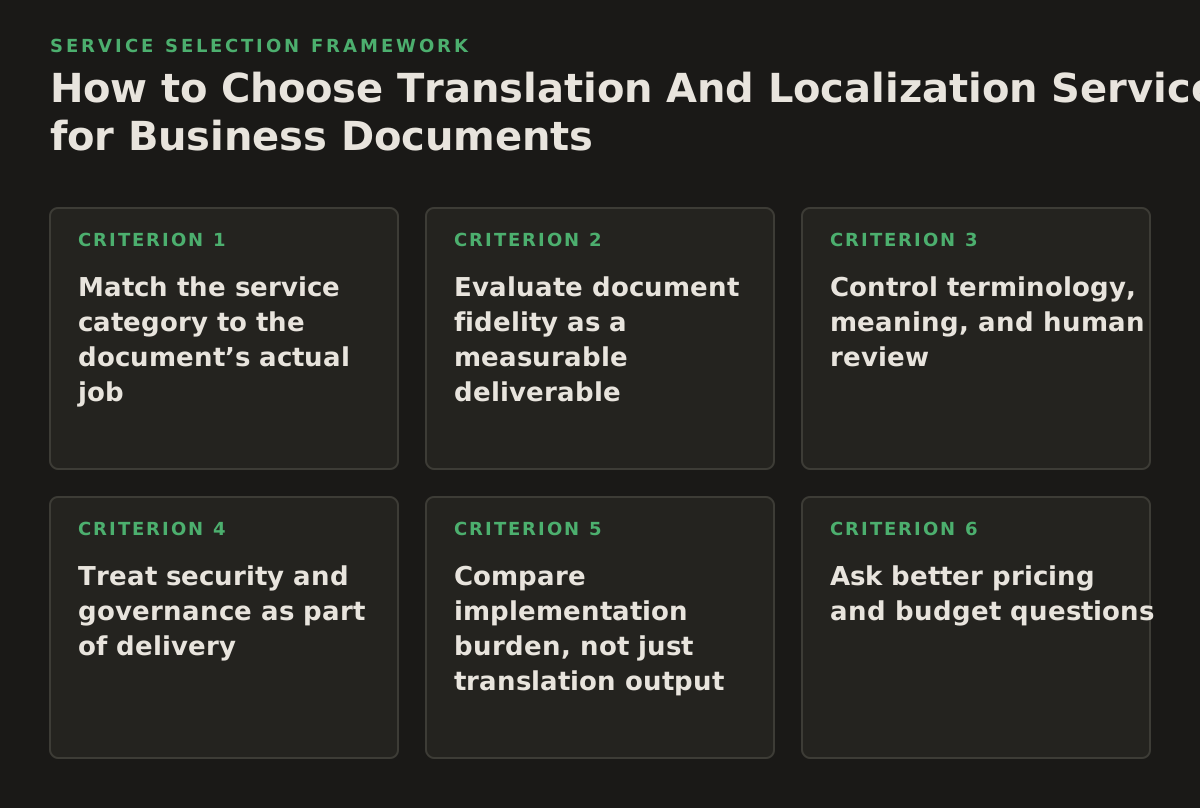
1. Match the service category to the document’s actual job
Start with the document’s purpose, not its file extension. A two-page internal memo and a 400-page regulatory submission may both be PDFs, but they require different controls, review depth, and delivery workflows. The right category is the one that protects the document’s most important function after translation.
Four practical service categories
- Machine translation for understanding: Best for triaging research, screening incoming records, understanding a foreign-language attachment, or deciding which documents deserve professional review. It is usually the fastest and least administratively demanding option, but terminology, ambiguity, and formatting still require inspection.
- AI-assisted document translation: Best for teams that need a translated PDF, DOCX, PowerPoint, or EPUB while retaining document structure and then routing important sections for human review. The value is not just sentence conversion; it is reducing reformatting work across headings, tables, images, and page structure.
- Human translation and review: Best for contracts, court filings, patient-facing material, published content, and documents where tone or legal meaning cannot be left to an unreviewed system. It brings higher coordination and review effort, but gives the buyer a defined accountability process.
- Localization and transcreation: Best when the document must work for a particular country, profession, audience, or cultural setting. This may involve terminology, date and number conventions, examples, titles, calls to action, or visual adjustments rather than literal translation alone.
When this principle applies: Use it during intake, before requesting quotes or uploading a document. A service selected too late often creates avoidable rework: the buyer discovers that an “editable” delivery changed table pagination, that an OCR layer was missing, or that a literal translation does not fit the target audience.
Why it works: It separates three different jobs: comprehension, faithful document reproduction, and audience adaptation. A document can succeed at one and fail at the others.
Failure mode: Treating localization as a cosmetic final pass. For example, a French Canadian training manual may need different terminology and examples from a French publication for France. Changing spelling after translation will not resolve unsuitable references, labels, or instructions.
Implementation example: A university research office has 80 foreign-language journal articles. It uses machine translation to screen abstracts, sends the 12 relevant papers through a structured review workflow, and commissions human review only for quotations, methodology terms, and findings cited in a grant application. The screening and publication uses are distinct service decisions.
2. Evaluate document fidelity as a measurable deliverable
For document work, linguistic quality is only one acceptance criterion. A translation that reads well but drops a footnote, moves a warning below a table, or breaks a court form is not operationally successful. Ask providers how they preserve and validate layout, tables, images, and reading order, especially when the source contains mixed content.
Inspect the source before choosing the workflow
- Native text: Text-based PDFs and DOCX files are generally easier to extract, translate, and reconstruct than image-only files.
- Scanned pages: Scanned PDFs require optical character recognition before translation. Poor scans, handwriting, stamps, skewed pages, and multi-column layouts can create recognition errors.
- Structured elements: Tables, headers, footers, footnotes, cross-references, formulas, and tracked changes need separate checking.
- Embedded text in images: A chart or screenshot may contain words that ordinary body-text extraction does not capture.
- Output constraints: Determine whether the recipient needs a searchable PDF, an editable DOCX, a presentation with editable text, or an EPUB that remains usable on different reading systems.
OCR is an interpretation step, not a neutral file conversion. Adobe’s documentation describes OCR as making scanned documents searchable and editable, which is why teams should expect a recognition review before treating extracted text as authoritative: Adobe’s scanned-PDF guidance. For a scan containing a signature, a serial number, or a dosage instruction, one misread character can matter more than an otherwise fluent translation.
When this principle applies: Apply it whenever the source is scanned, heavily designed, form-based, or destined for filing, publication, or presentation.
Why it works: It turns “preserve formatting” into inspectable checkpoints. You can compare page count, headings, tables, missing text, image placement, and searchability instead of accepting a general promise.
Failure mode: Reviewing only the first and last pages. Layout defects often occur where a translation expands, such as dense tables, legal definitions, slide notes, or pages with a large heading followed by a short paragraph.
Implementation example: A legal department needs a translated, searchable copy of a 60-page scanned contract. It first requests OCR, checks ten representative pages—including signatures, tables, handwritten annotations, and footnotes—then translates the approved text. The final check compares defined terms, clause numbering, exhibits, and page references against the source. Teams can use a dedicated workflow to translate scanned PDFs when the source is image-based, rather than assuming an ordinary PDF workflow will recover every word.
3. Control terminology, meaning, and human review
The central quality question is not “Is the translation fluent?” It is “Does the translation preserve the meanings that this document is supposed to communicate?” Legal definitions, medical instructions, academic terminology, product names, and government program titles often require a controlled vocabulary.
ISO 17100 describes requirements for core processes, resources, and other aspects of translation services, including the competence and qualifications involved in professional translation workflows; the standard is a useful reference point when a buyer asks a provider to explain its process rather than merely promising quality: ISO 17100 information from ISO. It does not eliminate the need for your subject-matter review, and certification alone should not be treated as proof that a particular document is correct.
Build a review brief before translation
- List terms that must remain unchanged, such as product codes, statutory names, defined legal terms, and database fields.
- Identify terms that require an approved target-language equivalent.
- Specify whether the target should be literal, plain-language, formal, academic, patient-friendly, or publication-ready.
- Mark content that must not be translated, including quoted source text, citations, names, formulas, and reference identifiers.
- Name the reviewer who can resolve meaning disputes, not just grammar disputes.
When this principle applies: It is essential for contracts, policies, clinical documents, research instruments, public notices, and any recurring document set where inconsistent wording creates operational or legal confusion.
Why it works: A terminology list converts hidden institutional knowledge into an artifact that can guide translation and review. It also gives reviewers a narrower, more useful task than rereading every sentence without priorities.
Failure mode: Asking five bilingual employees to “take a quick look” without assigning authority. Conflicting edits then produce a version that is grammatically polished but internally inconsistent.
Implementation example: A company translating an employee handbook identifies 35 recurring terms, including job levels, benefits, and disciplinary categories. HR owns policy meaning, legal owns regulated language, and a local reviewer owns audience tone. The translation team records each disputed term, decision, and rationale in a terminology sheet that becomes the starting point for the next handbook update.
4. Treat security and governance as part of delivery
A translation workflow can expose more than the final document. Source files, OCR text, prompts, translation memories, reviewer comments, and downloaded outputs may all contain confidential information. A provider should be able to explain the data path in plain language before a sensitive upload is approved.
For organizations assessing AI-supported workflows, the NIST AI Risk Management Framework provides a voluntary framework for managing risks across the AI lifecycle. It is not a translation certification, but its emphasis on identifying, measuring, and managing risk is a useful structure for procurement and internal governance.
Questions to document before the first upload
- Where are files processed and stored, and for how long?
- Are uploaded documents used to train or improve a general model?
- Who can access source files, translations, OCR text, and reviewer notes?
- Can the organization delete files and derived data after delivery?
- What happens when a translation job fails or a user downloads the wrong version?
- Are subcontractors or external reviewers involved?
- Which retention, confidentiality, records-management, or data-processing terms apply to the project?
Privacy obligations depend on the organization, jurisdiction, data type, and role of each party. The official text of the EU General Data Protection Regulation includes requirements concerning processing personal data and processor relationships; buyers handling EU personal data should have counsel map those obligations to the proposed workflow rather than assuming that a translation label answers the question: Regulation (EU) 2016/679 on EUR-Lex.
When this principle applies: Use heightened controls for patient records, contracts, personnel files, court evidence, government records, unpublished research, and documents containing identifiers or protected information.
Why it works: It makes confidentiality a process decision. Redaction, access control, retention limits, and approval gates can be specified before convenience pressures the team into an unapproved upload.
Failure mode: Sending a sensitive file to a free web tool because it is only “for a draft.” Draft status does not remove confidentiality, discovery, privacy, or records-management obligations.
Implementation example: A healthcare team creates a de-identification step, uses a restricted project workspace, assigns two reviewers, and records the source and output filenames in its document register. For a public brochure, it may choose a lighter process; for a patient-specific report, it requires the approved secure route and human clinical review.
5. Compare implementation burden, not just translation output
The visible output is a translated file, but the real project includes intake, preparation, review, corrections, publishing, and records management. Service categories differ substantially in how much work remains with the buyer.
| Buyer need | Suitable service type | Primary trade-off | Acceptance focus |
|---|---|---|---|
| Understand a large set of foreign documents | Machine translation for internal triage | Low coordination, higher risk of unnoticed terminology or factual errors | Readable output, correct document coverage, clear “not for publication” status |
| Translate PDFs, scans, DOCX, slides, or ebooks while retaining structure | AI-assisted document translation with review gates | Less manual reconstruction, but OCR and layout defects still need inspection | Text completeness, page or slide integrity, tables, images, headings, and searchable output |
| File a contract, court document, or regulated communication | Human translation with subject-matter review | More scheduling and review coordination in exchange for stronger accountability | Defined terms, numbers, citations, clause references, certification needs, and sign-off |
| Adapt content for a market or audience | Localization or transcreation | Greater creative and stakeholder involvement; literal equivalence is not the sole goal | Audience comprehension, local conventions, terminology approval, and stakeholder acceptance |
| Publish a translated book or course | Human editorial workflow plus format validation | Highest editorial burden, especially across chapters, references, and ebook navigation | Style consistency, navigation, accessibility checks, images, captions, and proofread pages |
When this principle applies: Use the table during procurement and project planning. It is especially helpful when a stakeholder requests “the cheapest translation” without specifying whether the result is for private comprehension, external publication, or a legal record.
Why it works: It exposes the trade-off between automation, review, fidelity, and adaptation. The lowest purchase price can create the highest internal labor if staff must rebuild slides, correct OCR, or reconcile inconsistent terminology.
Failure mode: Comparing quotes that describe different deliverables. One provider may quote translated text only; another may include reconstructed pages, proofreading, and a review cycle. Those are not equivalent offers.
Implementation example: A publisher requests an EPUB translation. It asks every candidate whether the output includes translated navigation labels, chapter hierarchy, image captions, metadata, and a validation report. It then separates language editing from device and format checks, because a fluent chapter can still produce a broken reading experience.
6. Ask better pricing and budget questions
Translation pricing can be based on source words, target words, pages, files, hours, project stages, or a negotiated package. There is no responsible universal price without knowing the language pair, source condition, file type, urgency, review level, and output requirements. A buyer should request a written scope before treating a number as comparable.
Cost drivers to put in the scope
- Source condition: Native text usually creates a different workload from skewed scans, handwriting, or image-heavy PDFs.
- Language pair and direction: Availability of qualified reviewers and subject-matter expertise can vary.
- Document complexity: Tables, formulas, forms, footnotes, speaker notes, and embedded images require additional checking.
- Service level: Triage, AI-assisted translation, human editing, proofreading, localization, and certification are different deliverables.
- Review rounds: Define how many consolidated feedback rounds are included and what counts as new scope.
- Urgency and batching: Rush work or fragmented files may increase coordination even when total words are unchanged.
- Output and retention: Editable files, accessible structure, searchable scans, terminology assets, and deletion requests may affect implementation work.
When this principle applies: Use it when comparing providers, preparing an internal budget, or deciding whether to translate an entire archive or only a prioritized subset.
Why it works: It converts a vague price request into a cost model tied to decisions the buyer controls. A smaller first batch, cleaner source files, or a narrower review scope may reduce cost without pretending that high-risk content needs no review.
Failure mode: Selecting a per-page quote without defining what a page means. A page in a scanned legal exhibit, a slide with dense diagrams, and a blank separator page do not represent the same extraction or validation workload.
Illustrative starting policy: For a 2026 internal archive project, a team might classify files as “screening,” “business use,” or “external/high-risk,” request a sample-based scope for each class, and reserve its larger review budget for the last category. This is a planning example, not a universal pricing rule or quality threshold.
7. Use acceptance tests and a vendor interview checklist
Provider selection improves when the buyer asks for evidence of process and defines failure before work begins. “Native-level quality” is difficult to evaluate without a target audience, source sample, terminology list, and review method. Ask for a representative sample or pilot when the document is consequential, and make the acceptance criteria part of the order.
Vendor interview checklist
- Which service category do you recommend for this document, and what would you not use it for?
- How do you handle OCR errors, tables, formulas, footnotes, image text, slide notes, and repeated headers?
- What happens when the source contains ambiguous wording or conflicting terminology?
- Can you provide a glossary or terminology-management process for recurring documents?
- Who performs linguistic review, and how is subject-matter expertise verified?
- What file formats are accepted and returned? Is the output editable, searchable, or publication-ready?
- How are revisions submitted, tracked, and incorporated?
- What security, retention, deletion, and subcontracting terms govern the files?
- What exactly is included in the quoted scope, and what creates additional work?
- How will you report missing text, unresolved ambiguity, formatting defects, or rejected files?
Define measurable success criteria
Use criteria that another reviewer can verify. For a contract, that may include preservation of clause numbering, defined terms, monetary amounts, dates, exhibits, and cross-references. For a research paper, it may include intact citations, equations, tables, figure labels, and section order. For a slide deck, it may include editable text, no clipped objects, readable notes, and consistent terminology.
For a scanned document, record whether every page has an OCR layer, whether the text is searchable, and which pages require manual confirmation. For a book or EPUB, inspect chapter navigation, captions, metadata, footnotes, and rendering in the reading systems your audience actually uses. The W3C EPUB specification documents the structure and requirements of EPUB publications, making it a more useful technical reference than treating an ebook as a long text file.
When this principle applies: Always apply it to a new provider, a new language pair, a new file type, or a high-consequence document. It is also valuable when an automated workflow is replacing manual translation or desktop publishing.
Why it works: Acceptance tests create a shared definition of done. They also make provider conversations more productive: a failed table, omitted caption, or inconsistent term can be assigned to a specific correction step.
Failure mode: Approving a sample that does not contain the hard parts of the real project. A clean paragraph sample says little about a 30-column table, a scanned stamp, or a bilingual legal exhibit.
Implementation example: Before translating a 200-slide training deck, the buyer supplies five representative slides: a title slide, a dense table, a diagram, a slide with speaker notes, and a slide containing text inside an image. The pilot is accepted only after reviewers check layout, terminology, and editability against a written checklist.
8. Sequence the work so risk is discovered early
Do not begin by uploading the full archive. A controlled sequence reduces the cost of discovering that the source is unreadable, the terminology is disputed, or the target format cannot support the intended output.
- Inventory the documents. Record file type, page or slide count, source language, target language, scan quality, audience, confidentiality, deadline, and intended use.
- Assign a risk tier. Mark each item as comprehension-only, internal operational use, external communication, publication, or legal/regulated use. Add subject-matter sensitivity and formatting complexity.
- Inspect representative files. Include the worst scan, the densest table, the most image-heavy page, and the document with the strictest output requirement—not only the easiest sample.
- Choose the service path. Decide between machine translation, AI-assisted document translation, human review, localization, or a combination. State what the service will not guarantee.
- Prepare terminology and instructions. Supply names, approved terms, prohibited translations, audience details, regional conventions, and content that must remain unchanged.
- Run a pilot or first batch. Use a small but representative set. Measure missing content, layout defects, terminology corrections, reviewer time, and downstream publishing effort.
- Review by risk, not convenience. Route legal definitions, clinical instructions, financial figures, citations, and public-facing claims to the people authorized to approve them.
- Accept and archive deliberately. Preserve the approved source, final translation, terminology decisions, review record, and version identifier according to organizational policy.
- Scale only after resolving failure patterns. If the pilot reveals OCR problems, improve source preparation or add a manual check. If terminology disputes dominate, settle the glossary before expanding.
When this principle applies: It is the recommended operating plan for a new project, particularly when several departments share a document set or when the source mixes native files and scans.
Why it works: Each stage produces information needed by the next stage. Inventory informs risk; the pilot tests the service; review decisions improve the instructions; and the acceptance record prevents a later dispute about which file was approved.
Failure mode: Scaling an attractive first sample without measuring hidden labor. A pilot may look good until reviewers spend hours repairing tables or confirming OCR, so track correction categories and time as well as linguistic comments.
Implementation example: A government communications team starts with one public notice, one scanned form, and one presentation. It records source defects, translation decisions, reviewer effort, and output problems. It then selects separate workflows for public notices, archival scans, and slide decks instead of forcing all three through one undifferentiated process.
For teams whose main requirement is preserving the structure of ordinary PDF documents during translation, InOtherWord.AI supports workflows to translate PDF documents, alongside document-focused translation for scanned PDFs, DOCX files, PowerPoint presentations, and EPUB books. Use the implementation sequence above to decide whether that type of platform fits your risk tier and review process, then confirm the exact output and data-handling terms before adoption. InOtherWord.AI
Authored with NotFair SEO
Related guides
Keep researching the right workflow
These pages help move from general document-translation research into the specific file format or workflow you need.
A practical workflow for translating scanned PDFs with OCR while preserving enough structure for real review, sharing, and downstream editing.
Explore pageHow to translate PPT and PPTX decks without breaking slide layouts, charts, and speaker-ready formatting.
Explore pageThe best AI PDF translator is not just about language quality. It also needs OCR, layout preservation, and reviewable output for real files.
Explore pageCommercial pages
Ready to translate the actual file?
Jump from the guide into the product page that fits your document type, then continue into pricing when you are ready.
Format page
Translate PDF Documents
Translate PDF files while preserving layout, tables, and page structure.
Explore pageFormat page
Translate Scanned PDFs
OCR and translate scanned PDFs without rebuilding the layout by hand.
Explore pageFormat page
Translate PowerPoint Presentations
Translate PPT and PPTX decks while preserving slide layouts, tables, and speaker-ready formatting.
Explore pageTranslate layout-heavy PDF reports, manuals, forms, and client-ready files while keeping tables, headings, and images readable.
Explore page