Ircc Document Translation: A Practical Guide to Accurate, Complete Applications
Published Mon Aug 24 2026 | 16 min read
IRCC document translation explained: learn certification rules, OCR risks, file checks, and a practical workflow for accurate Canadian applications.
IRCC document translation is the process of preparing documents written in a language other than English or French for submission to Immigration, Refugees and Citizenship Canada. It is not simply a matter of converting words from one language to another: the applicant must also preserve the document’s identity, completeness, legibility, and required translator evidence. For legal teams, universities, employers, and healthcare organizations supporting an application, the practical goal is a translation package that an officer can inspect without guessing what was translated, what was omitted, or who certified it.
What Ircc Document Translation includes
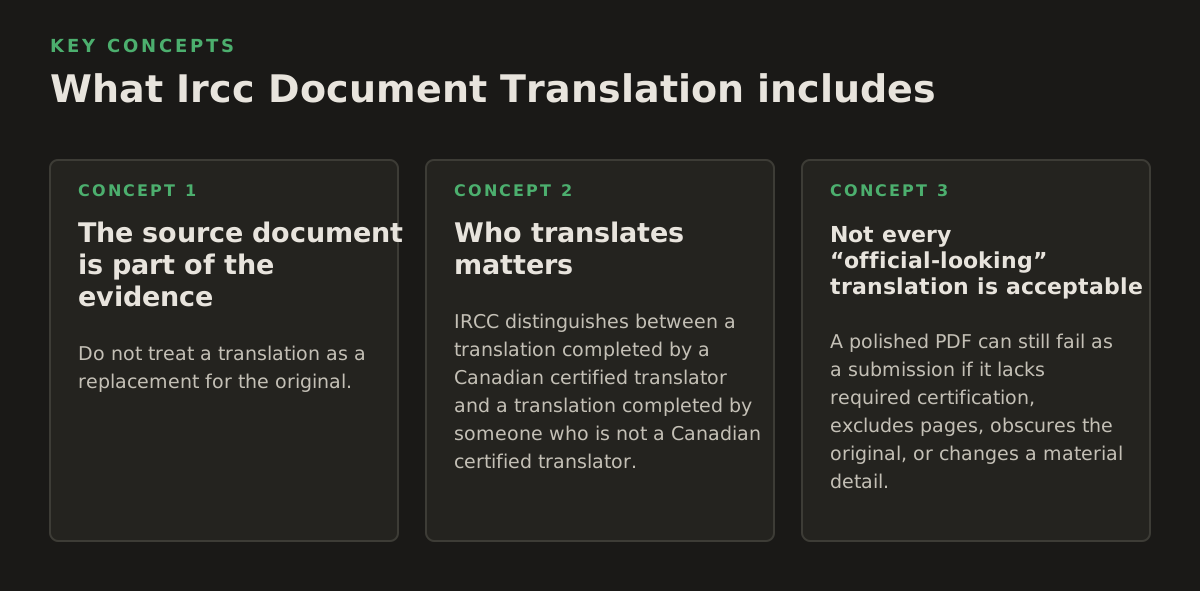
A translation package normally has more than one layer. The translated text is the visible layer, but the submission may also need a copy of the original document and an affidavit or translator’s certification, depending on who performed the translation and the application instructions that apply. IRCC’s official translation guidance should control the final decision because requirements can differ by program and application type. Consult the current IRCC translation documents guidance before submitting a file.
The source document is part of the evidence
Do not treat a translation as a replacement for the original. A birth certificate, court order, diploma, police certificate, employment letter, or medical record carries evidentiary value through its layout, seals, signatures, registration numbers, dates, and relationships between fields. The translation explains that evidence to the reviewing authority; it does not erase the need to show the source.
A practical package should make the relationship between files obvious. For example, use a consistent naming pattern such as:
- 01_original_birth_certificate.pdf
- 01_english_translation_birth_certificate.pdf
- 01_translator_certification.pdf, when required
For a multi-page document, keep the page order unchanged unless the application instructions require another arrangement. If a seal appears on page three, the translation should identify it on page three or clearly cross-reference it. If a stamp cannot be read, mark it as illegible rather than silently inventing text.
Who translates matters
IRCC distinguishes between a translation completed by a Canadian certified translator and a translation completed by someone who is not a Canadian certified translator. In the latter case, the official guidance may require an affidavit from the translator and the translator’s certification or oath documentation. The precise requirement should be checked against the current IRCC instruction page and the application guide, not inferred from a software provider’s description.
The translator’s role is also different from the applicant’s role. An applicant may provide context about a name, institution, historical spelling, or local administrative term, but should not edit a translator’s certification or direct the translator to make an uncertain phrase appear more definite. For a court document or immigration record, preserve the ambiguity and explain it in a translator’s note when appropriate.
Not every “official-looking” translation is acceptable
A polished PDF can still fail as a submission if it lacks required certification, excludes pages, obscures the original, or changes a material detail. Conversely, a plain-looking translation can be useful if it is complete, traceable, and accompanied by the evidence the application requires.
Before a legal department or university admissions office sends a file to an applicant, check:
- Language eligibility: confirm whether the document needs translation into English or French.
- Completeness: include every page, reverse side, attachment, seal, handwritten note, and marginal entry.
- Identity: preserve names, aliases, dates of birth, document numbers, and registration references exactly enough to reconcile them with the source.
- Certification: determine whether the translator’s status, affidavit, or other supporting material is required.
- File usability: confirm that the final PDF opens, displays all pages, and remains readable at normal zoom.
Why accuracy and document fidelity affect an application
Translation errors do not all have the same consequence. A mistranslated heading may be inconvenient; a changed date, missing negation, or incorrect relationship can alter the apparent meaning of an application. The risk is highest when a document contains dense administrative language that looks repetitive to a machine or hurried reviewer.
Small fields can carry large consequences
Names often appear in several forms: a transliterated spelling, a local-script spelling, a former surname, and a spelling used on a passport. Dates may use day-month-year ordering, a local calendar, or a date written in words. Addresses may contain administrative units that have no direct English equivalent. A reliable workflow treats these as controlled data, not ordinary prose.
For each identity-bearing field, compare the translation against the source and related application forms:
- Names: compare every spelling against the passport and the forms, including middle names and compound surnames.
- Dates: verify the day, month, year, and any calendar conversion independently.
- Numbers: check passport numbers, registration numbers, grades, salaries, and case references digit by digit.
- Relationships: distinguish “spouse,” “common-law partner,” “parent,” “guardian,” “child,” and similar terms rather than treating them as interchangeable.
- Status language: preserve distinctions such as issued, expired, revoked, pending, refused, and withdrawn.
For legal teams, the highest-risk content is often not the contract-like prose but the metadata around it: court jurisdiction, order date, file number, party names, and the operative section of an order. For universities, the risk may sit in grading scales, degree titles, enrollment status, or dates of attendance. For healthcare teams, diagnoses, dosage units, and negations require specialist review rather than a purely visual quality check.
Layout communicates structure
Tables, stamps, columns, checkboxes, and handwritten annotations tell the reviewer how information relates. Flattening a table into a paragraph can make a translation technically readable while making it harder to verify. A translated transcript should preserve the association between course, grade, credit, and term. A translated financial statement should preserve the relationship between account line, date, currency, and amount.
That is why a document translation platform should be evaluated on more than sentence quality. Ask whether the workflow preserves:
- tables and repeated headers across pages;
- page numbers and document order;
- signatures, seals, and handwritten content as visible references;
- footnotes, exhibits, and appendices;
- right-to-left or mixed-script text where applicable;
- the original file as a separate, unmodified artifact.
For a large case file, preserving layout also reduces review time because the attorney, caseworker, or applicant can locate the translated passage beside the corresponding source passage. It does not replace proofreading, but it makes proofreading more systematic.
How an IRCC translation workflow works
The safest workflow separates extraction, translation, reconstruction, and review. Combining all four into one opaque action makes it difficult to determine whether a defect came from a bad scan, optical character recognition, translation, or PDF rendering.
1. Classify the source before translating
Start by identifying the document type and its risk profile. A clean DOCX letter, a searchable PDF, and a photographed certificate should not enter the same process without inspection.
- Inventory the files. Record the source filename, page count, language or languages, document owner, and intended application.
- Inspect readability. Check skew, blur, cropping, shadows, handwriting, stamps, and pages rotated sideways.
- Identify sensitive fields. Mark names, dates, numbers, addresses, legal findings, diagnoses, and financial amounts for heightened review.
- Choose the output format. Use a searchable PDF when the source is a PDF, and preserve editable structure when a DOCX or presentation must remain editable for internal review.
- Set a review owner. Assign a person who understands the underlying case, not only the target language.
This inventory also prevents a common operational failure: translating the clean front page while overlooking a second page, reverse side, attachment, or certification stamp.
2. Extract text from digital and scanned files
Digitally generated PDFs often contain an embedded text layer. Scanned PDFs and photographs usually contain pixels instead, so they require OCR before a translation engine can process the content as text. OCR identifies characters from an image; it does not understand the legal or immigration significance of those characters.
Google’s official Document AI overview describes document processing as a combination of document understanding capabilities rather than simple text copying; its documentation is a useful technical reference for distinguishing extraction from higher-level processing. See the Google Cloud Document AI overview. In practical terms, OCR output should be treated as a draft transcription that needs comparison with the image.
OCR is particularly vulnerable to:
- the digits “1,” “I,” and “l”;
- decimal points, commas, and currency symbols;
- initials and signatures;
- low-contrast seals and embossed text;
- multi-column reading order;
- diacritics and characters from unfamiliar alphabets;
- handwritten additions and marginal notes.
For a 12-page scanned police certificate, an illustrative starting policy might require a page-by-page visual check of every extracted page and a second check of all identity fields. That is a workflow example, not a universal IRCC threshold. The appropriate control depends on the document’s legibility, importance, and the consequences of an error.
3. Translate with a controlled terminology record
Translation quality improves when recurring terms are decided once and applied consistently. Build a small terminology record for each matter. Include the issuing authority’s name, program names, court terms, degree titles, medical terms, and recurring administrative phrases.
The record should distinguish between:
- a literal rendering that preserves the source wording;
- an established English or French name used by the issuing institution;
- a translator’s explanatory note;
- a term that must remain in the original language because it is a proper name or registration identifier.
Do not “correct” the source during translation. If the original document contains a spelling inconsistency, preserve it and flag it for the case owner. Changing it may make the translation look cleaner while breaking the evidentiary link to the source.
4. Reconstruct and package the document
After translation, rebuild the output so a reviewer can follow it. Use stable page numbering and retain visible markers for seals, signatures, handwritten entries, and unreadable content. If a visual element cannot be reproduced, describe its presence and location rather than removing it.
A useful internal review table can look like this:
| Check area | Source question | Translation question | Owner |
|---|---|---|---|
| Identity | Are all names and numbers visible? | Do spellings and digits match? | Case reviewer |
| Completeness | Are all pages and attachments present? | Does every page have translated content or a clear note? | File coordinator |
| Structure | Are tables, columns, and stamps understandable? | Can the reviewer map each field to the source? | Translator |
| Certification | What does the current application guide require? | Are the required translator documents attached? | Authorized submitter |
5. Validate the final PDF, not just the draft
PDF conversion can introduce defects that were absent in the translation editor. Text may clip at the margin, fonts may substitute incorrectly, hyperlinks may disappear, and a page may render blank in one viewer. Run a final visual inspection and, where possible, a text-search test for names and document numbers.
For teams that regularly process PDFs, a platform built for documents can reduce manual reconstruction. InOtherWord.AI supports workflows to translate PDF documents, including files where tables, images, and layout need to remain usable during review. The output still needs human and certification checks appropriate to the application.
Where automated translation and OCR break
Automation is most useful when it removes repetitive handling, not when it is allowed to make unreviewed decisions about evidence. The central distinction is between automation of preparation and automation of accountability. Software can extract, translate, format, and flag; it cannot become the certifying translator merely by producing a fluent result.
Scans create upstream errors
A translation engine may receive an incorrect OCR transcription and produce a perfectly grammatical translation of the wrong text. This is a dangerous failure because fluency hides the original extraction error. A missing “not,” an incorrectly read digit, or a misordered table row can survive ordinary proofreading if the reviewer reads only the translated page.
When a source is a scan, compare the translated output with the image at these points:
- the first and last lines on every page;
- all dates, numbers, and monetary values;
- names in headers, seals, and signatures;
- checkboxes and selected options;
- sentences containing restrictions, refusals, exclusions, or negative findings;
- any text marked illegible by the OCR process.
If the original is too blurry to read, do not ask the translator or AI system to guess. Request a better scan, obtain a clearer copy from the issuing organization, or preserve an explicit uncertainty note. A guessed translation is worse than a visible limitation because it creates false confidence.
Legal and administrative language is context-dependent
Terms that appear interchangeable in ordinary language may have different consequences in immigration, family law, education, or healthcare. A court “dismissal” is not necessarily a “withdrawal.” A “certificate” is not necessarily a “license.” A degree “awarded” is not necessarily the same as a degree “completed.” A medical “history” is not the same as a current diagnosis.
Use a subject-matter review for documents containing:
- court judgments, police records, or administrative decisions;
- adoption, custody, divorce, or name-change records;
- professional licenses and regulated employment evidence;
- academic transcripts with unfamiliar grading systems;
- medical reports, prescriptions, laboratory results, or vaccination records;
- financial statements used to establish funds or income.
The reviewer does not need to rewrite the translation. Their job is to identify a material mismatch between the source, the translation, and the case narrative, then return a targeted query to the translator.
Formatting can distort meaning
Right-to-left scripts, vertical text, merged cells, overlapping stamps, and handwritten annotations can all be damaged by reconstruction. A table converted into a list may separate a value from the heading that qualifies it. A stamp placed over a name may disappear behind a white text box. A signature line may be mistaken for an empty field.
For image-heavy files, use a workflow that keeps the source image available while adding searchable translated text. If the original is a scanned PDF, teams can translate scanned PDFs while retaining the scan for visual comparison. This is especially important for certificates, identity records, and older archival documents where the image itself is evidence.
Privacy and access controls remain operational responsibilities
Immigration files may contain passport data, family information, financial records, legal allegations, or health information. Before uploading documents to any service, establish an internal rule for approved accounts, user permissions, retention, and deletion. Do not place a client’s file into a personal account merely because the task is urgent.
A sensible starting policy for a legal or healthcare team might include:
- one designated workspace per matter or department;
- named reviewers rather than shared credentials;
- a record of the source, output, reviewer, and submission date;
- deletion or archival rules approved by the organization;
- no use of confidential documents for unapproved experimentation.
These are governance recommendations, not claims about any particular provider’s security or compliance posture. Confirm the service’s current terms and controls independently before using it for sensitive files.
How practitioners apply the workflow
The best process depends on the document set and the decision the translation must support. A single birth certificate may need a simple, tightly checked workflow. A corporate transferee’s package may contain employment letters, payroll records, degrees, licenses, and family documents, each with different terminology and reviewers.
Legal teams: build a source-to-translation audit trail
For contracts, court records, and civil-status documents, preserve an audit trail showing which source version was translated. If a client sends a revised judgment after translation, do not silently overwrite the old output. Assign a new version and identify the changed pages.
An illustrative matter-control sheet might record:
- document title and issuing authority;
- source language and target language;
- number of source pages and translated pages;
- translator identity and certification route;
- material ambiguities or illegible areas;
- reviewer approval and date.
This is not an IRCC form requirement by itself. It is a defensible internal control that helps counsel answer a later question: which document did the translation represent, and what did the team know about its limitations?
Universities and researchers: protect academic equivalence
Academic files often contain tables, abbreviations, seals, course codes, and grading conventions. Do not translate a course title while discarding the credit value, term, or grade scale. Admissions staff need enough structure to compare the record with program requirements.
For a researcher submitting foreign-language publications or credentials, separate the evidentiary document from the explanatory translation. Keep the journal’s title, volume, issue, DOI, author names, and publication date traceable. If a publication title has an established English version, record the source of that version rather than presenting an unofficial translation as an official title.
Businesses: separate reusable terminology from case facts
Employers frequently translate standardized employment letters, organizational charts, payroll records, and internal reports. A terminology list can improve consistency across an employee’s package, but it should not force every department name into an artificial one-to-one equivalent. Preserve the employer’s legal name and explain functional titles where necessary.
For repeated files, create a review queue that prioritizes:
- identity and employment dates;
- salary, currency, and pay frequency;
- job title, duties, and reporting relationship;
- company registration details;
- signatures, stamps, and issuing authority.
Use automation for repetitive extraction and formatting, then reserve bilingual or subject-matter review for fields that affect eligibility or credibility. This allocation is usually more robust than asking one reviewer to reread every line with equal intensity.
Publishers and educators: preserve reading order and editions
Books, course packs, and teaching materials may contain footnotes, captions, sidebars, indexes, and mixed-language quotations. A page that looks acceptable in a word processor can become confusing when converted to PDF, especially if text expands in the target language.
Track the edition and pagination of the source. If a translated excerpt is submitted as supporting evidence, identify whether it is a complete document, a chapter, or selected pages. Never let a redesigned layout imply that an excerpt is the full work.
Government and healthcare teams: use dual review for high-consequence fields
Government and healthcare teams should separate language review from factual reconciliation. A bilingual reviewer can assess meaning and terminology; a case owner can compare the result with the person’s records and the purpose of the application. For medical files, a clinically qualified reviewer may be needed to identify dangerous misunderstandings, particularly around dosage, timing, symptoms, and negation.
Use an escalation rule when:
- the scan is incomplete or materially illegible;
- the source contains conflicting names or dates;
- a term has no clear equivalent in English or French;
- the translation changes the apparent legal or medical status;
- the required certification path is uncertain;
- the translated layout no longer permits page-level comparison.
When any of these conditions applies, pause submission rather than treating speed as the primary objective. Check the current IRCC forms and guides for the relevant program; the government’s application forms and guides directory is the appropriate starting point for locating current instructions in 2026.
Make a specific submission decision before you translate
Before sending a file into an automated workflow, decide what kind of help is needed: transcription, translation, layout preservation, terminology support, certified translation, or some combination. A tool can be excellent at producing a searchable draft and still be unsuitable as the only control for a court order or medical record.
For each document, document three decisions:
- Required authority: who must translate, certify, swear, or review it under the current application instructions?
- Required fidelity: which visual and textual elements must remain traceable to the source?
- Required review: which fields receive a second check because an error could change eligibility, identity, or credibility?
Then perform a final package review in the order an officer is likely to encounter it: original, translation, certification material, and any explanatory note. Confirm that filenames, page counts, and document references agree. If a reviewer must open four unrelated files to understand one certificate, the package is not finished even if every individual translation is accurate.
InOtherWord.AI is designed for teams that need to translate PDFs, scanned PDFs, DOCX files, PowerPoint presentations, and EPUB books while retaining usable formatting, tables, and images. Consider it for the preparation stage, then apply the certification, subject-matter review, and current IRCC submission rules that your case requires through InOtherWord.AI.
Authored with NotFair SEO
Related guides
Keep researching the right workflow
These pages help move from general document-translation research into the specific file format or workflow you need.
A practical workflow for translating scanned PDFs with OCR while preserving enough structure for real review, sharing, and downstream editing.
Explore pageHow to translate PPT and PPTX decks without breaking slide layouts, charts, and speaker-ready formatting.
Explore pageThe best AI PDF translator is not just about language quality. It also needs OCR, layout preservation, and reviewable output for real files.
Explore pageCommercial pages
Ready to translate the actual file?
Jump from the guide into the product page that fits your document type, then continue into pricing when you are ready.
Format page
Translate PDF Documents
Translate PDF files while preserving layout, tables, and page structure.
Explore pageFormat page
Translate Scanned PDFs
OCR and translate scanned PDFs without rebuilding the layout by hand.
Explore pageFormat page
Translate PowerPoint Presentations
Translate PPT and PPTX decks while preserving slide layouts, tables, and speaker-ready formatting.
Explore pageTranslate layout-heavy PDF reports, manuals, forms, and client-ready files while keeping tables, headings, and images readable.
Explore page